Your trading app was built to execute. Grok was built for real-time thinking.
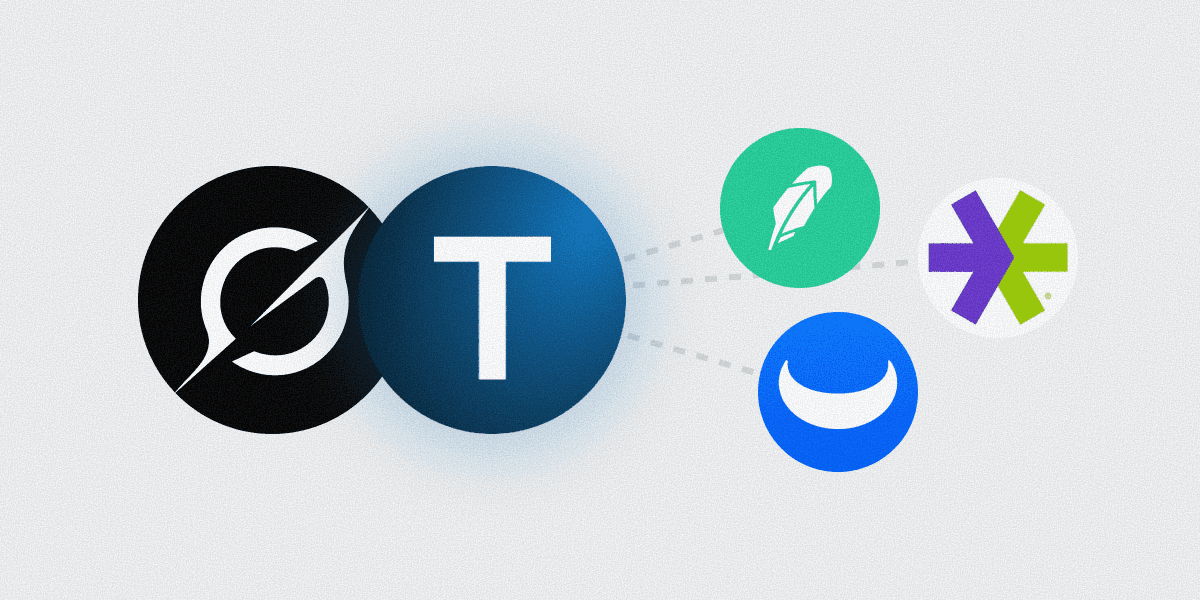

Your trading app was built to execute. Grok was built for real-time thinking.
Your trading app was built to execute. Grok was built for real-time thinking.
In this article
The Robinhood & E*TRADE analysis gap Grok fills
The retail trading apps are execution-first products. They make placing trades effortless. They don't make portfolio analysis easy because that wasn't a design priority. The overview screen shows what you'd need at trade time (today's gain or loss, total balance) and stops there. Concentration risk, sector exposure, expense-ratio benchmarking, tax-lot detail — all of that is on you to compile elsewhere.
Two specific gaps stand out:
Concentration creeps in undetected. Sort your Robinhood positions by value and you can see what's biggest. What you cannot see is that the top three positions together represent 38% of your equity stake. The trading app shows you the trees, not the forest — and a forest that's 40% one species is a different risk profile than the dashboard makes obvious.
Cross-account exposure is structurally hidden. E*TRADE shows you E*TRADE. Robinhood shows you Robinhood. None of them show you that your total tech exposure across all three platforms is 58% of your invested assets.
There's also a third gap that's particularly acute for active retail traders: sentiment context is missing. Robinhood doesn't tell you that retail X discussion of one of your largest positions has shifted dramatically in the last 48 hours. The trading app is a transaction surface, not a market-intelligence surface — and for a retail trader trying to make sense of a position, the gap between "what I own" and "what's happening around it" matters.
Grok plus Truthifi closes all three gaps with a unique angle compared to other AI agents. Because Grok integrates X-platform discussion in real time and pulls live market data, the trading-app analysis isn't just structural — it's also reactive. Ask "is anyone on X talking about positions I hold right now?" and Grok pulls both your real holdings (Truthifi-sourced) and current X discussion (Grok-native). For active traders, that combination is meaningfully different from what other agents can deliver.
A worked example. A retail trader holds Robinhood and E*TRADE accounts — split across speculative trades (Robinhood), longer-term positions (E*TRADE), and a few crypto plays. They wake up to news of a sector-wide selloff. Without Grok plus Truthifi, they'd have to: open three apps, mentally aggregate their sector exposure, scroll X for sentiment, and synthesize. With Grok plus Truthifi: one prompt — "what's my exposure to today's sector selloff, weighted by current X sentiment shift?" — returns the whole picture in seconds.
How the connection works
Truthifi connects to Robinhood and E*TRADE through industry-standard aggregation (read-only). Truthifi normalizes positions into a consistent schema across the three brokerages — same field names, same data shape — and exposes them to Grok via the Model Context Protocol.
Grok registers Truthifi as a custom connector through grok.com/connectors. Once registered and OAuth-authorized, every Grok conversation can call Truthifi's tools alongside Grok's real-time X integration and market data. Trading-app data flows through the same MCP pipeline as everything else.
Authentication happens once with each brokerage (handled by Truthifi's connector), once between you and Truthifi, and once between Grok and Truthifi.
What you need
A paid Grok account (any tier).
A Truthifi account with at least one of Robinhood or E*TRADE linked. (New to Truthifi Connect?)
Note what you don't need: a Robinhood or E*TRADE API key. The aggregation handles platform connections for you. One brokerage-side authorization per account, then Truthifi maintains the data flow.
Five-minute setup
Detailed walkthrough is here: How to Connect Your Portfolio to Grok via Truthifi MCP. Condensed:
Link your trading apps to Truthifi. truthifi.com → Connections → add Robinhood or E*TRADE. Each is a separate one-time OAuth flow.
Add Truthifi to Grok. grok.com/connectors → New Connector → Custom → enter
https://api.truthifi.com/mcp→ name "Truthifi" → Add.Click the Truthifi card to start OAuth and authenticate.
Truthifi stays enabled across Grok conversations.
Verify with "Show me all my open positions across Robinhood and E*TRADE."
The security architecture, plainly stated
The headline: read-only, every layer.
Brokerage credentials stay at the brokerage. Robinhood and E*TRADE each authorize Truthifi to read your account data. Your username and password never go to Truthifi or to Grok's servers.
Truthifi's brokerage tokens are read-only. No path through Truthifi reaches a trade-placement endpoint. Even an attacker who fully compromised Truthifi could not place a trade in your name.
Grok sees a Truthifi-scoped MCP token. That token is scoped to read-only Truthifi tools; it has no awareness of your underlying brokerage credentials.
You can revoke any layer independently. At the brokerage. At Truthifi. At Grok. Three knobs, three different scopes.
The asymmetry — read everything, write nothing — is by design.
There's also a noteworthy practical implication: Grok stores connector tokens server-side, and the Truthifi-scoped token is the only credential that could theoretically leak in a Grok-side incident. That token is read-only and revocable in seconds from truthifi.com.
For active traders, the read-only constraint is also a behavioral safeguard. Grok with Truthifi can produce confident-sounding "you should do X" recommendations based on real-time X sentiment plus your actual positions. That kind of analysis is genuinely useful, but it's also the kind of analysis that benefits from a forced pause between "Grok's idea" and "executing the trade." The architecture enforces that pause: Grok can recommend, but it cannot execute. The trader's own decision and the brokerage's own UI sit between recommendation and action.
Supported accounts
Truthifi's MCP supports the major US-accessible retail trading apps and stockbrokers:
Robinhood (taxable, Roth IRA, traditional IRA where supported)
**E*TRADE** (taxable, retirement, employer stock plan accounts)
Public, M1, SoFi, Stash, Acorns (other retail-trading apps Truthifi covers)
Plus the major full-service brokerages (Fidelity, Vanguard, Schwab, Merrill, etc.) if you want to combine retail with traditional
Your Grok sees whatever you've linked. Mix and match — three trading apps and a Schwab brokerage, all queryable in one Grok conversation.
How this compares to your other options
The honest comparison:
Native trading-app dashboard. Free, easy, accurate — but limited. You see one app at a time. Cross-account analysis is impossible. The most complex question the dashboard can answer is "what's my today P&L." Anything else is your job.
Spreadsheet aggregation. Powerful but stale. Maintenance is significant — every position change means a new row, every account change means a new sheet. No reasoning layer, no sentiment layer. Stale by Wednesday.
Generic AI tool with screenshots. Works for one-off questions but stale immediately. Pasting credentials into AI is a non-starter for security reasons. No real-time market context.
DIY single-broker MCP server. Higher upside than spreadsheets but covers one broker and requires meaningful technical setup. Still no real-time market or X integration.
Grok plus Truthifi. Real-time-aware analysis grounded in your actual positions. Setup once, query forever, no per-conversation pasting. Read-only by design. Multi-broker by default. Includes Grok's distinctive X-platform integration and live market data.
The Grok approach is the only one that gives you real-time market commentary, X-platform sentiment, and your actual positions in the same answer. For an active retail trader specifically, the X-sentiment layer is the differentiator — every other configuration treats sentiment as something you'd track in a separate tool.
What active traders should expect
A few specific use patterns that Grok plus Truthifi enables that other configurations don't:
Pre-market briefing. Before market open, ask Grok: "For my five largest positions, what's the X sentiment trend overnight? Any unusual options activity? Any analyst upgrades/downgrades since yesterday's close?" Grok pulls all three layers and your positions in one response.
Mid-day reality check. When markets are moving, ask: "Are any of my positions making outsized moves relative to baseline volatility? For the ones that are, what's driving the move per X discussion?" Combines anomaly detection with sentiment context.
End-of-day review. "Walk me through today's biggest movers in my portfolio. For each, what was the news flow and X sentiment? Did the move seem driven by fundamentals or by sentiment shift?" The kind of analysis that historically required a separate sentiment tool, separate news feed, and separate portfolio dashboard.
Earnings preparation. "Which of my positions report earnings this week? For each, pull current X sentiment and analyst expectations. Flag where my position size suggests I should pay extra attention." Concrete, position-weighted earnings prep.
Position sizing sanity check. "My TSLA position is up X% in the past week. Has X sentiment caught up to the price action, or is it lagging? If lagging, that's a potential early-warning signal."
Disconnecting
Three independent paths:
At the brokerage: revoke Truthifi's read access in Robinhood / E*TRADE's app-permissions or connected-apps screen.
At Truthifi: truthifi.com → Settings → Connected Apps → Grok → Revoke.
At Grok: Account Settings → Connectors → Truthifi → Remove.
The Robinhood & E*TRADE analysis gap Grok fills
The retail trading apps are execution-first products. They make placing trades effortless. They don't make portfolio analysis easy because that wasn't a design priority. The overview screen shows what you'd need at trade time (today's gain or loss, total balance) and stops there. Concentration risk, sector exposure, expense-ratio benchmarking, tax-lot detail — all of that is on you to compile elsewhere.
Two specific gaps stand out:
Concentration creeps in undetected. Sort your Robinhood positions by value and you can see what's biggest. What you cannot see is that the top three positions together represent 38% of your equity stake. The trading app shows you the trees, not the forest — and a forest that's 40% one species is a different risk profile than the dashboard makes obvious.
Cross-account exposure is structurally hidden. E*TRADE shows you E*TRADE. Robinhood shows you Robinhood. None of them show you that your total tech exposure across all three platforms is 58% of your invested assets.
There's also a third gap that's particularly acute for active retail traders: sentiment context is missing. Robinhood doesn't tell you that retail X discussion of one of your largest positions has shifted dramatically in the last 48 hours. The trading app is a transaction surface, not a market-intelligence surface — and for a retail trader trying to make sense of a position, the gap between "what I own" and "what's happening around it" matters.
Grok plus Truthifi closes all three gaps with a unique angle compared to other AI agents. Because Grok integrates X-platform discussion in real time and pulls live market data, the trading-app analysis isn't just structural — it's also reactive. Ask "is anyone on X talking about positions I hold right now?" and Grok pulls both your real holdings (Truthifi-sourced) and current X discussion (Grok-native). For active traders, that combination is meaningfully different from what other agents can deliver.
A worked example. A retail trader holds Robinhood and E*TRADE accounts — split across speculative trades (Robinhood), longer-term positions (E*TRADE), and a few crypto plays. They wake up to news of a sector-wide selloff. Without Grok plus Truthifi, they'd have to: open three apps, mentally aggregate their sector exposure, scroll X for sentiment, and synthesize. With Grok plus Truthifi: one prompt — "what's my exposure to today's sector selloff, weighted by current X sentiment shift?" — returns the whole picture in seconds.
How the connection works
Truthifi connects to Robinhood and E*TRADE through industry-standard aggregation (read-only). Truthifi normalizes positions into a consistent schema across the three brokerages — same field names, same data shape — and exposes them to Grok via the Model Context Protocol.
Grok registers Truthifi as a custom connector through grok.com/connectors. Once registered and OAuth-authorized, every Grok conversation can call Truthifi's tools alongside Grok's real-time X integration and market data. Trading-app data flows through the same MCP pipeline as everything else.
Authentication happens once with each brokerage (handled by Truthifi's connector), once between you and Truthifi, and once between Grok and Truthifi.
What you need
A paid Grok account (any tier).
A Truthifi account with at least one of Robinhood or E*TRADE linked. (New to Truthifi Connect?)
Note what you don't need: a Robinhood or E*TRADE API key. The aggregation handles platform connections for you. One brokerage-side authorization per account, then Truthifi maintains the data flow.
Five-minute setup
Detailed walkthrough is here: How to Connect Your Portfolio to Grok via Truthifi MCP. Condensed:
Link your trading apps to Truthifi. truthifi.com → Connections → add Robinhood or E*TRADE. Each is a separate one-time OAuth flow.
Add Truthifi to Grok. grok.com/connectors → New Connector → Custom → enter
https://api.truthifi.com/mcp→ name "Truthifi" → Add.Click the Truthifi card to start OAuth and authenticate.
Truthifi stays enabled across Grok conversations.
Verify with "Show me all my open positions across Robinhood and E*TRADE."
The security architecture, plainly stated
The headline: read-only, every layer.
Brokerage credentials stay at the brokerage. Robinhood and E*TRADE each authorize Truthifi to read your account data. Your username and password never go to Truthifi or to Grok's servers.
Truthifi's brokerage tokens are read-only. No path through Truthifi reaches a trade-placement endpoint. Even an attacker who fully compromised Truthifi could not place a trade in your name.
Grok sees a Truthifi-scoped MCP token. That token is scoped to read-only Truthifi tools; it has no awareness of your underlying brokerage credentials.
You can revoke any layer independently. At the brokerage. At Truthifi. At Grok. Three knobs, three different scopes.
The asymmetry — read everything, write nothing — is by design.
There's also a noteworthy practical implication: Grok stores connector tokens server-side, and the Truthifi-scoped token is the only credential that could theoretically leak in a Grok-side incident. That token is read-only and revocable in seconds from truthifi.com.
For active traders, the read-only constraint is also a behavioral safeguard. Grok with Truthifi can produce confident-sounding "you should do X" recommendations based on real-time X sentiment plus your actual positions. That kind of analysis is genuinely useful, but it's also the kind of analysis that benefits from a forced pause between "Grok's idea" and "executing the trade." The architecture enforces that pause: Grok can recommend, but it cannot execute. The trader's own decision and the brokerage's own UI sit between recommendation and action.
Supported accounts
Truthifi's MCP supports the major US-accessible retail trading apps and stockbrokers:
Robinhood (taxable, Roth IRA, traditional IRA where supported)
**E*TRADE** (taxable, retirement, employer stock plan accounts)
Public, M1, SoFi, Stash, Acorns (other retail-trading apps Truthifi covers)
Plus the major full-service brokerages (Fidelity, Vanguard, Schwab, Merrill, etc.) if you want to combine retail with traditional
Your Grok sees whatever you've linked. Mix and match — three trading apps and a Schwab brokerage, all queryable in one Grok conversation.
How this compares to your other options
The honest comparison:
Native trading-app dashboard. Free, easy, accurate — but limited. You see one app at a time. Cross-account analysis is impossible. The most complex question the dashboard can answer is "what's my today P&L." Anything else is your job.
Spreadsheet aggregation. Powerful but stale. Maintenance is significant — every position change means a new row, every account change means a new sheet. No reasoning layer, no sentiment layer. Stale by Wednesday.
Generic AI tool with screenshots. Works for one-off questions but stale immediately. Pasting credentials into AI is a non-starter for security reasons. No real-time market context.
DIY single-broker MCP server. Higher upside than spreadsheets but covers one broker and requires meaningful technical setup. Still no real-time market or X integration.
Grok plus Truthifi. Real-time-aware analysis grounded in your actual positions. Setup once, query forever, no per-conversation pasting. Read-only by design. Multi-broker by default. Includes Grok's distinctive X-platform integration and live market data.
The Grok approach is the only one that gives you real-time market commentary, X-platform sentiment, and your actual positions in the same answer. For an active retail trader specifically, the X-sentiment layer is the differentiator — every other configuration treats sentiment as something you'd track in a separate tool.
What active traders should expect
A few specific use patterns that Grok plus Truthifi enables that other configurations don't:
Pre-market briefing. Before market open, ask Grok: "For my five largest positions, what's the X sentiment trend overnight? Any unusual options activity? Any analyst upgrades/downgrades since yesterday's close?" Grok pulls all three layers and your positions in one response.
Mid-day reality check. When markets are moving, ask: "Are any of my positions making outsized moves relative to baseline volatility? For the ones that are, what's driving the move per X discussion?" Combines anomaly detection with sentiment context.
End-of-day review. "Walk me through today's biggest movers in my portfolio. For each, what was the news flow and X sentiment? Did the move seem driven by fundamentals or by sentiment shift?" The kind of analysis that historically required a separate sentiment tool, separate news feed, and separate portfolio dashboard.
Earnings preparation. "Which of my positions report earnings this week? For each, pull current X sentiment and analyst expectations. Flag where my position size suggests I should pay extra attention." Concrete, position-weighted earnings prep.
Position sizing sanity check. "My TSLA position is up X% in the past week. Has X sentiment caught up to the price action, or is it lagging? If lagging, that's a potential early-warning signal."
Disconnecting
Three independent paths:
At the brokerage: revoke Truthifi's read access in Robinhood / E*TRADE's app-permissions or connected-apps screen.
At Truthifi: truthifi.com → Settings → Connected Apps → Grok → Revoke.
At Grok: Account Settings → Connectors → Truthifi → Remove.
Frequently asked questions
Does Truthifi see my options positions? Yes. Options contracts at Robinhood and E*TRADE are visible to Truthifi and queryable from Grok.
What about fractional shares? Yes. Robinhood, M1, and others that handle fractional positions report them through the same aggregation.
Will I see realized gains/losses? Truthifi exposes realized P&L and cost basis where the brokerage provides them. Grok can answer "what's my year-to-date realized P&L on my Robinhood account?"
**My E*TRADE account is for employer stock plans. Does that work?**
Yes. Employer stock plan accounts (RSUs, ESPP) at E*TRADE flow through the same connection. Read-only is read-only.
Can Grok alert me on price movements? Not natively for individual users. Grok can answer the question whenever you ask it. For polling/alerting via the API, you can set that up programmatically — useful for active traders who want a Discord webhook every time a position moves more than X% intraday.
What if I open a new account at one of these brokerages? Add it as a new connection in Truthifi. Grok automatically picks up additional accounts under the same MCP connection.
What about options Greeks for analysis? Truthifi exposes the position data; whether Greeks come through depends on the brokerage's API. For positions where Greeks are surfaced, Grok can include them in answers. Grok can also pull current implied-volatility and X-discussion of your option positions.
Can Grok distinguish between cash and margin balances? Yes. Margin accounts and cash accounts have distinct balance fields.
Does Grok know about pre-market and after-hours movements in my positions? Yes — Grok pulls real-time and extended-hours market data alongside your positions. For pre-market analysis, ask Grok specifically: "Show pre-market movement on positions I own where the move exceeds 1%."
What if Grok and Truthifi disagree on a position size? Grok pulls live data through Truthifi; Truthifi pulls through brokerage aggregation. The most common cause of position-size discrepancy is sync timing — Truthifi may not have the most recent settled trade. Re-ask in a few hours, or check Truthifi's connection-status page for the affected account's last-sync timestamp.
What is Truthifi?
Truthifi is a wealth-monitoring platform that aggregates your real financial accounts and exposes them via Model Context Protocol so any MCP-aware AI assistant — Grok, Claude, ChatGPT, Perplexity, Mistral, OpenClaw — can read them. Read-only by design. Brokerage credentials stay at the brokerage.
For Grok users specifically, Truthifi is the missing analytical layer for retail trading apps — combined with Grok's distinctive X-integration and real-time market context. The thing your trading app should have shipped but didn't. The thing your AI agent should have known but couldn't.
Connect Robinhood and E*TRADE to Grok →
Does Truthifi see my options positions?
Yes. Options contracts at Robinhood, E*TRADE, and Webull are visible to Truthifi and queryable from Grok.
What about fractional shares?
Yes. Robinhood, M1, and others that handle fractional positions report them through the same aggregation.
Will I see realized gains/losses?
Truthifi exposes realized P&L and cost basis where the brokerage provides them. Grok can answer "what's my year-to-date realized P&L on my Robinhood account?"
Can Grok alert me on price movements?
Not natively for individual users. Grok can answer the question whenever you ask it. For polling/alerting via the API, you can set that up programmatically — useful for active traders who want a Discord webhook every time a position moves more than X% intraday.
What if I open a new account at one of these brokerages?
Add it as a new connection in Truthifi. Grok automatically picks up additional accounts under the same MCP connection.
What about options Greeks for analysis?
Truthifi exposes the position data; whether Greeks come through depends on the brokerage's API. For positions where Greeks are surfaced, Grok can include them in answers. Grok can also pull current implied-volatility and X-discussion of your option positions.
Can Grok distinguish between cash and margin balances?
Yes. Margin accounts and cash accounts have distinct balance fields.
Does Grok know about pre-market and after-hours movements in my positions?
Yes — Grok pulls real-time and extended-hours market data alongside your positions. For pre-market analysis, ask Grok specifically: "Show pre-market movement on positions I own where the move exceeds 1%."
What if Grok and Truthifi disagree on a position size?
Grok pulls live data through Truthifi; Truthifi pulls through brokerage aggregation. The most common cause of position-size discrepancy is sync timing — Truthifi may not have the most recent settled trade. Re-ask in a few hours, or check Truthifi's connection-status page for the affected account's last-sync timestamp.
Pre-market and post-market analysis patterns
Active traders specifically benefit from extending Grok's real-time-aware reasoning to the pre-market and after-hours windows, where most retail platforms surface limited tooling.
Pre-market briefing routine. "It's 8am ET. For my five largest positions, what's overnight news flow saying? What's X discussion looking like? Any pre-market price action worth my attention?" Grok pulls overnight news (real-time), X discussion (Grok-native), and your positions (Truthifi). Output is a position-weighted briefing on what to watch when the market opens.
After-hours move analysis. "What positions of mine moved more than 1% in after-hours trading? For each, was there earnings, news, or just thin-volume drift? Cite sources." Grok analyzes after-hours activity per position, cross-references with news/earnings calendars, and gives you the "is this real" reading you'd otherwise need to do manually.
Earnings-day workflow. "TSLA reports after close today. What does X say about expectations? Where's analyst consensus? Given my position size, how much does the outcome matter to my portfolio?" The combination of sentiment, expectations, and your-exposure analysis becomes a single-prompt workflow.
Related connect guides
Connect your AI to your real accounts and run an independent check using Truthifi.
Browse the full hub: Grok Connect Guides — connect your AI to all your accounts
Available for ChatGPT · Claude · Perplexity · Grok · OpenClaw.
Frequently asked questions
Does Truthifi see my options positions? Yes. Options contracts at Robinhood and E*TRADE are visible to Truthifi and queryable from Grok.
What about fractional shares? Yes. Robinhood, M1, and others that handle fractional positions report them through the same aggregation.
Will I see realized gains/losses? Truthifi exposes realized P&L and cost basis where the brokerage provides them. Grok can answer "what's my year-to-date realized P&L on my Robinhood account?"
**My E*TRADE account is for employer stock plans. Does that work?**
Yes. Employer stock plan accounts (RSUs, ESPP) at E*TRADE flow through the same connection. Read-only is read-only.
Can Grok alert me on price movements? Not natively for individual users. Grok can answer the question whenever you ask it. For polling/alerting via the API, you can set that up programmatically — useful for active traders who want a Discord webhook every time a position moves more than X% intraday.
What if I open a new account at one of these brokerages? Add it as a new connection in Truthifi. Grok automatically picks up additional accounts under the same MCP connection.
What about options Greeks for analysis? Truthifi exposes the position data; whether Greeks come through depends on the brokerage's API. For positions where Greeks are surfaced, Grok can include them in answers. Grok can also pull current implied-volatility and X-discussion of your option positions.
Can Grok distinguish between cash and margin balances? Yes. Margin accounts and cash accounts have distinct balance fields.
Does Grok know about pre-market and after-hours movements in my positions? Yes — Grok pulls real-time and extended-hours market data alongside your positions. For pre-market analysis, ask Grok specifically: "Show pre-market movement on positions I own where the move exceeds 1%."
What if Grok and Truthifi disagree on a position size? Grok pulls live data through Truthifi; Truthifi pulls through brokerage aggregation. The most common cause of position-size discrepancy is sync timing — Truthifi may not have the most recent settled trade. Re-ask in a few hours, or check Truthifi's connection-status page for the affected account's last-sync timestamp.
What is Truthifi?
Truthifi is a wealth-monitoring platform that aggregates your real financial accounts and exposes them via Model Context Protocol so any MCP-aware AI assistant — Grok, Claude, ChatGPT, Perplexity, Mistral, OpenClaw — can read them. Read-only by design. Brokerage credentials stay at the brokerage.
For Grok users specifically, Truthifi is the missing analytical layer for retail trading apps — combined with Grok's distinctive X-integration and real-time market context. The thing your trading app should have shipped but didn't. The thing your AI agent should have known but couldn't.
Connect Robinhood and E*TRADE to Grok →
Does Truthifi see my options positions?
Yes. Options contracts at Robinhood, E*TRADE, and Webull are visible to Truthifi and queryable from Grok.
What about fractional shares?
Yes. Robinhood, M1, and others that handle fractional positions report them through the same aggregation.
Will I see realized gains/losses?
Truthifi exposes realized P&L and cost basis where the brokerage provides them. Grok can answer "what's my year-to-date realized P&L on my Robinhood account?"
Can Grok alert me on price movements?
Not natively for individual users. Grok can answer the question whenever you ask it. For polling/alerting via the API, you can set that up programmatically — useful for active traders who want a Discord webhook every time a position moves more than X% intraday.
What if I open a new account at one of these brokerages?
Add it as a new connection in Truthifi. Grok automatically picks up additional accounts under the same MCP connection.
What about options Greeks for analysis?
Truthifi exposes the position data; whether Greeks come through depends on the brokerage's API. For positions where Greeks are surfaced, Grok can include them in answers. Grok can also pull current implied-volatility and X-discussion of your option positions.
Can Grok distinguish between cash and margin balances?
Yes. Margin accounts and cash accounts have distinct balance fields.
Does Grok know about pre-market and after-hours movements in my positions?
Yes — Grok pulls real-time and extended-hours market data alongside your positions. For pre-market analysis, ask Grok specifically: "Show pre-market movement on positions I own where the move exceeds 1%."
What if Grok and Truthifi disagree on a position size?
Grok pulls live data through Truthifi; Truthifi pulls through brokerage aggregation. The most common cause of position-size discrepancy is sync timing — Truthifi may not have the most recent settled trade. Re-ask in a few hours, or check Truthifi's connection-status page for the affected account's last-sync timestamp.
Pre-market and post-market analysis patterns
Active traders specifically benefit from extending Grok's real-time-aware reasoning to the pre-market and after-hours windows, where most retail platforms surface limited tooling.
Pre-market briefing routine. "It's 8am ET. For my five largest positions, what's overnight news flow saying? What's X discussion looking like? Any pre-market price action worth my attention?" Grok pulls overnight news (real-time), X discussion (Grok-native), and your positions (Truthifi). Output is a position-weighted briefing on what to watch when the market opens.
After-hours move analysis. "What positions of mine moved more than 1% in after-hours trading? For each, was there earnings, news, or just thin-volume drift? Cite sources." Grok analyzes after-hours activity per position, cross-references with news/earnings calendars, and gives you the "is this real" reading you'd otherwise need to do manually.
Earnings-day workflow. "TSLA reports after close today. What does X say about expectations? Where's analyst consensus? Given my position size, how much does the outcome matter to my portfolio?" The combination of sentiment, expectations, and your-exposure analysis becomes a single-prompt workflow.
Related connect guides
Connect your AI to your real accounts and run an independent check using Truthifi.
Browse the full hub: Grok Connect Guides — connect your AI to all your accounts
Available for ChatGPT · Claude · Perplexity · Grok · OpenClaw.
Disclaimer: This article is for educational purposes only and does not constitute financial, tax, or legal advice. It should not be construed as a personalized recommendation regarding any investment, financial advisor, or financial product. All calculations use hypothetical scenarios and historical return assumptions; actual results will vary. Past performance does not guarantee future results. Consult a qualified financial professional for guidance specific to your situation. Truthifi is an investment monitoring platform — not a financial advisor, broker-dealer, or tax professional. Truthifi does not manage assets, recommend investments, sell financial products, or provide personalized financial advice. Truthifi earns no revenue from advisor referrals, product commissions, or AUM fees. Statistics and data cited reflect publicly available sources current as of the article's publication date. Sources are linked throughout.
Disclaimer: This article is for educational purposes only and does not constitute financial, tax, or legal advice. It should not be construed as a personalized recommendation regarding any investment, financial advisor, or financial product. All calculations use hypothetical scenarios and historical return assumptions; actual results will vary. Past performance does not guarantee future results. Consult a qualified financial professional for guidance specific to your situation. Truthifi is an investment monitoring platform — not a financial advisor, broker-dealer, or tax professional. Truthifi does not manage assets, recommend investments, sell financial products, or provide personalized financial advice. Truthifi earns no revenue from advisor referrals, product commissions, or AUM fees. Statistics and data cited reflect publicly available sources current as of the article's publication date. Sources are linked throughout.
Disclaimer: This article is for educational purposes only and does not constitute financial, tax, or legal advice. It should not be construed as a personalized recommendation regarding any investment, financial advisor, or financial product. All calculations use hypothetical scenarios and historical return assumptions; actual results will vary. Past performance does not guarantee future results. Consult a qualified financial professional for guidance specific to your situation. Truthifi is an investment monitoring platform — not a financial advisor, broker-dealer, or tax professional. Truthifi does not manage assets, recommend investments, sell financial products, or provide personalized financial advice. Truthifi earns no revenue from advisor referrals, product commissions, or AUM fees. Statistics and data cited reflect publicly available sources current as of the article's publication date. Sources are linked throughout.
Ready to get started?
Stop living in spreadsheets.
$4,000,000,000+
Monitored
18,000+
Providers covered
Bank-grade
Security
features
Company
Legal
Stop living in spreadsheets.
$4,000,000,000+
Monitored
18,000+
Providers covered
Bank-grade
Security
features
Company
Legal
Stop living in spreadsheets.
$4,000,000,000+
Monitored
18,000+
Providers covered
Bank-grade
Security
features
Company
Legal