The state of MCP 2026: how AI agents connect to your data

The state of MCP 2026: how AI agents connect to your data
The state of MCP 2026: how AI agents connect to your data
In this article
Something significant happened in AI over the last 16 months. It didn’t come with a splashy product launch or a benchmark headline. It came in the form of a plumbing standard.
In November 2024, Anthropic published the Model Context Protocol. Not a product, not a model. A specification for how AI agents talk to the rest of the world. The MCP protocol was designed to be disarmingly simple: instead of every AI company building its own bespoke connector to every tool and data source, define one universal interface. Build it once on each side. Let anything plug into anything.
Sixteen months later, that bet has paid off faster than almost anyone predicted. MCP is now the de facto standard for how AI agents connect to the outside world. OpenAI adopted it. Google adopted it. The Linux Foundation now governs it. As of early 2026, the Linux Foundation confirmed over 10,000 active public MCP servers and tens of millions of monthly SDK downloads. By April 2026, the Python SDK alone had crossed 164 million monthly downloads on PyPI, and the Agentic AI Foundation had grown to nearly 150 member organizations, making it one of the fastest-growing foundations in Linux Foundation history. The protocol Anthropic open-sourced on a Tuesday afternoon is now the connective tissue of agentic AI.
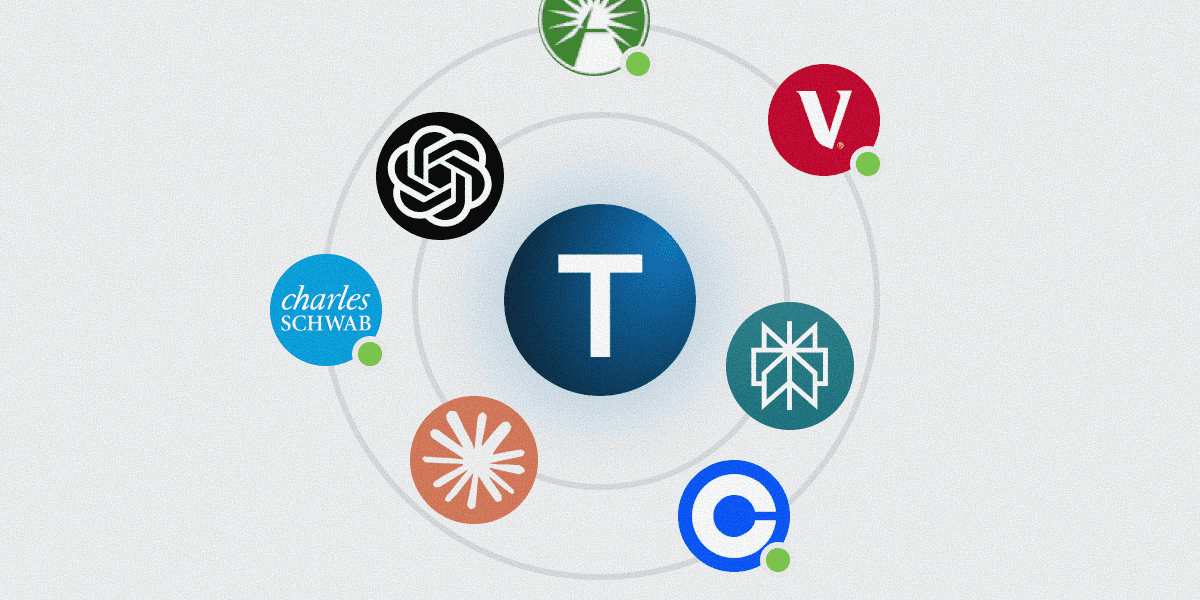
This article covers what MCP is, which AI agents support it today, how custom remote servers actually work, and most concretely, what Truthifi’s MCP connector means for anyone who wants an AI that knows their actual financial situation rather than a hypothetical one.
What MCP is and why it solves a real problem
MCP is an open standard that lets any AI agent connect to any external tool or data source through a single, universal interface. That one sentence sounds dry. What it actually means is that the era of custom-built AI integrations is ending.
Put simply: what is MCP in AI? It is the protocol that determines whether an AI agent can access live external data or is limited to its training knowledge. And what is an MCP server? It is a lightweight service that exposes tools, data, and prompts to any compatible AI agent through a standard URL. The Model Context Protocol defines that standard interface: build one MCP server, and every compatible AI agent can use it.
Before MCP, connecting an AI assistant to an external tool meant writing bespoke code from scratch: code that spoke the tool’s API, handled its authentication quirks, normalised its data formats, and broke the moment the API changed. Multiply that by every tool and every AI platform, and you get what Anthropic called an "N×M integration problem": N tools × M AI platforms = an ungovernable matrix of brittle connectors that nobody wanted to maintain.
MCP collapses that matrix to N+M. Build one MCP server for your tool, and every compatible AI agent can use it. Build one MCP client in your agent, and it can reach every compatible tool in the ecosystem.
MCP collapses the N×M integration problem to N+M. Build one MCP server for your tool, and every compatible AI agent can use it. No bespoke connector work on either side.
The protocol runs over JSON-RPC 2.0 and supports three transport types: stdio for local processes, SSE (an older streaming standard being phased out), and Streamable HTTP, the current standard for anything running on the internet. Servers expose three types of objects: tools the AI can call, resources it can read, and prompt templates it can invoke. The AI discovers what’s available, decides when to use it, and the server handles the rest.
For remote servers, the ones that live on the internet rather than your laptop, MCP OAuth uses the 2.1 standard with PKCE and Dynamic Client Registration. The agent initiates the auth flow, you approve access in your browser, and tokens are issued and refreshed automatically. No API keys in config files. No secrets hardcoded anywhere. A connection you can audit and revoke.
The ecosystem as of April 2026
Ten AI agents support custom remote MCP servers with native OAuth 2.1 today. Four more work with remote URLs but need a bridge package for OAuth. One major IDE, Google Antigravity, doesn’t support MCP at all yet, which is worth noting given its multi-agent ambitions. Meanwhile, MCP has crossed 97 million monthly SDK downloads (Python and TypeScript combined) per the Linux Foundation, and nearly 150 organizations have joined the Agentic AI Foundation as supporters, making it one of the fastest-growing foundations in Linux Foundation history.
The MCP Dev Summit North America, held April 2–3 in New York, drew 1,200 attendees and over 95 sessions from MCP co-founders, maintainers, and organizations deploying MCP in production. Amazon and Uber presented enterprise deployment case studies. A2A v1.0 was formally released the following week, marking the protocol’s transition from draft to production standard.
What’s striking about the adoption curve isn’t the speed. It’s the breadth. This isn’t one vendor’s ecosystem. The agents that now support native remote MCP include products from Anthropic, OpenAI, Microsoft, Amazon, and multiple independent open-source projects. That consensus is what makes MCP different from every previous AI tool integration attempt. Worth noting: the open-source entries (OpenCode, Docker MCP Toolkit) often have the most thoughtful OAuth tooling, because they had to earn adoption rather than bundle it.
Agent tiers, pricing, and version requirements below are verified as of April 2026. This is a fast-moving space. Check vendor documentation for current details.
✅ Agents with native remote MCP + OAuth
Claude and Claude Desktop remain the most mature MCP client. Anthropic has been iterating on this since day one, and it shows: the Customize > Connectors panel gives non-technical users a clean UI for adding any remote MCP server by URL, full OAuth flow included. Both SSE and Streamable HTTP transports are supported. The OAuth callback URL is https://claude.ai/api/mcp/auth_callback. Token refresh is automatic. Available on Pro, Max, Team, and Enterprise plans. The free tier supports local MCP servers only via JSON config. In April 2026, Anthropic also launched Claude Managed Agents in public beta: a hosted platform that handles sandboxing, state management, tool execution, and error recovery for autonomous AI agents. MCP servers can be declared directly within the agent definition, meaning any MCP connector (including Truthifi’s) works with Managed Agents out of the box.
Claude Code, Anthropic’s terminal agent, supports Claude Code MCP configuration via claude mcp add --transport http <url>. It also supports Client ID Metadata Documents for servers that don’t implement Dynamic Client Registration, and enterprise-grade URL-pattern allowlists and denylists for org-level governance.
ChatGPT added custom MCP support in September 2025 via its Apps & Connectors settings. The auth requirements are strict: OAuth 2.1 and Dynamic Client Registration are both mandatory. Bearer tokens are not accepted. Developer mode (Plus plan and above) gives full read/write MCP client access. In early 2026, OpenAI expanded its MCP commitment significantly: the Responses API now connects to remote MCP servers natively, and the new Apps SDK extends MCP with interactive UI components, letting developers build agents that are less tightly coupled to a single runtime. OpenAI also rolled out a developer mode for building, testing, and publishing MCP connectors with read/write capabilities. On April 15, OpenAI shipped a major Agents SDK update adding sandboxing (agents operate in isolated workspaces), a long-horizon harness for complex multi-step tasks, subagent orchestration, and provider-agnostic support for 100+ LLMs. The Assistants API is being deprecated in late August 2026 in favor of this architecture.
VS Code with GitHub Copilot supports native remote MCP from version 1.101. Configure in .vscode/mcp.json or user profile settings. All Copilot tiers including the free plan can use MCP in agent mode, subject to monthly usage limits.
Zed, the high-performance Rust-based editor, recently shipped native OAuth for remote MCP servers in its preview release. Servers that require authentication now show an "Authenticate" button that redirects to the provider’s browser flow. No tier gating, available on all plans including free.
Kiro (Amazon Web Services’ agentic IDE, which shares its MCP config format with Amazon Q Developer CLI) supports HTTP remote MCP with a native OAuth config block. Enterprise administrators can enforce org-level MCP allowlists by hosting a JSON registry file and pointing Kiro to its URL.
Amazon Q Developer CLI supports remote HTTP servers with OAuth on both its free and Pro tiers. Q CLI users are being progressively migrated to Kiro. Both tools share the same MCP config format.
OpenCode, the open-source terminal agent with 95K+ GitHub stars, has the most polished OAuth tooling of any client: dedicated CLI commands to authenticate, list status, revoke credentials, and debug connection issues. Fully free under Apache-2.0.
Docker MCP Toolkit, available in Docker Desktop since mid-2025, runs each MCP server in an isolated container with no host filesystem access by default. Authorize with one CLI command or one click in Docker Desktop. Available on all Docker Desktop plans including the free Personal tier.
Cursor supports remote MCP URLs with native OAuth: one-click install for curated servers, with a browser-based OAuth flow for any OAuth-enabled remote server. Configure in Cursor Settings > Tools & MCP. Available on the free Hobby plan and above.
⚠️ Agents that support remote URLs but need a bridge for OAuth
Windsurf, Cline, and Continue.dev handle remote MCP URLs natively but do not implement a full OAuth browser flow. They rely on the mcp-remote npm package as a bridge: it spawns a local stdio process, handles the OAuth redirect, and proxies calls to the remote endpoint. This works reliably, but it’s an extra step and the tokens live locally rather than being managed by the client.
Gemini CLI supports MCP servers natively and can combine MCP tools with Gemini’s built-in function calling in a single request. Google also released fully-managed MCP servers for Google services (Drive, Calendar, Gmail, Cloud) with enterprise-grade authentication, making the Google ecosystem significantly more MCP-accessible than even a month ago. The Gemini API and Python/JavaScript SDKs gained native MCP support in March 2026.
❌ No MCP support yet
Google Antigravity is the notable gap. The multi-agent IDE is built on Gemini 3 Ultra and has strong full-stack development capabilities, but MCP support is still on the roadmap as of April 2026.
MCP security: what you need to know
With rapid adoption comes real security scrutiny. In April 2026, the MCP security landscape matured significantly, and the risks are worth understanding alongside the benefits.
The most discussed vulnerability is tool poisoning: malicious instructions hidden inside a tool’s metadata or description. The poisoned tool doesn’t even need to be called — just being loaded into context is enough for the model to follow its hidden instructions. In controlled testing, these attacks succeed 84% of the time when agents run with auto-approval enabled. Variants include tool shadowing (a malicious server overrides a trusted tool’s behavior) and rug pulls (a server appears safe initially, then silently modifies its tool definitions on subsequent connections).
The numbers are sobering. A comprehensive security analysis found that 43% of public MCP servers have at least one vulnerability, and 5.5% already have poisoned descriptions in the wild. The Coalition for Secure AI (CoSAI) released a whitepaper mapping 12 core threat categories and nearly 40 distinct threats. An OWASP MCP Top 10 list has been published.
The practical takeaway: only connect MCP servers from sources you trust. Enterprise users should enforce org-level allowlists (Claude Code and Kiro both support this). Individual users should treat MCP server selection the way they treat browser extension installation — if you wouldn’t install a random Chrome extension, don’t connect a random MCP server.
Truthifi’s MCP connector is read-only by design: it cannot initiate transactions, modify accounts, or execute trades. Your bank credentials never leave your financial institution. Claude receives a scoped OAuth token that can read portfolio data and Truthifi findings, nothing more. You can revoke access at any time from your Truthifi settings.
What "custom remote MCP server" actually means
A custom remote MCP server is an internet-hosted service that exposes tools, data, and prompts to any compatible AI agent through a URL. No local installation. No SDK for the agent to bundle. Just a URL, an OAuth flow if the server is protected, and a connection that works across every compatible client simultaneously.
That last part is the point. Under the old function-calling model, a tool integration was locked to one AI platform. You built for ChatGPT, and Cursor couldn’t use it. You built for Claude, and VS Code couldn’t see it. MCP breaks that lock.
A custom remote MCP server is also fundamentally different from the older model in how it handles identity. The server is persistent and self-describing. It tells the agent what it can do without any per-client negotiation. It maintains state across calls. And it authenticates with a principled OAuth flow rather than a shared secret sitting in a config file, which is why pasting API keys everywhere was always a bad idea even when everyone did it.
The practical result: if a service publishes an MCP server, every agent in the table below gains access to that service’s data and capabilities instantly. That’s the network effect Anthropic was betting on in November 2024. It has clearly arrived.
Quick reference: where every major agent stands
Verified April 15, 2026. Agent pricing and tier requirements change frequently. Check vendor documentation for current details.
The table below covers the best MCP servers and clients available today, sorted by OAuth support tier.
Agent | Remote URL | OAuth | Min. tier | Docs |
|---|---|---|---|---|
Claude / Claude Desktop | ✅ | ✅ Native | Pro ($20/mo) | |
Claude Code | ✅ | ✅ Native | Pro ($20/mo) | |
ChatGPT | ✅ | ✅ Native (DCR required) | Plus ($20/mo) | |
VS Code + GitHub Copilot | ✅ | ✅ Native | Free (v1.101+) | code.visualstudio.com/docs/copilot/customization/mcp-servers |
Zed | ✅ | ✅ Native | Free | |
Kiro (AWS) | ✅ | ✅ Native | Free tier | |
Amazon Q Developer CLI | ✅ | ✅ Native | Free tier | |
OpenCode | ✅ | ✅ Native | Free (open source) | |
Docker MCP Toolkit | ✅ | ✅ Native | Free (Personal) | |
Cursor | ✅ | ✅ Native | Free (Hobby) | |
Windsurf | ✅ | ⚠️ Bridge | Free | |
Cline | ✅ | ⚠️ Bridge | Free (open source) | |
Gemini CLI | ✅ | ✅ Native | Free | |
Continue.dev | ✅ | ⚠️ Bridge | Free (open source) | |
Google Antigravity | ❌ | ❌ | — | No MCP support yet |
Something significant happened in AI over the last 16 months. It didn’t come with a splashy product launch or a benchmark headline. It came in the form of a plumbing standard.
In November 2024, Anthropic published the Model Context Protocol. Not a product, not a model. A specification for how AI agents talk to the rest of the world. The MCP protocol was designed to be disarmingly simple: instead of every AI company building its own bespoke connector to every tool and data source, define one universal interface. Build it once on each side. Let anything plug into anything.
Sixteen months later, that bet has paid off faster than almost anyone predicted. MCP is now the de facto standard for how AI agents connect to the outside world. OpenAI adopted it. Google adopted it. The Linux Foundation now governs it. As of early 2026, the Linux Foundation confirmed over 10,000 active public MCP servers and tens of millions of monthly SDK downloads. By April 2026, the Python SDK alone had crossed 164 million monthly downloads on PyPI, and the Agentic AI Foundation had grown to nearly 150 member organizations, making it one of the fastest-growing foundations in Linux Foundation history. The protocol Anthropic open-sourced on a Tuesday afternoon is now the connective tissue of agentic AI.
This article covers what MCP is, which AI agents support it today, how custom remote servers actually work, and most concretely, what Truthifi’s MCP connector means for anyone who wants an AI that knows their actual financial situation rather than a hypothetical one.
What MCP is and why it solves a real problem
MCP is an open standard that lets any AI agent connect to any external tool or data source through a single, universal interface. That one sentence sounds dry. What it actually means is that the era of custom-built AI integrations is ending.
Put simply: what is MCP in AI? It is the protocol that determines whether an AI agent can access live external data or is limited to its training knowledge. And what is an MCP server? It is a lightweight service that exposes tools, data, and prompts to any compatible AI agent through a standard URL. The Model Context Protocol defines that standard interface: build one MCP server, and every compatible AI agent can use it.
Before MCP, connecting an AI assistant to an external tool meant writing bespoke code from scratch: code that spoke the tool’s API, handled its authentication quirks, normalised its data formats, and broke the moment the API changed. Multiply that by every tool and every AI platform, and you get what Anthropic called an "N×M integration problem": N tools × M AI platforms = an ungovernable matrix of brittle connectors that nobody wanted to maintain.
MCP collapses that matrix to N+M. Build one MCP server for your tool, and every compatible AI agent can use it. Build one MCP client in your agent, and it can reach every compatible tool in the ecosystem.
MCP collapses the N×M integration problem to N+M. Build one MCP server for your tool, and every compatible AI agent can use it. No bespoke connector work on either side.
The protocol runs over JSON-RPC 2.0 and supports three transport types: stdio for local processes, SSE (an older streaming standard being phased out), and Streamable HTTP, the current standard for anything running on the internet. Servers expose three types of objects: tools the AI can call, resources it can read, and prompt templates it can invoke. The AI discovers what’s available, decides when to use it, and the server handles the rest.
For remote servers, the ones that live on the internet rather than your laptop, MCP OAuth uses the 2.1 standard with PKCE and Dynamic Client Registration. The agent initiates the auth flow, you approve access in your browser, and tokens are issued and refreshed automatically. No API keys in config files. No secrets hardcoded anywhere. A connection you can audit and revoke.
The ecosystem as of April 2026
Ten AI agents support custom remote MCP servers with native OAuth 2.1 today. Four more work with remote URLs but need a bridge package for OAuth. One major IDE, Google Antigravity, doesn’t support MCP at all yet, which is worth noting given its multi-agent ambitions. Meanwhile, MCP has crossed 97 million monthly SDK downloads (Python and TypeScript combined) per the Linux Foundation, and nearly 150 organizations have joined the Agentic AI Foundation as supporters, making it one of the fastest-growing foundations in Linux Foundation history.
The MCP Dev Summit North America, held April 2–3 in New York, drew 1,200 attendees and over 95 sessions from MCP co-founders, maintainers, and organizations deploying MCP in production. Amazon and Uber presented enterprise deployment case studies. A2A v1.0 was formally released the following week, marking the protocol’s transition from draft to production standard.
What’s striking about the adoption curve isn’t the speed. It’s the breadth. This isn’t one vendor’s ecosystem. The agents that now support native remote MCP include products from Anthropic, OpenAI, Microsoft, Amazon, and multiple independent open-source projects. That consensus is what makes MCP different from every previous AI tool integration attempt. Worth noting: the open-source entries (OpenCode, Docker MCP Toolkit) often have the most thoughtful OAuth tooling, because they had to earn adoption rather than bundle it.
Agent tiers, pricing, and version requirements below are verified as of April 2026. This is a fast-moving space. Check vendor documentation for current details.
✅ Agents with native remote MCP + OAuth
Claude and Claude Desktop remain the most mature MCP client. Anthropic has been iterating on this since day one, and it shows: the Customize > Connectors panel gives non-technical users a clean UI for adding any remote MCP server by URL, full OAuth flow included. Both SSE and Streamable HTTP transports are supported. The OAuth callback URL is https://claude.ai/api/mcp/auth_callback. Token refresh is automatic. Available on Pro, Max, Team, and Enterprise plans. The free tier supports local MCP servers only via JSON config. In April 2026, Anthropic also launched Claude Managed Agents in public beta: a hosted platform that handles sandboxing, state management, tool execution, and error recovery for autonomous AI agents. MCP servers can be declared directly within the agent definition, meaning any MCP connector (including Truthifi’s) works with Managed Agents out of the box.
Claude Code, Anthropic’s terminal agent, supports Claude Code MCP configuration via claude mcp add --transport http <url>. It also supports Client ID Metadata Documents for servers that don’t implement Dynamic Client Registration, and enterprise-grade URL-pattern allowlists and denylists for org-level governance.
ChatGPT added custom MCP support in September 2025 via its Apps & Connectors settings. The auth requirements are strict: OAuth 2.1 and Dynamic Client Registration are both mandatory. Bearer tokens are not accepted. Developer mode (Plus plan and above) gives full read/write MCP client access. In early 2026, OpenAI expanded its MCP commitment significantly: the Responses API now connects to remote MCP servers natively, and the new Apps SDK extends MCP with interactive UI components, letting developers build agents that are less tightly coupled to a single runtime. OpenAI also rolled out a developer mode for building, testing, and publishing MCP connectors with read/write capabilities. On April 15, OpenAI shipped a major Agents SDK update adding sandboxing (agents operate in isolated workspaces), a long-horizon harness for complex multi-step tasks, subagent orchestration, and provider-agnostic support for 100+ LLMs. The Assistants API is being deprecated in late August 2026 in favor of this architecture.
VS Code with GitHub Copilot supports native remote MCP from version 1.101. Configure in .vscode/mcp.json or user profile settings. All Copilot tiers including the free plan can use MCP in agent mode, subject to monthly usage limits.
Zed, the high-performance Rust-based editor, recently shipped native OAuth for remote MCP servers in its preview release. Servers that require authentication now show an "Authenticate" button that redirects to the provider’s browser flow. No tier gating, available on all plans including free.
Kiro (Amazon Web Services’ agentic IDE, which shares its MCP config format with Amazon Q Developer CLI) supports HTTP remote MCP with a native OAuth config block. Enterprise administrators can enforce org-level MCP allowlists by hosting a JSON registry file and pointing Kiro to its URL.
Amazon Q Developer CLI supports remote HTTP servers with OAuth on both its free and Pro tiers. Q CLI users are being progressively migrated to Kiro. Both tools share the same MCP config format.
OpenCode, the open-source terminal agent with 95K+ GitHub stars, has the most polished OAuth tooling of any client: dedicated CLI commands to authenticate, list status, revoke credentials, and debug connection issues. Fully free under Apache-2.0.
Docker MCP Toolkit, available in Docker Desktop since mid-2025, runs each MCP server in an isolated container with no host filesystem access by default. Authorize with one CLI command or one click in Docker Desktop. Available on all Docker Desktop plans including the free Personal tier.
Cursor supports remote MCP URLs with native OAuth: one-click install for curated servers, with a browser-based OAuth flow for any OAuth-enabled remote server. Configure in Cursor Settings > Tools & MCP. Available on the free Hobby plan and above.
⚠️ Agents that support remote URLs but need a bridge for OAuth
Windsurf, Cline, and Continue.dev handle remote MCP URLs natively but do not implement a full OAuth browser flow. They rely on the mcp-remote npm package as a bridge: it spawns a local stdio process, handles the OAuth redirect, and proxies calls to the remote endpoint. This works reliably, but it’s an extra step and the tokens live locally rather than being managed by the client.
Gemini CLI supports MCP servers natively and can combine MCP tools with Gemini’s built-in function calling in a single request. Google also released fully-managed MCP servers for Google services (Drive, Calendar, Gmail, Cloud) with enterprise-grade authentication, making the Google ecosystem significantly more MCP-accessible than even a month ago. The Gemini API and Python/JavaScript SDKs gained native MCP support in March 2026.
❌ No MCP support yet
Google Antigravity is the notable gap. The multi-agent IDE is built on Gemini 3 Ultra and has strong full-stack development capabilities, but MCP support is still on the roadmap as of April 2026.
MCP security: what you need to know
With rapid adoption comes real security scrutiny. In April 2026, the MCP security landscape matured significantly, and the risks are worth understanding alongside the benefits.
The most discussed vulnerability is tool poisoning: malicious instructions hidden inside a tool’s metadata or description. The poisoned tool doesn’t even need to be called — just being loaded into context is enough for the model to follow its hidden instructions. In controlled testing, these attacks succeed 84% of the time when agents run with auto-approval enabled. Variants include tool shadowing (a malicious server overrides a trusted tool’s behavior) and rug pulls (a server appears safe initially, then silently modifies its tool definitions on subsequent connections).
The numbers are sobering. A comprehensive security analysis found that 43% of public MCP servers have at least one vulnerability, and 5.5% already have poisoned descriptions in the wild. The Coalition for Secure AI (CoSAI) released a whitepaper mapping 12 core threat categories and nearly 40 distinct threats. An OWASP MCP Top 10 list has been published.
The practical takeaway: only connect MCP servers from sources you trust. Enterprise users should enforce org-level allowlists (Claude Code and Kiro both support this). Individual users should treat MCP server selection the way they treat browser extension installation — if you wouldn’t install a random Chrome extension, don’t connect a random MCP server.
Truthifi’s MCP connector is read-only by design: it cannot initiate transactions, modify accounts, or execute trades. Your bank credentials never leave your financial institution. Claude receives a scoped OAuth token that can read portfolio data and Truthifi findings, nothing more. You can revoke access at any time from your Truthifi settings.
What "custom remote MCP server" actually means
A custom remote MCP server is an internet-hosted service that exposes tools, data, and prompts to any compatible AI agent through a URL. No local installation. No SDK for the agent to bundle. Just a URL, an OAuth flow if the server is protected, and a connection that works across every compatible client simultaneously.
That last part is the point. Under the old function-calling model, a tool integration was locked to one AI platform. You built for ChatGPT, and Cursor couldn’t use it. You built for Claude, and VS Code couldn’t see it. MCP breaks that lock.
A custom remote MCP server is also fundamentally different from the older model in how it handles identity. The server is persistent and self-describing. It tells the agent what it can do without any per-client negotiation. It maintains state across calls. And it authenticates with a principled OAuth flow rather than a shared secret sitting in a config file, which is why pasting API keys everywhere was always a bad idea even when everyone did it.
The practical result: if a service publishes an MCP server, every agent in the table below gains access to that service’s data and capabilities instantly. That’s the network effect Anthropic was betting on in November 2024. It has clearly arrived.
Quick reference: where every major agent stands
Verified April 15, 2026. Agent pricing and tier requirements change frequently. Check vendor documentation for current details.
The table below covers the best MCP servers and clients available today, sorted by OAuth support tier.
Agent | Remote URL | OAuth | Min. tier | Docs |
|---|---|---|---|---|
Claude / Claude Desktop | ✅ | ✅ Native | Pro ($20/mo) | |
Claude Code | ✅ | ✅ Native | Pro ($20/mo) | |
ChatGPT | ✅ | ✅ Native (DCR required) | Plus ($20/mo) | |
VS Code + GitHub Copilot | ✅ | ✅ Native | Free (v1.101+) | code.visualstudio.com/docs/copilot/customization/mcp-servers |
Zed | ✅ | ✅ Native | Free | |
Kiro (AWS) | ✅ | ✅ Native | Free tier | |
Amazon Q Developer CLI | ✅ | ✅ Native | Free tier | |
OpenCode | ✅ | ✅ Native | Free (open source) | |
Docker MCP Toolkit | ✅ | ✅ Native | Free (Personal) | |
Cursor | ✅ | ✅ Native | Free (Hobby) | |
Windsurf | ✅ | ⚠️ Bridge | Free | |
Cline | ✅ | ⚠️ Bridge | Free (open source) | |
Gemini CLI | ✅ | ✅ Native | Free | |
Continue.dev | ✅ | ⚠️ Bridge | Free (open source) | |
Google Antigravity | ❌ | ❌ | — | No MCP support yet |
Where MCP is headed
The Linux Foundation’s Agentic AI Foundation, co-founded by Anthropic, OpenAI, and Block, with Google, Microsoft, AWS, and Cloudflare as platinum members, now governs the protocol. In its first three months, the AAIF grew to nearly 150 member organizations, establishing itself as one of the fastest-growing foundations in Linux Foundation history. That governance structure is what makes MCP sticky in a way prior standards weren’t. This isn’t an Anthropic feature that OpenAI could decide to abandon. It’s an industry standard with multi-vendor commitments behind it, and those commitments are structurally protected from any single company’s roadmap changes.
MCP isn’t an Anthropic feature that OpenAI could abandon. It’s an industry standard with multi-vendor commitments, structurally protected from any single company’s roadmap changes.
Three things are worth watching in 2026, and they’re not all moving at the same speed.
The Streamable HTTP transport is replacing SSE as the standard for remote servers, and this one is urgent: if you’re building a remote MCP server today and you’re still targeting SSE, you’re building to a deprecated spec. Most major clients will drop SSE support in the coming months. Streamable HTTP is where new builds should land. Beyond transport, the most significant architectural change on the roadmap is SEP-1442, which will move MCP from stateful sessions toward stateless requests — a shift that unlocks horizontal HTTP scaling and makes MCP servers easier to deploy behind load balancers and CDNs.
MCP Apps, the first official MCP extension, is now production-ready and adopted by Claude, ChatGPT, VS Code with GitHub Copilot, Goose, Postman, and MCPJam. Tool calls can return interactive UI components — dashboards, forms, visualizations — directly in the agent conversation. This changes MCP from a data-and-function protocol into something that can also render, and the implications for complex financial workflows (interactive fee comparisons, scenario modeling, portfolio drill-downs) are significant.
The agent-to-agent layer has moved faster than expected. A2A v1.0 was formally released in April 2026, marking its transition from draft to production standard. IBM’s Agent Communication Protocol (ACP) merged into A2A in August 2025, and both protocols are now governed by the AAIF. The emerging architecture is a three-layer stack: MCP for tool access, A2A for agent coordination, and Streamable HTTP as the transport backbone. MCP is now the tool layer of interconnected agent systems, not just the tool layer of a single agent.
MCP vs A2A: complementary protocols, not competitors
One of the fastest-growing search query clusters around MCP is "MCP vs A2A." The distinction is straightforward: MCP defines how an agent talks to tools. A2A defines how agents talk to each other. They operate at different layers of the same stack.
MCP gives an agent the ability to call a tool, read a data source, or invoke a prompt template through a universal interface. A2A gives one agent the ability to delegate a task to another agent, negotiate capabilities, and exchange structured results. If MCP is the hands, A2A is the coordination between workers.
The two protocols converged organizationally in 2025. IBM’s Agent Communication Protocol (ACP) merged into A2A in August 2025. The Linux Foundation’s Agentic AI Foundation (AAIF), co-founded by OpenAI, Anthropic, Google, Microsoft, AWS, and Block, now governs both MCP and A2A with nearly 150 member organizations. That shared governance means the protocols are designed to interoperate rather than compete.
The emerging consensus architecture is a three-layer protocol stack: MCP for tool access, A2A for agent coordination, and WebMCP for web-native agent interactions. Truthifi’s MCP connector works with agents that implement either protocol layer, because the tool-access layer (MCP) is the foundation that both single-agent and multi-agent systems rely on.
What this all means if you’re not a developer
Most MCP coverage is aimed at the people building it: how to stand up a server, configure the transport, handle the OAuth flow. That framing has made MCP feel like infrastructure. It’s more than that.
MCP is the thing that determines whether an AI can actually know anything about your specific situation, your finances, your codebase, your calendar, rather than reasoning from assumptions about what someone like you probably has. The agents are capable now. What limits them isn’t intelligence. It’s data. AI agent MCP integration is the layer that closes that gap.
Ask Claude about your investment fees without a data connector, and you get a discussion of what advisory fees typically look like: 0.5% to 1.5%, depends on the account size, here are some questions to ask. Useful, generic, and entirely disconnected from your actual situation. Add the right MCP connector, and Claude knows your advisor’s exact fee, your account’s return over the past 14 months, the benchmark your allocation most resembles, and whether you’re ahead of or behind it. The conversation changes.
That’s not a feature. It’s a different category of AI interaction, one that only exists when the connector between the agent and your real data is built correctly.
Truthifi: the MCP connector built for your financial life
Most financial MCP servers are built for developers. They expose stock prices, earnings statements, or market data through an API that requires keys, custom configuration, and a degree of comfort with JSON config files. Useful if you’re building an application. Not useful if you’re an investor who wants to talk to Claude about your actual portfolio.
Truthifi approaches this differently.
Truthifi is an independent investment monitoring platform that runs 100+ continuous checks on your portfolio. Fees, performance against relevant benchmarks, concentration risk, advisor value. Results in plain English. No conflicts of interest, no product recommendations, a flat subscription fee. The goal is to give individual investors the same quality of oversight that institutional investors have always had access to.
The Truthifi MCP connector connects your live portfolio data to Claude, and to any other compatible AI agent, in under two minutes with no developer setup. Once connected, Claude can see your real holdings, your actual fees, your performance history, and the 100+ findings Truthifi has already run on your behalf, across every linked account simultaneously.
Truthifi connects to 18,000+ financial institutions, which means the connector doesn’t see a single brokerage account in isolation. It surfaces the complete picture: every brokerage, every advisor relationship, every retirement account in one place, continuously refreshed.
Here’s what that looks like in practice. A real multi-account portfolio connected to Truthifi, spanning TIAA, Merrill, Raymond James, and a self-directed Chase account, surfaces the following in a single session:
Total return from January 2025 through March 2026 was 13.1% against a 56/44 equity/fixed income benchmark, representing -0.7% alpha over that period. Looking at asset class breakdown, 31.3% sits in cash or cash equivalents and only 14.9% in equity, with 37.9% classified as "Other": insurance products, annuities, and complex instruments that most portfolio trackers simply ignore. That last number is the one most investors have never seen clearly.
Sector exposure in the classified holdings runs 6.8% Electronic Technology, 4.4% Finance, 3.9% Technology Services. The top five equity concentrations by weight are NVDA at 4.5%, MSFT at 3.9%, GOOGL at 3.2%, AMZN at 3.0%, and AAPL at 2.7%, a familiar large-cap tech cluster appearing across both direct holdings and fund look-throughs. Within the fund sleeve, 43.5% sits in mega-cap stocks through Nuveen growth and value index funds.
The Truthifi MCP connector shows Claude your actual return, alpha, equity concentrations, and sector breakdown across every linked account. Claude answers from your real numbers, not a hypothetical.
That’s the data Claude sees when you ask "Am I too concentrated in tech?" or "How is my TIAA allocation performing?" It answers those questions from your actual numbers, not a hypothetical. You can read more about what those conversations look like with Claude, or see how the same experience works with ChatGPT and other AI agents.
On security: the connector is strictly read-only. Your bank credentials never leave your financial institution. Claude receives a scoped token that can read data but cannot initiate transactions or withdrawals, and you can revoke access any time from your Truthifi settings. Pasting account balances into a chat window is a fundamentally different arrangement: that data enters Anthropic’s conversation log and goes stale the moment your portfolio moves. The MCP approach avoids both problems.
Getting started
If you’re already a Truthifi subscriber on Claude Pro or Max, the setup takes under two minutes:
In Claude, go to Customize > Connectors > Add custom connector
Enter Name: Truthifi and URL: https://api.truthifi.com/mcp and click Add
After that, toggling Truthifi on at the start of any conversation gives Claude full read access to your portfolio data. There’s nothing to maintain. Truthifi refreshes the underlying data automatically.
For detailed setup walkthroughs with screenshots, see our guides for connecting Truthifi to Claude and connecting Truthifi to ChatGPT. If you’re a Schwab customer interested in building your own connector, our Schwab MCP server guide compares the DIY approach to using Truthifi’s no-code option. You can also read about connecting Truthifi to any AI agent and how Truthifi compares to Perplexity for financial questions.
If you’re not yet a Truthifi subscriber, start at truthifi.com. Connect your accounts, run the initial 100+ health checks, and then connect Claude once you have a live picture worth talking about.
The bigger picture
MCP started as a developer protocol. It’s becoming something more fundamental: the difference between an AI that knows what’s happening in your world and one that has to guess.
The agents are capable. The connectors exist. The question, in finance, in medicine, in law, in any domain where personal data matters, is whether the right data sources are building servers designed for individuals rather than for developers.
In financial services, Truthifi is building that server. For anyone who wants an AI that works from their actual situation, not a reasonable approximation of it.
About the author: Scott Blandford is Founder & CEO of Truthifi, where he leads the company’s vision for transparent, AI-powered financial intelligence. Before founding Truthifi, Scott spent 25+ years in financial services, including senior roles at Fidelity Investments, Merrill Lynch, Bank of America, and TIAA, building the data infrastructure that institutions rely on to manage wealth at scale. He writes about the technology reshaping how people connect with and understand their financial lives.
Reviewed by Mike Young, Head of Product at Truthifi. Mike has 20+ years building digital investment platforms at Merrill Lynch, TIAA, JP Morgan, and Vanguard.
Related connect guides
Connect your AI to your real accounts and run an independent check using Truthifi.
Browse the full hub: All Truthifi Connect Guides
Available for ChatGPT · Claude · Perplexity · Grok · OpenClaw.
Frequently Asked Questions
Which AI agents support custom MCP servers with OAuth in 2026?
Ten major AI agents support custom remote MCP servers with native OAuth 2.1 as of March 2026: Claude and Claude Desktop, Claude Code, ChatGPT, VS Code with GitHub Copilot, Zed, Kiro, Amazon Q Developer CLI, OpenCode, Docker MCP Toolkit, and Cursor. Three more (Windsurf, Cline, and Continue.dev) support remote URLs but require the mcp-remote bridge package for OAuth flows.
What is the mcp-remote package and when do I need it?
mcp-remote is an npm bridge package that allows AI coding agents such as Windsurf, Cline, and Continue.dev to connect to OAuth-protected remote MCP servers without native browser OAuth support. You need mcp-remote when your AI agent supports remote MCP URLs but does not implement a full OAuth browser flow. Install it with: npx mcp-remote https://your.server/sse
What pricing tier do I need for remote MCP on Claude?
Claude Pro ($20/month) or above is required for remote MCP servers via the Customize > Connectors panel. The Claude free tier supports local MCP servers only via JSON config file. Claude Code (the terminal agent) also requires Pro or above.
How do I connect Truthifi to Claude?
Go to Customize > Connectors > Add custom connector in Claude, paste your Truthifi MCP server URL, and complete the OAuth flow. Setup takes under two minutes and requires a Claude Pro or Max subscription.
Is the Truthifi MCP connector safe to use with Claude?
Yes. The Truthifi MCP connector is strictly read-only. Your bank credentials never leave your financial institution. Claude receives a scoped token that can read your portfolio data but cannot make transactions, transfers, or withdrawals. You can revoke access at any time from your Truthifi settings.
What is MCP, what is MCP in AI, and what is an MCP server?
MCP (Model Context Protocol) is an open standard published by Anthropic in November 2024 that lets any AI agent connect to any external tool or data source through a single universal interface. In AI, what is MCP? It is the protocol that determines whether an AI agent can access live external data or is limited to its training knowledge. What is an MCP server? It is a lightweight service that exposes tools, data, and prompts to any compatible AI agent through a standard URL. As of early 2026, there are over 10,000 active public MCP servers governed by the Linux Foundation's Agentic AI Foundation, co-founded by Anthropic, OpenAI, and Block.
What is the difference between SSE and Streamable HTTP in MCP?
SSE (Server-Sent Events) is an older MCP transport for remote servers that is being phased out. Streamable HTTP is the current standard and the recommended transport for any new MCP server built in 2026. SSE support is being deprecated across most major MCP clients in the coming months.
Does OpenAI officially support MCP?
Yes. As of April 2026, OpenAI supports MCP across three products: the Agents SDK (which extends MCP with UI via the Apps SDK), the Responses API (which connects to remote MCP servers natively), and ChatGPT desktop (via Apps & Connectors settings). OpenAI also rolled out a developer mode for building, testing, and publishing MCP connectors with full read/write capabilities.
What is the difference between MCP and A2A?
MCP (Model Context Protocol) defines how an AI agent connects to tools and data sources. A2A (Agent-to-Agent Protocol) defines how AI agents communicate with each other. They are complementary layers, not competitors. IBM's Agent Communication Protocol (ACP) merged into A2A in August 2025. Both MCP and A2A are now governed by the Linux Foundation's Agentic AI Foundation (AAIF), co-founded by OpenAI, Anthropic, Google, Microsoft, AWS, and Block.
Which AI agents support custom remote MCP servers with OAuth?
As of April 2026, ten major AI agents support custom remote MCP servers with native OAuth 2.1: Claude and Claude Desktop, Claude Code, ChatGPT, VS Code with GitHub Copilot, Zed, Kiro (AWS), Amazon Q Developer CLI, OpenCode, Docker MCP Toolkit, and Cursor. Four more (Windsurf, Cline, Gemini CLI, and Continue.dev) support remote URLs but require the mcp-remote bridge package or have limited OAuth support.
How many developers use MCP?
MCP has crossed 97 million monthly SDK downloads (Python and TypeScript combined) as of April 2026, according to the Linux Foundation. Over 100 enterprises have joined the Agentic AI Foundation as supporters, and there are over 10,000 active public MCP servers.
Where MCP is headed
The Linux Foundation’s Agentic AI Foundation, co-founded by Anthropic, OpenAI, and Block, with Google, Microsoft, AWS, and Cloudflare as platinum members, now governs the protocol. In its first three months, the AAIF grew to nearly 150 member organizations, establishing itself as one of the fastest-growing foundations in Linux Foundation history. That governance structure is what makes MCP sticky in a way prior standards weren’t. This isn’t an Anthropic feature that OpenAI could decide to abandon. It’s an industry standard with multi-vendor commitments behind it, and those commitments are structurally protected from any single company’s roadmap changes.
MCP isn’t an Anthropic feature that OpenAI could abandon. It’s an industry standard with multi-vendor commitments, structurally protected from any single company’s roadmap changes.
Three things are worth watching in 2026, and they’re not all moving at the same speed.
The Streamable HTTP transport is replacing SSE as the standard for remote servers, and this one is urgent: if you’re building a remote MCP server today and you’re still targeting SSE, you’re building to a deprecated spec. Most major clients will drop SSE support in the coming months. Streamable HTTP is where new builds should land. Beyond transport, the most significant architectural change on the roadmap is SEP-1442, which will move MCP from stateful sessions toward stateless requests — a shift that unlocks horizontal HTTP scaling and makes MCP servers easier to deploy behind load balancers and CDNs.
MCP Apps, the first official MCP extension, is now production-ready and adopted by Claude, ChatGPT, VS Code with GitHub Copilot, Goose, Postman, and MCPJam. Tool calls can return interactive UI components — dashboards, forms, visualizations — directly in the agent conversation. This changes MCP from a data-and-function protocol into something that can also render, and the implications for complex financial workflows (interactive fee comparisons, scenario modeling, portfolio drill-downs) are significant.
The agent-to-agent layer has moved faster than expected. A2A v1.0 was formally released in April 2026, marking its transition from draft to production standard. IBM’s Agent Communication Protocol (ACP) merged into A2A in August 2025, and both protocols are now governed by the AAIF. The emerging architecture is a three-layer stack: MCP for tool access, A2A for agent coordination, and Streamable HTTP as the transport backbone. MCP is now the tool layer of interconnected agent systems, not just the tool layer of a single agent.
MCP vs A2A: complementary protocols, not competitors
One of the fastest-growing search query clusters around MCP is "MCP vs A2A." The distinction is straightforward: MCP defines how an agent talks to tools. A2A defines how agents talk to each other. They operate at different layers of the same stack.
MCP gives an agent the ability to call a tool, read a data source, or invoke a prompt template through a universal interface. A2A gives one agent the ability to delegate a task to another agent, negotiate capabilities, and exchange structured results. If MCP is the hands, A2A is the coordination between workers.
The two protocols converged organizationally in 2025. IBM’s Agent Communication Protocol (ACP) merged into A2A in August 2025. The Linux Foundation’s Agentic AI Foundation (AAIF), co-founded by OpenAI, Anthropic, Google, Microsoft, AWS, and Block, now governs both MCP and A2A with nearly 150 member organizations. That shared governance means the protocols are designed to interoperate rather than compete.
The emerging consensus architecture is a three-layer protocol stack: MCP for tool access, A2A for agent coordination, and WebMCP for web-native agent interactions. Truthifi’s MCP connector works with agents that implement either protocol layer, because the tool-access layer (MCP) is the foundation that both single-agent and multi-agent systems rely on.
What this all means if you’re not a developer
Most MCP coverage is aimed at the people building it: how to stand up a server, configure the transport, handle the OAuth flow. That framing has made MCP feel like infrastructure. It’s more than that.
MCP is the thing that determines whether an AI can actually know anything about your specific situation, your finances, your codebase, your calendar, rather than reasoning from assumptions about what someone like you probably has. The agents are capable now. What limits them isn’t intelligence. It’s data. AI agent MCP integration is the layer that closes that gap.
Ask Claude about your investment fees without a data connector, and you get a discussion of what advisory fees typically look like: 0.5% to 1.5%, depends on the account size, here are some questions to ask. Useful, generic, and entirely disconnected from your actual situation. Add the right MCP connector, and Claude knows your advisor’s exact fee, your account’s return over the past 14 months, the benchmark your allocation most resembles, and whether you’re ahead of or behind it. The conversation changes.
That’s not a feature. It’s a different category of AI interaction, one that only exists when the connector between the agent and your real data is built correctly.
Truthifi: the MCP connector built for your financial life
Most financial MCP servers are built for developers. They expose stock prices, earnings statements, or market data through an API that requires keys, custom configuration, and a degree of comfort with JSON config files. Useful if you’re building an application. Not useful if you’re an investor who wants to talk to Claude about your actual portfolio.
Truthifi approaches this differently.
Truthifi is an independent investment monitoring platform that runs 100+ continuous checks on your portfolio. Fees, performance against relevant benchmarks, concentration risk, advisor value. Results in plain English. No conflicts of interest, no product recommendations, a flat subscription fee. The goal is to give individual investors the same quality of oversight that institutional investors have always had access to.
The Truthifi MCP connector connects your live portfolio data to Claude, and to any other compatible AI agent, in under two minutes with no developer setup. Once connected, Claude can see your real holdings, your actual fees, your performance history, and the 100+ findings Truthifi has already run on your behalf, across every linked account simultaneously.
Truthifi connects to 18,000+ financial institutions, which means the connector doesn’t see a single brokerage account in isolation. It surfaces the complete picture: every brokerage, every advisor relationship, every retirement account in one place, continuously refreshed.
Here’s what that looks like in practice. A real multi-account portfolio connected to Truthifi, spanning TIAA, Merrill, Raymond James, and a self-directed Chase account, surfaces the following in a single session:
Total return from January 2025 through March 2026 was 13.1% against a 56/44 equity/fixed income benchmark, representing -0.7% alpha over that period. Looking at asset class breakdown, 31.3% sits in cash or cash equivalents and only 14.9% in equity, with 37.9% classified as "Other": insurance products, annuities, and complex instruments that most portfolio trackers simply ignore. That last number is the one most investors have never seen clearly.
Sector exposure in the classified holdings runs 6.8% Electronic Technology, 4.4% Finance, 3.9% Technology Services. The top five equity concentrations by weight are NVDA at 4.5%, MSFT at 3.9%, GOOGL at 3.2%, AMZN at 3.0%, and AAPL at 2.7%, a familiar large-cap tech cluster appearing across both direct holdings and fund look-throughs. Within the fund sleeve, 43.5% sits in mega-cap stocks through Nuveen growth and value index funds.
The Truthifi MCP connector shows Claude your actual return, alpha, equity concentrations, and sector breakdown across every linked account. Claude answers from your real numbers, not a hypothetical.
That’s the data Claude sees when you ask "Am I too concentrated in tech?" or "How is my TIAA allocation performing?" It answers those questions from your actual numbers, not a hypothetical. You can read more about what those conversations look like with Claude, or see how the same experience works with ChatGPT and other AI agents.
On security: the connector is strictly read-only. Your bank credentials never leave your financial institution. Claude receives a scoped token that can read data but cannot initiate transactions or withdrawals, and you can revoke access any time from your Truthifi settings. Pasting account balances into a chat window is a fundamentally different arrangement: that data enters Anthropic’s conversation log and goes stale the moment your portfolio moves. The MCP approach avoids both problems.
Getting started
If you’re already a Truthifi subscriber on Claude Pro or Max, the setup takes under two minutes:
In Claude, go to Customize > Connectors > Add custom connector
Enter Name: Truthifi and URL: https://api.truthifi.com/mcp and click Add
After that, toggling Truthifi on at the start of any conversation gives Claude full read access to your portfolio data. There’s nothing to maintain. Truthifi refreshes the underlying data automatically.
For detailed setup walkthroughs with screenshots, see our guides for connecting Truthifi to Claude and connecting Truthifi to ChatGPT. If you’re a Schwab customer interested in building your own connector, our Schwab MCP server guide compares the DIY approach to using Truthifi’s no-code option. You can also read about connecting Truthifi to any AI agent and how Truthifi compares to Perplexity for financial questions.
If you’re not yet a Truthifi subscriber, start at truthifi.com. Connect your accounts, run the initial 100+ health checks, and then connect Claude once you have a live picture worth talking about.
The bigger picture
MCP started as a developer protocol. It’s becoming something more fundamental: the difference between an AI that knows what’s happening in your world and one that has to guess.
The agents are capable. The connectors exist. The question, in finance, in medicine, in law, in any domain where personal data matters, is whether the right data sources are building servers designed for individuals rather than for developers.
In financial services, Truthifi is building that server. For anyone who wants an AI that works from their actual situation, not a reasonable approximation of it.
About the author: Scott Blandford is Founder & CEO of Truthifi, where he leads the company’s vision for transparent, AI-powered financial intelligence. Before founding Truthifi, Scott spent 25+ years in financial services, including senior roles at Fidelity Investments, Merrill Lynch, Bank of America, and TIAA, building the data infrastructure that institutions rely on to manage wealth at scale. He writes about the technology reshaping how people connect with and understand their financial lives.
Reviewed by Mike Young, Head of Product at Truthifi. Mike has 20+ years building digital investment platforms at Merrill Lynch, TIAA, JP Morgan, and Vanguard.
Related connect guides
Connect your AI to your real accounts and run an independent check using Truthifi.
Browse the full hub: All Truthifi Connect Guides
Available for ChatGPT · Claude · Perplexity · Grok · OpenClaw.
Frequently Asked Questions
Which AI agents support custom MCP servers with OAuth in 2026?
Ten major AI agents support custom remote MCP servers with native OAuth 2.1 as of March 2026: Claude and Claude Desktop, Claude Code, ChatGPT, VS Code with GitHub Copilot, Zed, Kiro, Amazon Q Developer CLI, OpenCode, Docker MCP Toolkit, and Cursor. Three more (Windsurf, Cline, and Continue.dev) support remote URLs but require the mcp-remote bridge package for OAuth flows.
What is the mcp-remote package and when do I need it?
mcp-remote is an npm bridge package that allows AI coding agents such as Windsurf, Cline, and Continue.dev to connect to OAuth-protected remote MCP servers without native browser OAuth support. You need mcp-remote when your AI agent supports remote MCP URLs but does not implement a full OAuth browser flow. Install it with: npx mcp-remote https://your.server/sse
What pricing tier do I need for remote MCP on Claude?
Claude Pro ($20/month) or above is required for remote MCP servers via the Customize > Connectors panel. The Claude free tier supports local MCP servers only via JSON config file. Claude Code (the terminal agent) also requires Pro or above.
How do I connect Truthifi to Claude?
Go to Customize > Connectors > Add custom connector in Claude, paste your Truthifi MCP server URL, and complete the OAuth flow. Setup takes under two minutes and requires a Claude Pro or Max subscription.
Is the Truthifi MCP connector safe to use with Claude?
Yes. The Truthifi MCP connector is strictly read-only. Your bank credentials never leave your financial institution. Claude receives a scoped token that can read your portfolio data but cannot make transactions, transfers, or withdrawals. You can revoke access at any time from your Truthifi settings.
What is MCP, what is MCP in AI, and what is an MCP server?
MCP (Model Context Protocol) is an open standard published by Anthropic in November 2024 that lets any AI agent connect to any external tool or data source through a single universal interface. In AI, what is MCP? It is the protocol that determines whether an AI agent can access live external data or is limited to its training knowledge. What is an MCP server? It is a lightweight service that exposes tools, data, and prompts to any compatible AI agent through a standard URL. As of early 2026, there are over 10,000 active public MCP servers governed by the Linux Foundation's Agentic AI Foundation, co-founded by Anthropic, OpenAI, and Block.
What is the difference between SSE and Streamable HTTP in MCP?
SSE (Server-Sent Events) is an older MCP transport for remote servers that is being phased out. Streamable HTTP is the current standard and the recommended transport for any new MCP server built in 2026. SSE support is being deprecated across most major MCP clients in the coming months.
Does OpenAI officially support MCP?
Yes. As of April 2026, OpenAI supports MCP across three products: the Agents SDK (which extends MCP with UI via the Apps SDK), the Responses API (which connects to remote MCP servers natively), and ChatGPT desktop (via Apps & Connectors settings). OpenAI also rolled out a developer mode for building, testing, and publishing MCP connectors with full read/write capabilities.
What is the difference between MCP and A2A?
MCP (Model Context Protocol) defines how an AI agent connects to tools and data sources. A2A (Agent-to-Agent Protocol) defines how AI agents communicate with each other. They are complementary layers, not competitors. IBM's Agent Communication Protocol (ACP) merged into A2A in August 2025. Both MCP and A2A are now governed by the Linux Foundation's Agentic AI Foundation (AAIF), co-founded by OpenAI, Anthropic, Google, Microsoft, AWS, and Block.
Which AI agents support custom remote MCP servers with OAuth?
As of April 2026, ten major AI agents support custom remote MCP servers with native OAuth 2.1: Claude and Claude Desktop, Claude Code, ChatGPT, VS Code with GitHub Copilot, Zed, Kiro (AWS), Amazon Q Developer CLI, OpenCode, Docker MCP Toolkit, and Cursor. Four more (Windsurf, Cline, Gemini CLI, and Continue.dev) support remote URLs but require the mcp-remote bridge package or have limited OAuth support.
How many developers use MCP?
MCP has crossed 97 million monthly SDK downloads (Python and TypeScript combined) as of April 2026, according to the Linux Foundation. Over 100 enterprises have joined the Agentic AI Foundation as supporters, and there are over 10,000 active public MCP servers.
Disclaimer: This article is for educational purposes only and does not constitute financial, tax, or legal advice. It should not be construed as a personalized recommendation regarding any investment, financial advisor, or financial product. All calculations use hypothetical scenarios and historical return assumptions; actual results will vary. Past performance does not guarantee future results. Consult a qualified financial professional for guidance specific to your situation. Truthifi is an investment monitoring platform — not a financial advisor, broker-dealer, or tax professional. Truthifi does not manage assets, recommend investments, sell financial products, or provide personalized financial advice. Truthifi earns no revenue from advisor referrals, product commissions, or AUM fees. Statistics and data cited reflect publicly available sources current as of the article's publication date. Sources are linked throughout.
Disclaimer: This article is for educational purposes only and does not constitute financial, tax, or legal advice. It should not be construed as a personalized recommendation regarding any investment, financial advisor, or financial product. All calculations use hypothetical scenarios and historical return assumptions; actual results will vary. Past performance does not guarantee future results. Consult a qualified financial professional for guidance specific to your situation. Truthifi is an investment monitoring platform — not a financial advisor, broker-dealer, or tax professional. Truthifi does not manage assets, recommend investments, sell financial products, or provide personalized financial advice. Truthifi earns no revenue from advisor referrals, product commissions, or AUM fees. Statistics and data cited reflect publicly available sources current as of the article's publication date. Sources are linked throughout.
Disclaimer: This article is for educational purposes only and does not constitute financial, tax, or legal advice. It should not be construed as a personalized recommendation regarding any investment, financial advisor, or financial product. All calculations use hypothetical scenarios and historical return assumptions; actual results will vary. Past performance does not guarantee future results. Consult a qualified financial professional for guidance specific to your situation. Truthifi is an investment monitoring platform — not a financial advisor, broker-dealer, or tax professional. Truthifi does not manage assets, recommend investments, sell financial products, or provide personalized financial advice. Truthifi earns no revenue from advisor referrals, product commissions, or AUM fees. Statistics and data cited reflect publicly available sources current as of the article's publication date. Sources are linked throughout.
Ready to get started?
Stop living in spreadsheets.
$4,000,000,000+
Monitored
18,000+
Providers covered
Bank-grade
Security
features
Company
Legal
Stop living in spreadsheets.
$4,000,000,000+
Monitored
18,000+
Providers covered
Bank-grade
Security
features
Company
Legal
Stop living in spreadsheets.
$4,000,000,000+
Monitored
18,000+
Providers covered
Bank-grade
Security
features
Company
Legal