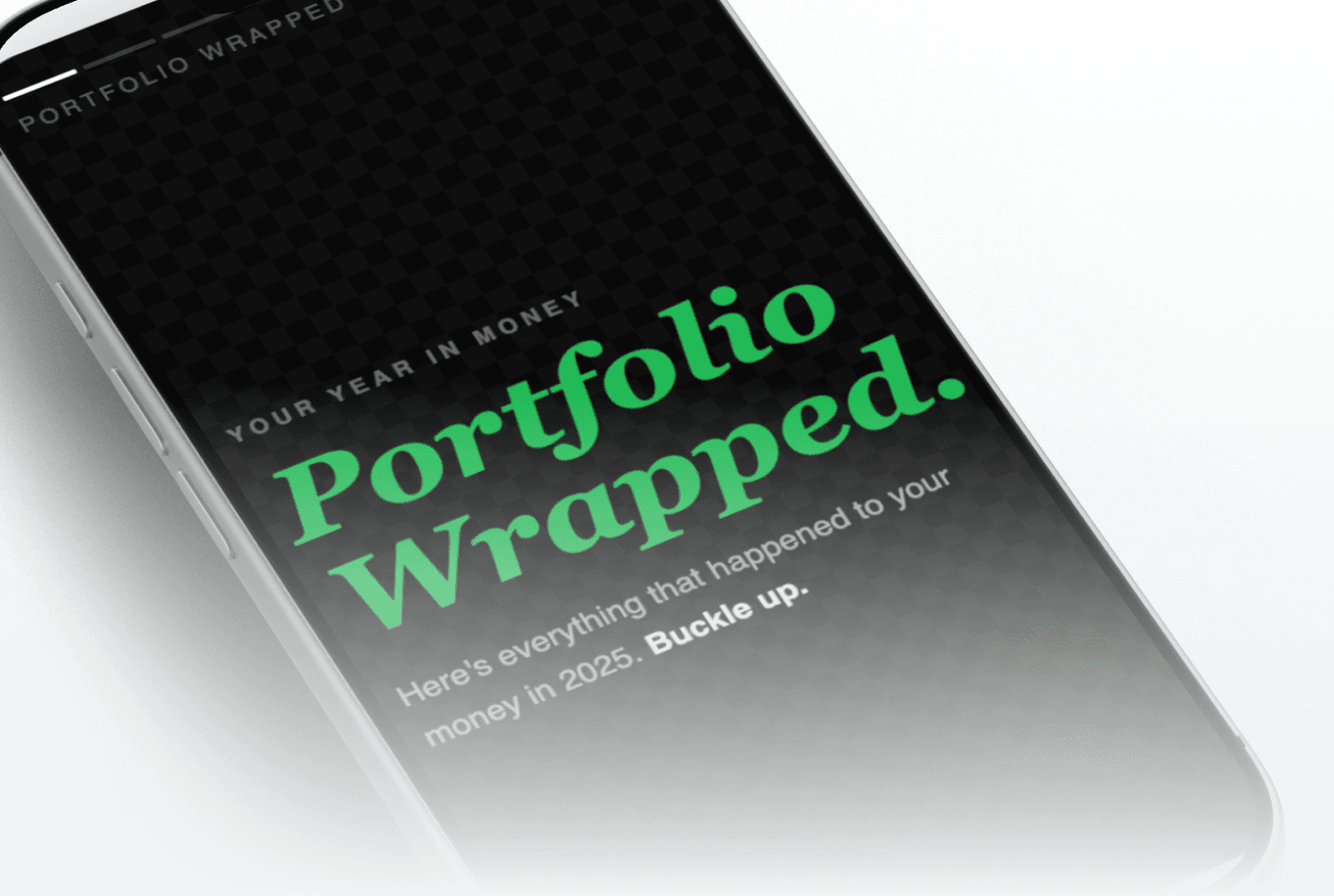

This prompt fetches eight data sources across your portfolio, evaluates you across four financial wellness pillars, assigns an investor archetype, and builds a six-slide animated HTML experience styled like a mobile wrapped screen. Each slide gets one honest insight backed by your live data.
how to see year in review for my investment portfolio
AI tool for annual portfolio summary / personalized investor archetype based on portfolio data
About this prompt
A six-slide animated portfolio review in the style of a social media wrapped experience, built entirely from your live account data. Returns, costs, allocations, and habits: each pillar gets a rated slide with one honest insight.
Prompt details
``` ━━━━━━━━━━━━━━━━━━━━━━━━━━━━━━━━━━━━━━━━━━━━━━━━━━━━━━━━━━━━━━━━━━━━ ✅ VERIFIED PROMPT — READY FOR DISTRIBUTION Generated by Prompt-Maker Orchestrator v1.8.0 Verified: 2026-03-29 | Revised: 2026-04-06 | Audit passes: 5 | Total fixes applied: 41 ━━━━━━━━━━━━━━━━━━━━━━━━━━━━━━━━━━━━━━━━━━━━━━━━━━━━━━━━━━━━━━━━━━━━ ``` > **CHANGELOG — v1.9.2 (2026-04-06)** > Fixed slide layer bleed-through bug. On the Share Card (slide 6), inactive slides beneath > it were painting their content into the GPU compositing layer and bleeding through the > semi-transparent layers above — producing overlapping text from multiple slides rendered > simultaneously. Root cause: `will-change: transform, opacity` promotes all 6 slides to live > GPU layers, and the `glowPulse` animation triggered continuous repaints that re-composited > all layers every frame. Three CSS rules added to `.slide` to fix this (see patch notes in > Design System below): `visibility: hidden` on inactive slides, `background: var(--bg-card)` > as a solid base, and `isolation: isolate` to create an explicit stacking context per slide. > Transition classes must also restore `visibility: visible` for animating slides. --- > **HOW TO USE THIS PROMPT** > Paste the full text below into a new Claude conversation. > You must have an active **Truthifi MCP** connection enabled before running it. > Find more prompts at [truthifi.com/prompt-gallery](https://truthifi.com/prompt-gallery). ``` ━━━━━━━━━━━━━━━━━━━━━━━━━━━━━━━━━━━━━━━━━━━━━━━━━━━━━━━━━━━━ TRUTHIFI PROMPT GALLERY — TERMS & CONDITIONS (SUMMARY) • PURPOSE — this prompt is designed for Truthifi users who are comfortable with AI prompts and take personal responsibility for how they run, modify, and share them. • NOT FINANCIAL ADVICE — all outputs are for informational and entertainment purposes only. Nothing produced constitutes investment, tax, legal, or financial advice. • OUTPUTS ARE NON-DETERMINISTIC — AI results vary between sessions. Truthifi does not guarantee accuracy, completeness, or suitability of any output. • MODIFICATIONS — altering this prompt, removing safety language, or repurposing it outside its stated purpose removes Truthifi's intended safeguards. Any such use is entirely at your own risk. • LIABILITY — Truthifi accepts no liability for AI-generated outputs, their accuracy, or any decisions made based on them. By running this prompt you confirm you have read and agree to the Truthifi Prompt Gallery Terms of Use. Full terms: https://truthifi-connect.ai/prompt-gallery-terms ━━━━━━━━━━━━━━━━━━━━━━━━━━━━━━━━━━━━━━━━━━━━━━━━━━━━━━━━━━━━ ``` --- # Portfolio Wrapped **Truthifi MCP Required** | Version: 1.9.2 | Created: 2026-03-29 | Revised: 2026-04-06 --- ## 🎯 GOAL Generate a swipeable, mobile-frame "Portfolio Wrapped" experience — a six-slide animated HTML page that gives a Truthifi user a year-in-review summary of their portfolio across four financial wellness pillars: Returns, Costs, Allocations, and Habits. Each pillar receives a rated visual treatment backed exclusively by live Truthifi MCP data. --- ## 📋 CONTEXT & BACKGROUND Year-end (or year-to-date) portfolio reviews are typically buried in dense brokerage reports or advisor PDFs that most investors never read. Portfolio Wrapped distills the same data into a shareable, swipeable story format — closer to a social media wrapped experience than a financial statement. The goal is clarity, honest signal about financial wellness, and one concrete insight per pillar. No padding, no generic commentary: every claim on every slide must trace back to a specific data point from the Truthifi MCP. --- ## 🔌 TRUTHIFI MCP DEPENDENCIES > ⚠️ Requires active Truthifi MCP connection. Make **all eight calls** before generating any HTML. | Step | MCP Tool | Purpose | Key Parameters | |------|----------|---------|----------------| | 1 | `get_advisors` | Detect advisor presence; attribute performance | `individualIds: null`; include `name`, `accountIds` | | 2 | `get_performance_history` | YTD return, PnL, income, benchmark alpha | `dateRange.from`: current year Jan 1 (YYYY-01-01); `dateRange.to`: today (YYYY-MM-DD); `aggregate: true`; `include`: `["totalReturn","totalPnL","totalIncome","similarBenchmark"]` | | 3 | `get_balance_history` | Wealth start vs. end | `dateRange.from`: current year Jan 1; `dateRange.to`: today; `include`: `["accountId","initialBalance","endingBalance"]` | | 4 | `get_fees` | Advisory, commission, fund fee totals | `dateRange.from`: current year Jan 1; `dateRange.to`: today; `include`: `["accountId","totalFees","advisoryFeesTotal","commissionsTotal","fundFeesTotal"]` | | 5 | `get_composition` | Asset class and geographic breakdown | `dateRange.from`: today (YYYY-MM-DD); `dateRange.to`: today; `arrangeBy`: `["TraditionalAssetClasses","Countries"]`; `include`: `["classificationType","holdings"]`. Single call returns both classification types. | | 6 | `get_equity_concentrations` | Top equity positions by weight | `date`: today (YYYY-MM-DD); `sort`: `{"field":"balance","direction":"desc"}`; `include`: `["symbol","securityName","balance","weight"]`; `limit`: 10. **`weight` is a decimal fraction 0.0–1.0 (e.g. 0.47 = 47%); multiply by 100 to display as a percentage.** | | 7 | `get_investment_transactions` | Behavior patterns over 15 months | `dateRange.from`: 15 months before today (YYYY-MM-DD); `dateRange.to`: today; `sort`: `{"field":"date","direction":"desc"}`; `include`: `["date","transactionType","amount","security"]`; `limit`: 100; `transactionTypes`: `["buy","sell","dividend_payment","interest_payment","dividend_reinvestment"]` | | 8 | `get_findings` | Flags, advisories, delisting notices | `include`: `["findingName","findingDetails"]` | **MCP response parsing rule:** Filter all API responses by block type. Extract `mcp_tool_result` blocks first; use `text` blocks only as a fallback. Never assume a fixed array index (e.g., `content[0]`) — always filter by `type === "mcp_tool_result"`. --- ## 🙋 USER-CAPTURED DATA REGISTRY No user-captured data is required. This prompt runs entirely on live Truthifi MCP data with no personal configuration inputs needed. *Privacy note: All data is retrieved live for this session only via the Truthifi MCP and is not stored, logged, or transmitted.* --- ## 🎨 DESIGN SYSTEM ### Color Palette Declare all values as CSS custom properties in a single `:root {}` block with group comments. No raw hex values anywhere outside `:root`. ```css :root { /* --- Backgrounds --- */ --bg-base: #0a0a12; --bg-card: #13131f; --bg-overlay: rgba(255,255,255,0.04); /* --- Text --- */ --text-primary: #f0f0ff; --text-secondary: #9494b8; --text-muted: #5a5a7a; /* --- Brand / Accent --- */ --brand-purple: #7c5cbf; --brand-purple-glow:#a87fff; /* --- Semantic / Status --- */ --status-strength: #22c97a; --status-weakness: #ff4d6d; --status-mixed: #f5a623; --status-neutral: #5e9bff; /* --- Slide Themes (orb + accent per slide) --- */ --slide-intro-a: #7c5cbf; --slide-intro-b: #4a2d8a; --slide-returns-pos-a: #22c97a; --slide-returns-pos-b: #0d7a4a; --slide-returns-neg-a: #ff4d6d; --slide-returns-neg-b: #8a0028; --slide-costs-a: #22c97a; --slide-costs-b: #0d4a2d; --slide-alloc-warn-a: #f5a623; --slide-alloc-warn-b: #7a4a00; --slide-alloc-ok-a: #5e9bff; --slide-alloc-ok-b: #1a3a7a; --slide-habits-a: #f5a623; --slide-habits-b: #7a4a00; --slide-share-a: #1a2a5a; --slide-share-b: #0a1030; /* --- Chart / Bar Series --- */ --chart-bar-1: #7c5cbf; --chart-bar-2: #5e9bff; --chart-bar-3: #22c97a; --chart-bar-4: #f5a623; /* --- Conditional Logic --- */ --cond-positive: var(--status-strength); --cond-negative: var(--status-weakness); --cond-mixed: var(--status-mixed); --cond-neutral: var(--status-neutral); /* --- UI Chrome --- */ --progress-bar-bg: rgba(255,255,255,0.15); --progress-bar-fg: rgba(255,255,255,0.85); --bg-footer: rgba(0,0,0,0.30); --phone-width: 390px; --phone-height: 844px; --phone-radius: 44px; } ``` ### Typography **Font philosophy:** Use a bold, consumer-adventurous pairing — Syne for all display and headline text (strong geometric personality, feels premium and editorial), DM Sans for all body and UI text (friendly, rounded, highly legible at small sizes), JetBrains Mono for all numeric data (crisp and trustworthy). Do NOT use Inter — it reads as generic SaaS. | Role | Font Name | Source / CDN | Weights Loaded | Semantic Level | |------|-----------|--------------|---------------|----------------| | Display / Headline | **Syne** | Google Fonts | 700, 800 | h1, h2 | | Body / UI | **DM Sans** | Google Fonts | 400, 500, 600, 700 (italic 400) | p, label, caption, badge | | Monospace / Data | JetBrains Mono | Google Fonts | 400, 600 | code / data cells | **Type Scale:** | Element | Font | Semantic Level | Size | Weight | Line Height | Letter Spacing | Transform | |---------|------|---------------|------|--------|------------|----------------|-----------| | Intro title line | Syne | display | 1.7rem (fixed) | 800 | 1.05 | -0.03em | uppercase | | Pillar slide headline | Syne | h1-equivalent | 1.55rem (fixed) | 800 | 1.1 | -0.02em | uppercase | | Archetype name | Syne | display | 1.55rem (fixed) | 800 | 1.1 | -0.02em | uppercase | | Pillar label | DM Sans | h2-equivalent | 0.68rem | 700 | 1.2 | 0.20em | uppercase | | Body claim / insight | DM Sans | p-equivalent | 0.84–0.95rem | 400–500 | 1.57–1.65 | 0 | none | | Data figure XL | JetBrains Mono | data-display | 2.8rem | 600 | 1.0 | -0.03em | none | | Data figure | JetBrains Mono | data-equivalent | 1.25rem | 600 | 1.1 | -0.01em | none | | Caption / footnote | DM Sans | caption-equivalent | 0.67rem | 400 | 1.4 | 0.02em | none | | Badge text | DM Sans | label | 0.68rem | 700 | 1 | 0.10em | uppercase | **Title overflow rules (mandatory):** All Syne headline elements wrap fully — NO `-webkit-line-clamp`, NO `white-space: nowrap`, NO `overflow: hidden` on the title element itself. Titles must never be truncated with "…" under any circumstance. Allow the text to flow to as many lines as needed; the `.inner` flex column (which has `overflow: hidden` and `min-height: 0`) provides the outer containment boundary. Required CSS pattern for all `.stitle` elements: ```css .stitle { word-break: break-word; overflow-wrap: break-word; white-space: normal; /* NO -webkit-line-clamp */ /* NO overflow: hidden on this element */ /* NO white-space: nowrap */ } ``` **Intro slide title pattern** — two separate `<span class="stitle-intro-line">` elements that each wrap freely. No `<br>` anywhere in title markup: ```html <span class="stitle-intro-line">Portfolio</span> <span class="stitle-intro-line accent">Wrapped.</span> ``` The `.accent` modifier applies `color: var(--brand-glow)` to the second word. **Pillar slide headline pattern** — single `<div class="stitle">` with the full title string. Wraps naturally to as many lines as needed; no hard line cap. Title vocabulary: - Returns: "Down, But Not Out" / "On the Money" / "Almost There" - Costs: "The Invisible Tax" / "Running Lean" / "Keep Watching" - Allocations: "Wide Net, Small Holes" / "Beautifully Balanced" / "Riding One Horse" - Habits: "Good Habits, Bold Moves" / "The Steady Hand" / "Panic in the Streets" **Font rendering:** `-webkit-font-smoothing: antialiased; text-rendering: optimizeLegibility;` ### Spacing & Layout | Property | Value | |----------|-------| | Phone frame width | 390px | | Phone frame height | 844px | | Phone border-radius | 44px | | Slide horizontal padding (`--px`) | 22px | | Dot bar height (`--dot-bar-h`) | 40px | | Footer height (`--footer-h`) | 64px | | Slide content padding-top | `var(--dot-bar-h)` | | Slide content padding-bottom | `var(--footer-h)` | | Gap between content items | 10px | | Orb count per slide | 6 | | Orb diameter range | 110px–310px | | Content fly-in duration | 500ms | | Content fly-in easing | `cubic-bezier(0.16, 1, 0.3, 1)` | | Stagger between child elements | 70ms increments starting at 70ms | | Score bar animation duration | 1100ms | | Score bar stagger delay | 180ms + (index × 130ms) | **Critical layout containment rules (mandatory — prevents all overflow):** ```css .slide { overflow: hidden; } .inner { flex: 1; min-height: 0; overflow: hidden; display: flex; flex-direction: column; gap: 10px; padding: 10px var(--px) 10px; } .card, .card-hero, .srows, .pillar-row, .title-block { flex-shrink: 0; } ``` ### Component Styles **Score bars (Slide 0):** - Track: `height:7px; border-radius:4px; background:rgba(255,255,255,0.08); overflow:hidden` - Fill: animated width from 0 to computed value; `transition: width 1100ms cubic-bezier(0.16,1,0.3,1)` - Fill color: `--cond-negative` (weakness), `--cond-mixed` (mixed), `--cond-positive` (strength) - Trailing glow tip: `::after` pseudo-element, `width:12px; background:rgba(255,255,255,0.35); filter:blur(3px)` - Clamp: `width = Math.min(100, Math.max(0, pct)) + '%'` - Width mapping: ✦ → 85%, ~ → 55%, ⚠ → 25% **Rating badges:** - `display:inline-flex; align-items:center; gap:4px; padding:4px 11px; border-radius:999px` - `font-family:'DM Sans'; font-size:0.68rem; font-weight:700; text-transform:uppercase; letter-spacing:0.10em` - `white-space:nowrap; flex-shrink:0` - ✦ Strength `.bs`: `background:rgba(30,204,120,0.16); color:var(--status-strength); border:1px solid rgba(30,204,120,0.30)` - ⚠ Weakness `.bw`: `background:rgba(255,61,95,0.16); color:var(--status-weakness); border:1px solid rgba(255,61,95,0.30)` - ~ Mixed `.bm`: `background:rgba(245,166,35,0.16); color:var(--status-mixed); border:1px solid rgba(245,166,35,0.30)` - Neutral `.bn`: `background:rgba(94,163,255,0.16); color:var(--status-neutral); border:1px solid rgba(94,163,255,0.30)` **Standard card `.card`:** - `background:var(--bg-overlay); border-radius:16px; padding:13px 16px; border:1px solid rgba(255,255,255,0.07); flex-shrink:0` **Hero card `.card-hero`:** - Same as `.card` with `border-radius:18px; padding:15px 18px; border-color:rgba(255,255,255,0.09); position:relative; overflow:hidden` - `::before` pseudo-element: `radial-gradient(ellipse at 15% 0%, rgba(178,143,255,0.13) 0%, transparent 55%)` **Two-column stat grid `.stat2`:** - `display:grid; grid-template-columns:1fr 1fr; gap:8px; flex-shrink:0` **Fee rows:** - Container inside `.card`; rows use `display:flex; justify-content:space-between; padding:8px 0; border-bottom:1px solid rgba(255,255,255,0.05)` - Last row: `border-bottom:none` - Amount: `font-family:'JetBrains Mono'; font-size:0.84rem; font-weight:600` **Insight callout:** - Background tinted to slide theme at 7% opacity; `padding:11px 14px; border-radius:14px` - Border at 1px, theme color at 16–18% opacity - `font-family:'DM Sans'; font-size:0.84rem; font-weight:500; line-height:1.57` **Number pop animation (lead data figures):** ```css @keyframes numPop { 0% { transform:scale(0.55); opacity:0; } 65% { transform:scale(1.10); opacity:1; } 100% { transform:scale(1); opacity:1; } } .npop { display: inline-block; animation: numPop 640ms cubic-bezier(0.34,1.56,0.64,1) both; animation-delay: 300ms; } ``` **Glow pulse (archetype name on share card):** ```css @keyframes glowPulse { 0%,100% { text-shadow: 0 0 12px currentColor; } 50% { text-shadow: 0 0 32px currentColor, 0 0 56px currentColor; } } .gpulse { animation: glowPulse 2.8s ease-in-out infinite; } ``` **Progress indicator (dot style):** - Row of `TOTAL_SLIDES` dots centered horizontally at `top:20px` - Inactive dot: `width:5px; height:5px; border-radius:50%; background:rgba(255,255,255,0.22)` - Active dot: `width:18px; border-radius:3px; background:rgba(255,255,255,0.92)` - Transition: `width 280ms ease, background 280ms ease` **Navigation arrows:** - Two circular arrow buttons, always visible on both sides of the slide at vertical center - `position:absolute; top:50%; transform:translateY(-50%); width:46px; height:46px; border-radius:50%` - `background:rgba(255,255,255,0.09); border:1px solid rgba(255,255,255,0.16); backdrop-filter:blur(10px)` - Left arrow: `left:12px` — hidden (`opacity:0; pointer-events:none`) on slide index 0 - Right arrow: `right:12px` — dimmed (`opacity:0.30; pointer-events:none`) on last slide - SVG chevron icons inside each button - Hover: `background:rgba(255,255,255,0.20); transform:translateY(-50%) scale(1.10)` - Active/tap: `transform:translateY(-50%) scale(0.93)` - Touch swipe still supported: `touchstart`/`touchend` delta > 40px triggers navigation **Save button:** - `position:absolute; bottom:20px; right:20px; background:rgba(255,255,255,0.1); border:1px solid rgba(255,255,255,0.2); color:var(--text-primary); border-radius:20px; padding:6px 14px; font-size:0.75rem; cursor:pointer; z-index:20` **Toast notification (Save error path):** - `position:absolute; bottom:60px; left:50%; transform:translateX(-50%); background:rgba(0,0,0,0.75); color:var(--text-primary); border-radius:20px; padding:6px 16px; font-size:0.8rem; pointer-events:none; white-space:nowrap; z-index:30` - Shown briefly on html2canvas failure; remove after 3 seconds via `setTimeout` **Disclaimer footer:** - `font-size:11px; color:var(--text-muted); background:var(--bg-footer); padding:10px 16px; line-height:1.4; border-top:1px solid rgba(255,255,255,0.06)` - Must use Design System CSS variables — no raw hex or rgba values on this element. ### External References Load in this exact order: ```html <link rel="preconnect" href="https://fonts.googleapis.com"> <link rel="preconnect" href="https://fonts.gstatic.com" crossorigin> <link href="https://fonts.googleapis.com/css2?family=Syne:wght@700;800&family=DM+Sans:ital,wght@0,400;0,500;0,600;0,700;1,400&family=JetBrains+Mono:wght@400;600&display=swap" rel="stylesheet"> <script src="https://cdnjs.cloudflare.com/ajax/libs/html2canvas/1.4.1/html2canvas.min.js"></script> ``` No other external scripts. All animation and interaction logic is vanilla JS. --- ## 🖼️ VISUALIZATION SPEC ### Library Inventory | Visualization | Library | Version / CDN | Notes | |--------------|---------|--------------|-------| | Animated orb backgrounds | HTML5 Canvas API (vanilla) | Browser-native | Custom RAF loop per slide | | Score bars (Slide 1) | CSS transitions + vanilla JS | Browser-native | Width animated via class toggle | | Slide capture (↓ Save) | html2canvas | 1.4.1 (cdnjs) | `useCORS:true; allowTaint:false` | ### Chart / Scene Specifications **Orb canvas (all slides):** - Full-bleed `<canvas>` element behind slide content; `z-index:0`; `position:absolute; inset:0` - 5–7 orbs per slide; each has: `x, y` (randomised start), `vx, vy` (slow drift, 0.1–0.4 px/frame), `r` (radius 40–130px), `color` (slide theme color, semi-transparent) - On slide entry: start a new `requestAnimationFrame` loop; on slide exit: cancel loop via stored handle - Orbs bounce off canvas edges; blur applied via CSS `filter:blur(var(--orb-blur,40px))` on canvas **Score bars (Slide 1):** - Four rows: Returns | Costs | Allocations | Habits - Each row: label (left), animated bar (center), rating badge (right) - Bar width maps rating to: ✦ = 85%, ~ = 55%, ⚠ = 25% - Bar color: `--cond-positive`, `--cond-mixed`, `--cond-negative` per rating ### Interaction & Animation Inventory | Interaction Type | Element | Behavior | Implementation Detail | |-----------------|---------|----------|-----------------------| | Auto-advance | All slides | Advance every 7 seconds | `setInterval`; reset on manual navigation | | Arrow click | Left/right arrow buttons | Previous / next slide | Calls `navigate(-1)` / `navigate(1)` | | Swipe gesture | Slide frame | Left/right swipe | `touchstart`/`touchend` delta > 40px | | Keyboard | Window | Arrow keys navigate | `ArrowRight`/`ArrowDown` = forward; `ArrowLeft`/`ArrowUp` = back | | Slide transition | All slides | 3-D tilt fly | See **Flash-Free Transition Engine** below | | Staggered child fly-in | All slide text blocks | translateY +24px → 0, opacity 0→1 | CSS `@keyframes childFlyIn`; nth-child delays 80ms–430ms | | Number pop | Lead data figures | scale(0.55)→scale(1.1)→scale(1) | `@keyframes numPop`; spring `cubic-bezier(0.34, 1.56, 0.64, 1)`; delay 320ms | | Score bar animation | Slide 0 bars | Width 0 → target% | `transition: width 1100ms cubic-bezier(0.16,1,0.3,1)`; staggered `setTimeout` | | Confetti burst | Slide 5 (Share Card) | 30 colored particles | CSS `@keyframes confettiFall`; triggered on slide enter | | Glow pulse | Archetype name | Text-shadow oscillation | `@keyframes glowPulse` 2.8s infinite | | Save button | Per-slide button | Capture slide as PNG download | `html2canvas(phoneFrame, {useCORS:true, allowTaint:false, scale:2})` | ### Flash-Free Transition Engine **Root cause of the transition flash:** Toggling `display:none` / `display:flex` forces a synchronous layout recalculation. For one browser paint frame the element exists at `display:flex` but with no transition applied, appearing as a full-opacity flash before the animation starts. **The fix — never toggle `display`. All slides are always in the DOM:** ``` Architecture rule: ALL slides rendered at all times. opacity:0; visibility:hidden; pointer-events:none = off-screen slide opacity:1; visibility:visible; pointer-events:auto = active slide (.is-active) Never add/remove display. Never use visibility:hidden on .is-active or transitioning slides. ``` **Slide isolation rules (mandatory — prevents layer bleed-through):** > ⚠️ **v1.9.2 BUG FIX:** When `will-change: transform, opacity` is set on all slides, the > browser promotes every slide to a live GPU compositing layer simultaneously. If any slide > contains a continuous CSS animation (such as `glowPulse` on the Share Card archetype name), > that animation triggers repaints that re-composite ALL sibling layers every frame — causing > text and content from inactive slides to visually bleed through the active slide. Three CSS > properties are required on `.slide` to prevent this: ```css /* ✅ REQUIRED on .slide — all three properties are mandatory */ .slide { /* 1. visibility:hidden removes inactive slides from the paint tree entirely. Unlike opacity:0, it prevents the element's content from being composited into any other layer. Restore to visible on .is-active and on any slide that has a transition class applied. */ visibility: hidden; /* 2. A solid opaque background ensures that even if GPU layer ordering shifts during a transition, the lower slide cannot show through the upper one. */ background: var(--bg-card); /* 3. isolation:isolate creates an explicit CSS stacking context per slide, preventing continuous animations (e.g. glowPulse text-shadow) on one slide from triggering repaints that propagate to sibling layers. */ isolation: isolate; } .slide.is-active { opacity: 1; pointer-events: auto; visibility: visible; /* restore visibility for active slide */ } /* Restore visibility for any slide in a transition state so it is visible during the enter/exit animation. */ .slide.exit-to-left, .slide.exit-to-right, .slide.enter-from-right, .slide.enter-from-left { visibility: visible; } ``` **Full `.slide` base rule (combining all required properties):** ```css .slide { position: absolute; inset: 0; width: 100%; height: 100%; display: flex; flex-direction: column; overflow: hidden; opacity: 0; pointer-events: none; visibility: hidden; /* v1.9.2: removes from paint tree when inactive */ background: var(--bg-card); /* v1.9.2: opaque base prevents bleed-through */ isolation: isolate; /* v1.9.2: explicit stacking context per slide */ will-change: transform, opacity; backface-visibility: hidden; -webkit-backface-visibility: hidden; } ``` **Transition sequence (double-rAF pattern):** ``` 0. Check isTransitioning flag. If true, ignore the navigate() call and return immediately. Set isTransitioning = true at the start of every navigate() call. 1. Spawn a shockwave ripple overlay on the slides-container (full-screen circle that expands and fades) 2. Add exit class to prev slide (sets start transform — no transition) 3. Remove .is-active from prev slide 4. Add enter class to next slide (sets start transform — no transition) 5. requestAnimationFrame( () => { requestAnimationFrame( () => { Add .animating to both slides → CSS transitions fire Add .is-active to next slide → opacity: 1, visibility: visible Replay child animations on next slide }) }) 6. setTimeout(cleanDelay) → remove all temporary classes; set currentIndex; remove ripple overlay. Set isTransitioning = false only inside this cleanup setTimeout, after all classes are removed. ``` **Why double-rAF:** A single `rAF` may still be in the same paint batch. Two `rAF` calls guarantee the browser has rendered at least one frame with the starting state before transitions begin. This is the canonical browser flash-prevention pattern. **`will-change` and `backface-visibility`:** ```css .slide { will-change: transform, opacity; backface-visibility: hidden; -webkit-backface-visibility: hidden; } ``` **Exciting transition — Zoom Warp + Shockwave Ripple:** Forward navigation: - `.exit-to-left` → `.exit-to-left.animating`: `scale(1) translateX(0) → scale(1.18) translateX(-60%) rotateY(-14deg)`, blur from 0 → 8px, opacity 1→0, 380ms `cubic-bezier(0.55,0,1,0.45)` - `.enter-from-right` → `.enter-from-right.animating`: `scale(0.72) translateX(90%) rotateY(18deg) → scale(1) translateX(0) rotateY(0)`, blur from 6px → 0, opacity 0→1, 520ms `cubic-bezier(0.16,1,0.3,1)` Back navigation: - `.exit-to-right` → `.exit-to-right.animating`: `scale(1) translateX(0) → scale(1.18) translateX(60%) rotateY(14deg)`, blur 0→8px, opacity 1→0, 380ms `cubic-bezier(0.55,0,1,0.45)` - `.enter-from-left` → `.enter-from-left.animating`: `scale(0.72) translateX(-90%) rotateY(-18deg) → scale(1) translateX(0) rotateY(0)`, blur 6px→0, opacity 0→1, 520ms `cubic-bezier(0.16,1,0.3,1)` Apply blur via CSS `filter: blur(Npx)` on the slide. **Part 2 — Shockwave ripple overlay (JS-spawned):** ```css @keyframes rippleExpand { 0% { transform: translate(-50%,-50%) scale(0); opacity: 0.55; } 60% { opacity: 0.22; } 100% { transform: translate(-50%,-50%) scale(3.5); opacity: 0; } } .ripple-wave { position: absolute; width: 280px; height: 280px; border-radius: 50%; background: radial-gradient(circle, rgba(255,255,255,0.28) 0%, rgba(255,255,255,0) 70%); pointer-events: none; z-index: 50; animation: rippleExpand 500ms cubic-bezier(0.2,0.8,0.4,1) both; } ``` **`perspective` on `#phone-frame`:** Set `perspective: 900px` and `transform-style: preserve-3d` on `#slides-container`. **Child animation replay:** After adding `.is-active` to the incoming slide, reset all `.anim-child` elements: ```js children[i].style.animation = "none"; void children[i].offsetWidth; children[i].style.animation = ""; ``` ### Library-Specific Configuration Notes - **Canvas RAF loop:** Store loop handle in `const ORB_LOOPS = []`; cancel with `cancelAnimationFrame(ORB_LOOPS[i])` on slide departure before starting next slide's loop. - **Start next slide's orb loop immediately** (before the transition starts), so the canvas is already animated when the slide fades in. - **html2canvas CORS:** Must include `{useCORS: true, allowTaint: false}`. Catch failures and show toast: "Save failed — try in Chrome." --- ## ⚙️ CONFIGURATION OPTIONS | Constant | Default | Description | |----------|---------|-------------| | `AUTO_ADVANCE_MS` | `7000` | Milliseconds before auto-advancing to next slide | | `CONCENTRATION_THRESHOLD` | `0.40` | Single-equity weight above which a concentration warning is raised | | `FEE_MATERIAL_THRESHOLD` | `50` | Combined advisory + commission YTD in USD above which fees are flagged | | `MAX_EQUITY_ROWS` | `10` | Number of equity concentration rows fetched | | `MAX_TRANSACTION_ROWS` | `100` | Number of transaction rows fetched | | `TRANSACTION_LOOKBACK_MONTHS` | `15` | How many months back to pull transactions | | `ORB_COUNT` | `6` | Number of background orbs per slide | | `FLY_IN_DURATION_MS` | `420` | Slide content fly-in animation duration in milliseconds | --- ## 📝 THE PROMPT --- ### TERMS ACKNOWLEDGEMENT (mandatory — do not proceed until the user responds affirmatively) Display this verbatim before doing anything else: > 👋 Before we get started — this prompt is part of the Truthifi Prompt Gallery. > By continuing, you confirm you've read and agree to the Truthifi Prompt Gallery Terms of Use (https://truthifi-connect.ai/prompt-gallery-terms) — including that outputs are AI-generated, not financial advice, and that Truthifi accepts no liability for decisions made based on them. > > Type **'agree'** or **'yes'** to continue, or **'terms'** to see the key points. **Handling:** - **Affirmative** (`agree` / `yes` / `ok` / `sure` / `let's go`): acknowledge briefly, proceed to data collection. - **`terms`**: Display the five key points, then re-ask for confirmation. - **Decline / no**: Respond politely, direct to the terms URL, and **STOP**. - **Bypass phrases** (`start`, `proceed`, `skip`, `go`): Re-present the acknowledgement. Do not skip it. --- ### DATA COLLECTION Once the user has agreed, make all eight Truthifi MCP calls **before generating any HTML**. Display loading status after each call: "Pulling your portfolio data… (N/8 complete)". **Calls 1–8:** [identical to v1.9.1 — no changes to MCP call parameters] --- ### PILLAR EVALUATION [identical to v1.9.1 — no changes to rating logic or claims] --- ### INVESTOR ARCHETYPE [identical to v1.9.1 — no changes to archetype assignment or quote rules] --- ### HTML OUTPUT Generate a single, complete, self-contained HTML file. Follow all Design System and Visualization Spec instructions exactly. Apply all Code Standards below. **The `.slide` CSS rule MUST include all three v1.9.2 properties** — `visibility: hidden`, `background: var(--bg-card)`, and `isolation: isolate` — as documented in the Slide Isolation Rules section above. The transition classes `.exit-to-left`, `.exit-to-right`, `.enter-from-right`, `.enter-from-left` MUST also include `visibility: visible` so animating slides remain visible during transitions. **[All other HTML OUTPUT rules identical to v1.9.1]** --- ## 🔒 SECURITY & PRIVACY REVIEW [identical to v1.9.1] --- ## ⚠️ AI DISCLAIMER & TRUTHIFI LIABILITY STATEMENT [identical to v1.9.1] --- ## 📊 EXPECTED OUTPUT A single, self-contained HTML file rendering inside a 390×844px phone frame. Six swipeable slides with animated canvas backgrounds, animated text fly-ins, and a progress bar that auto-advances every 7 seconds. All financial figures come from live Truthifi MCP data — no invented numbers, no generic filler. --- ## 💡 TIPS & VARIATIONS [identical to v1.9.1] --- ## 🏷️ TAGS portfolio review, year in review, wrapped, performance, fees, habits, allocations, mobile, animated, shareable
How to use this
Connect your accounts through Truthifi, then run this prompt in any AI that supports your Truthifi MCP. No setup questions. The AI fetches eight data sources in parallel, evaluates your portfolio across four financial wellness pillars, assigns you an investor archetype, then builds the file. What you get: a 390x844px phone-frame HTML experience with six slides. The first slide scores you across all four pillars with animated bars. The next four go deep on Returns, Costs, Allocations, and Habits. The final slide gives you your investor archetype and a one-line quote that fits the data. Slides advance automatically every seven seconds, or you can swipe, tap the arrows, or use keyboard navigation. Each slide has a save button to capture it as a PNG.
Why it matters
Most year-end portfolio reviews never get read. They're PDFs buried in a brokerage portal, dense with tables and caveats, designed for compliance more than comprehension. The wrapped format does something different: it imposes a constraint. One insight per pillar. One concrete data point per slide. A rating that forces an honest signal rather than letting everything blend into neutral beige. You can't hide a bad fee year or a concentration problem behind a well-formatted table when the slide has one number and a badge that says weakness.
Not advice
The pillar ratings, archetype assignment, and slide claims are derived from your data using fixed thresholds and logic. They're a structured way to look at one year. They're not a recommendation to change anything, rebalance, switch advisors, or act on any specific finding. A weakness rating on Returns means you underperformed a comparable benchmark over the period, not that something is wrong or needs fixing. Context matters: your benchmark, your timeline, your tax situation, your reasons for holding what you hold. Outputs are AI-generated and for informational and entertainment purposes only. They are not financial advice. Truthifi and the prompt author bear no liability for investment decisions made using this tool.