
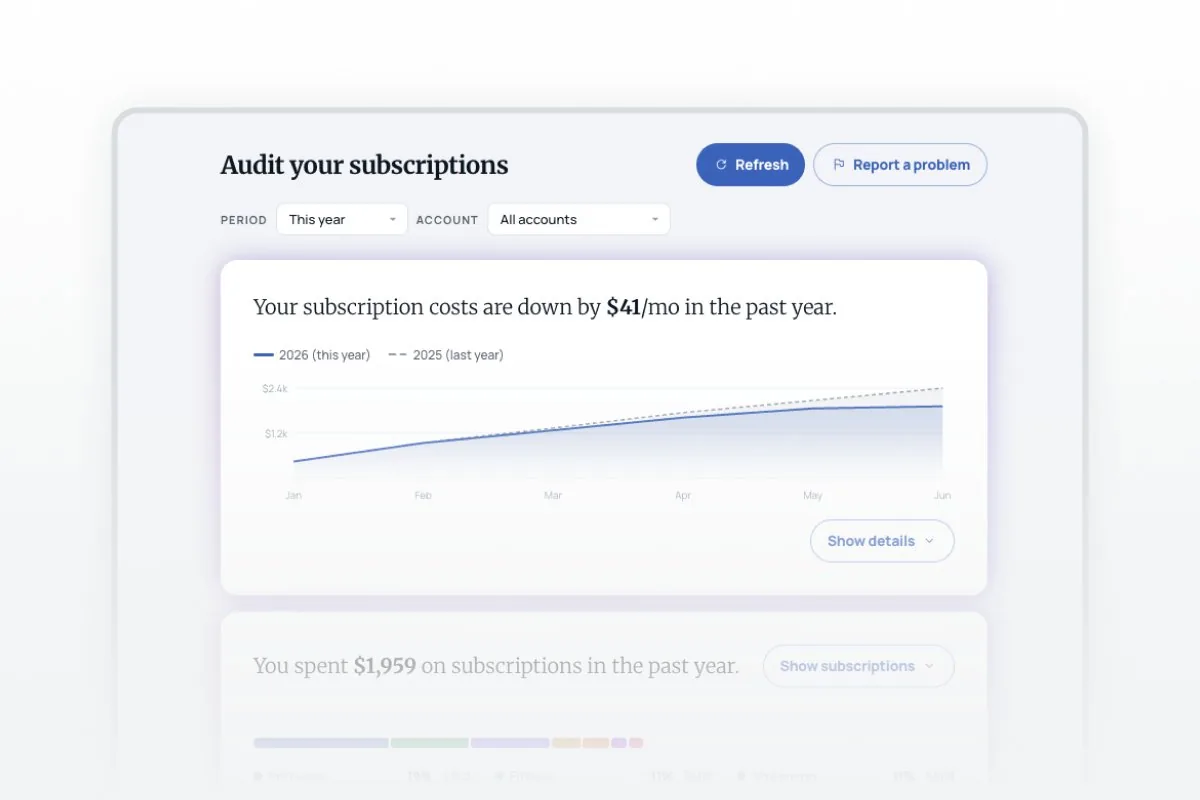
Audit your subscriptions
Audit your subscriptions
Audit your subscriptions
Find what subscriptions you have—and what changed.
Find what subscriptions you have—and what changed.
Find what subscriptions you have—and what changed.

Fund twin finder
Fund twin finder
Fund twin finder
Find cheaper alternatives to the ETFs and funds you already own
Find cheaper alternatives to the ETFs and funds you already own
Find cheaper alternatives to the ETFs and funds you already own
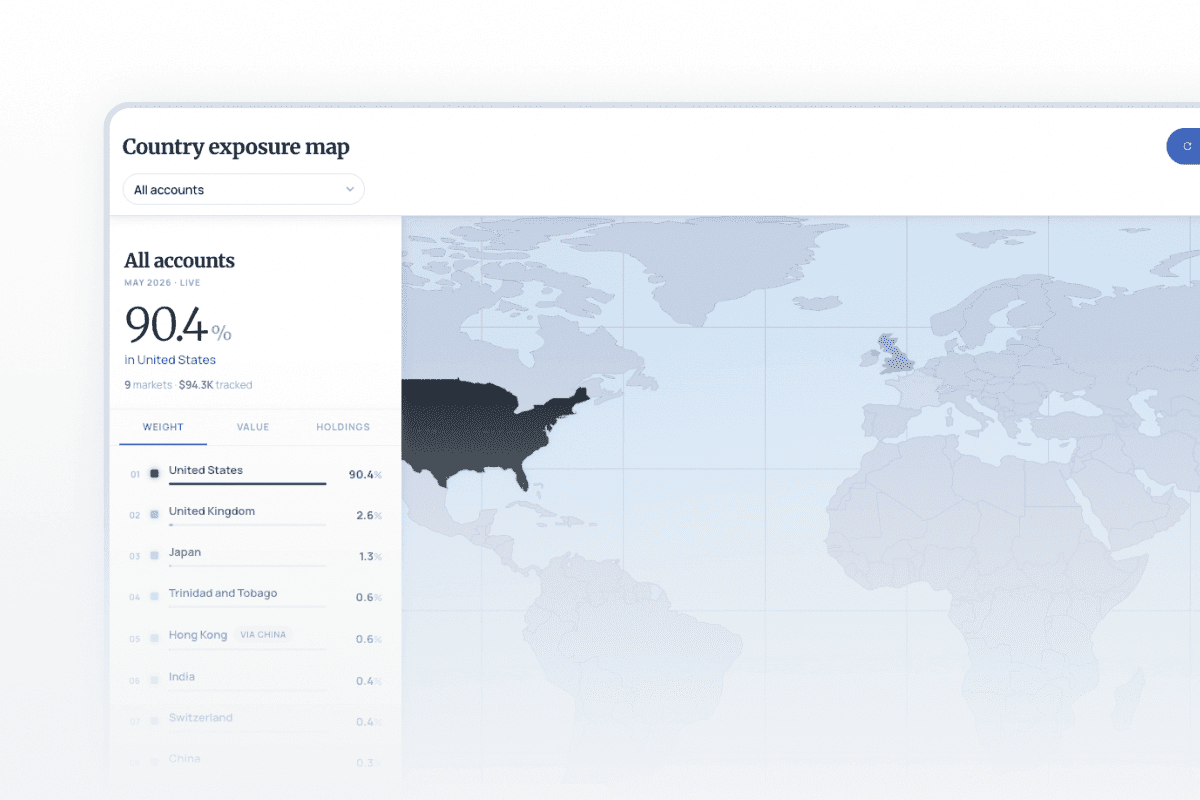
Country exposure map
Country exposure map
Country exposure map
An international diversification map that shows where your money is actually invested
An international diversification map that shows where your money is actually invested
An international diversification map that shows where your money is actually invested
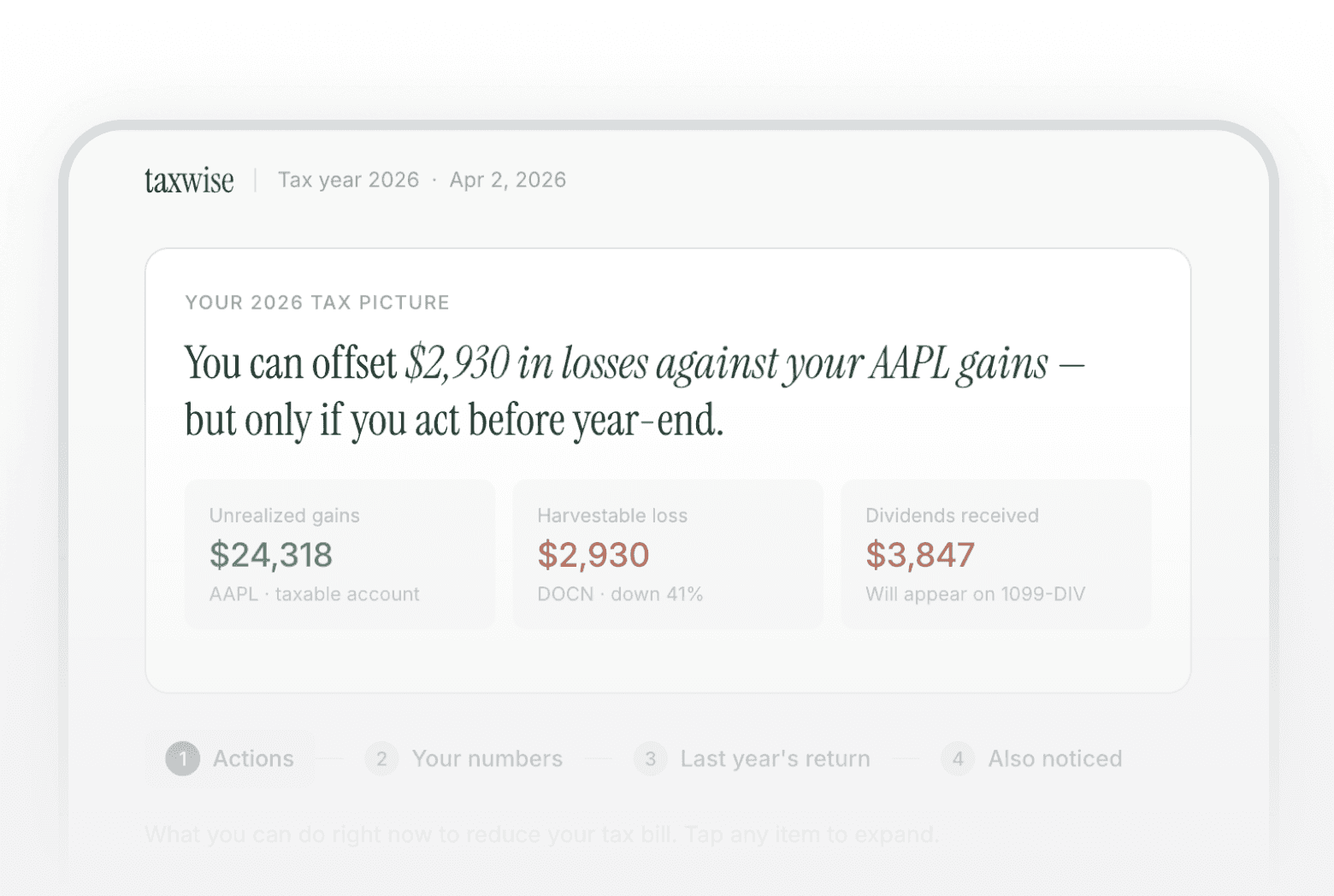
Tax prep dashboard
Tax prep dashboard
Tax prep dashboard
A tax prep dashboard that surfaces unrealized gains, losses, and harvesting opportunities before your 1099 arrives
A tax prep dashboard that surfaces unrealized gains, losses, and harvesting opportunities before your 1099 arrives
A tax prep dashboard that surfaces unrealized gains, losses, and harvesting opportunities before your 1099 arrives
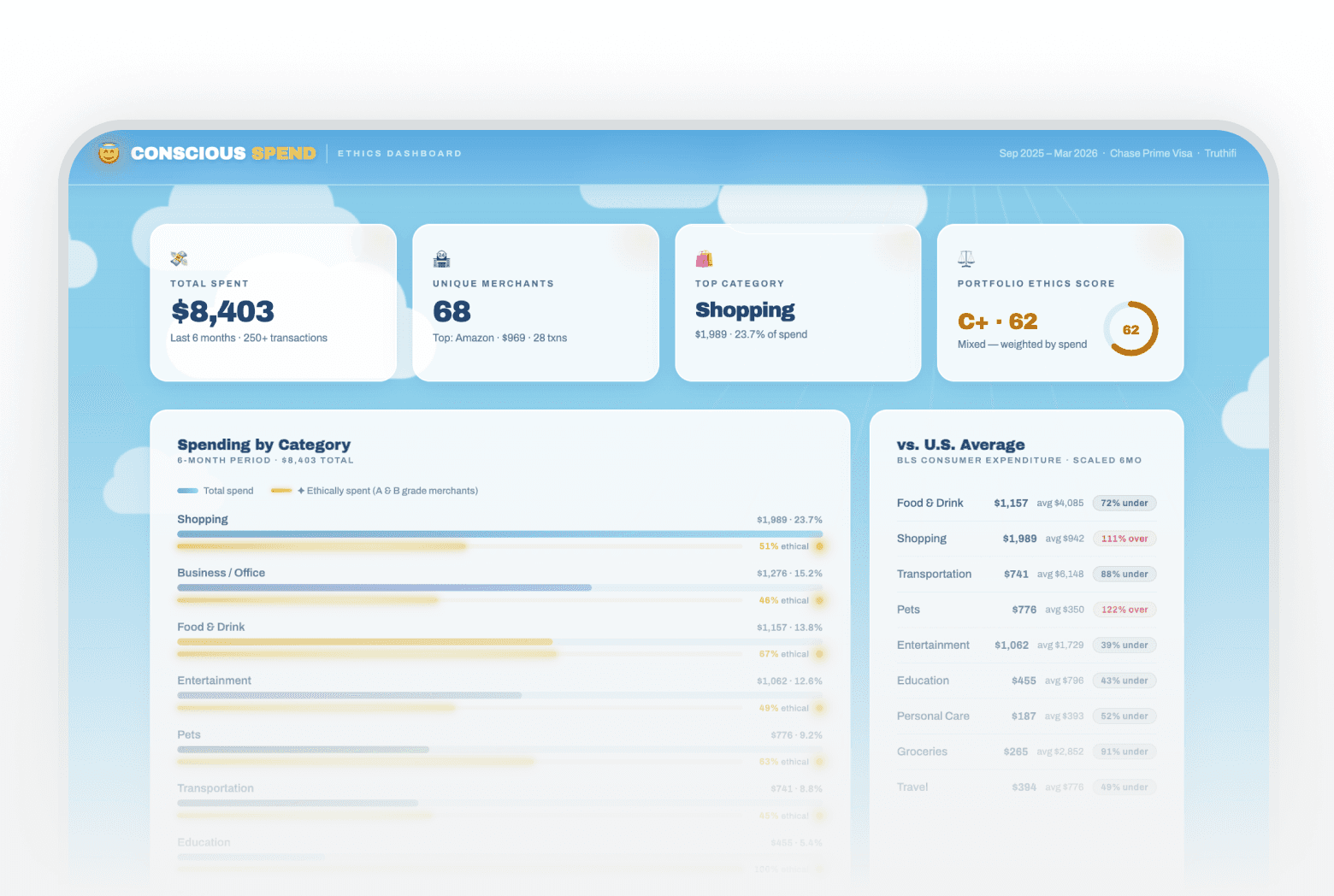
Conscious spend dashboard
Conscious spend dashboard
Conscious spend dashboard
A conscious spending tracker that shows what your transactions say about your values
A conscious spending tracker that shows what your transactions say about your values
A conscious spending tracker that shows what your transactions say about your values

Portfolio wrapped
Portfolio wrapped
Portfolio wrapped
A year-in-review that tells your investing story the way Spotify tells your listening one
A year-in-review that tells your investing story the way Spotify tells your listening one
A year-in-review that tells your investing story the way Spotify tells your listening one
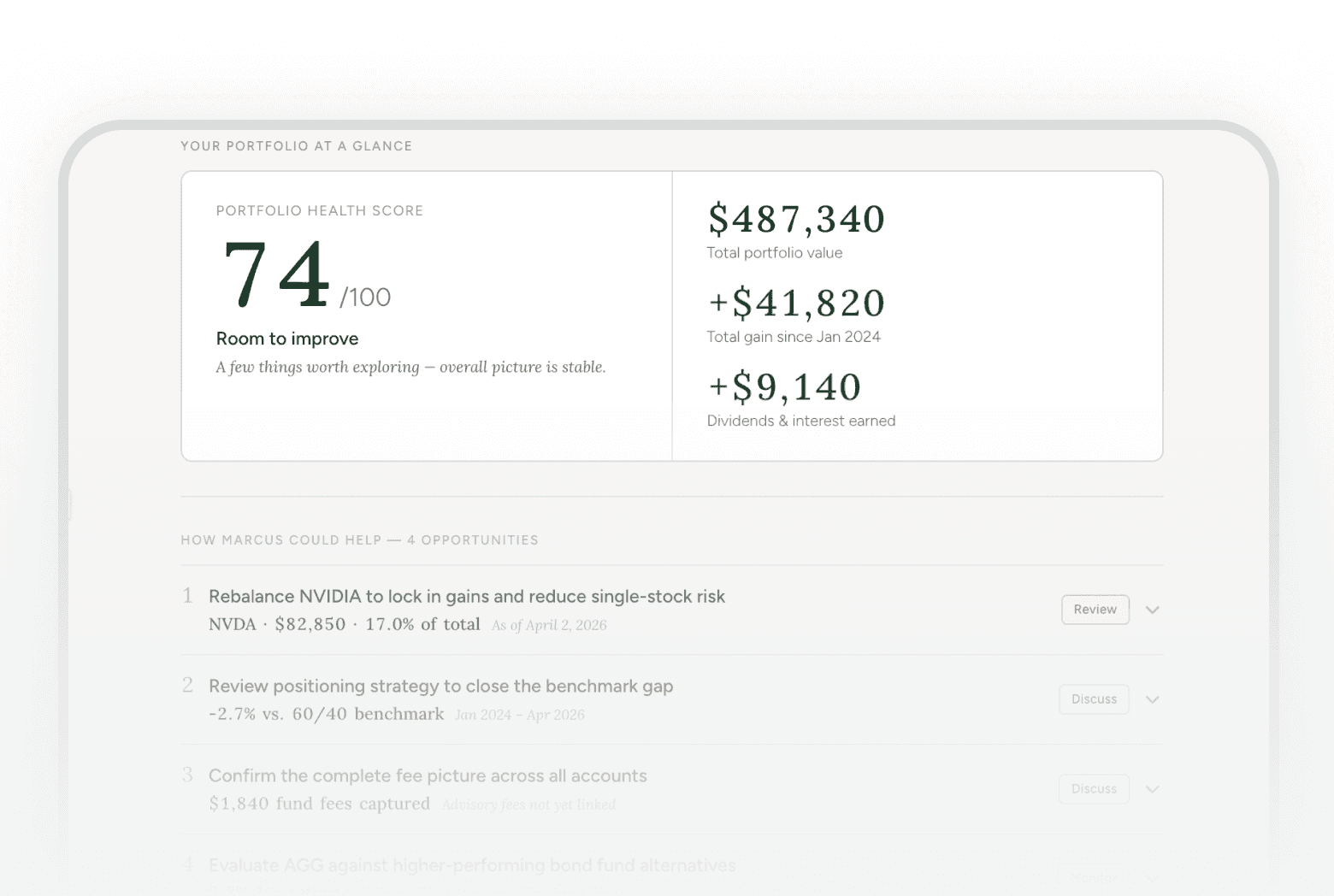
Advisor prep sheet
Advisor prep sheet
Advisor prep sheet
An AI-powered briefing that prepares you for your next financial advisor meeting
An AI-powered briefing that prepares you for your next financial advisor meeting
An AI-powered briefing that prepares you for your next financial advisor meeting
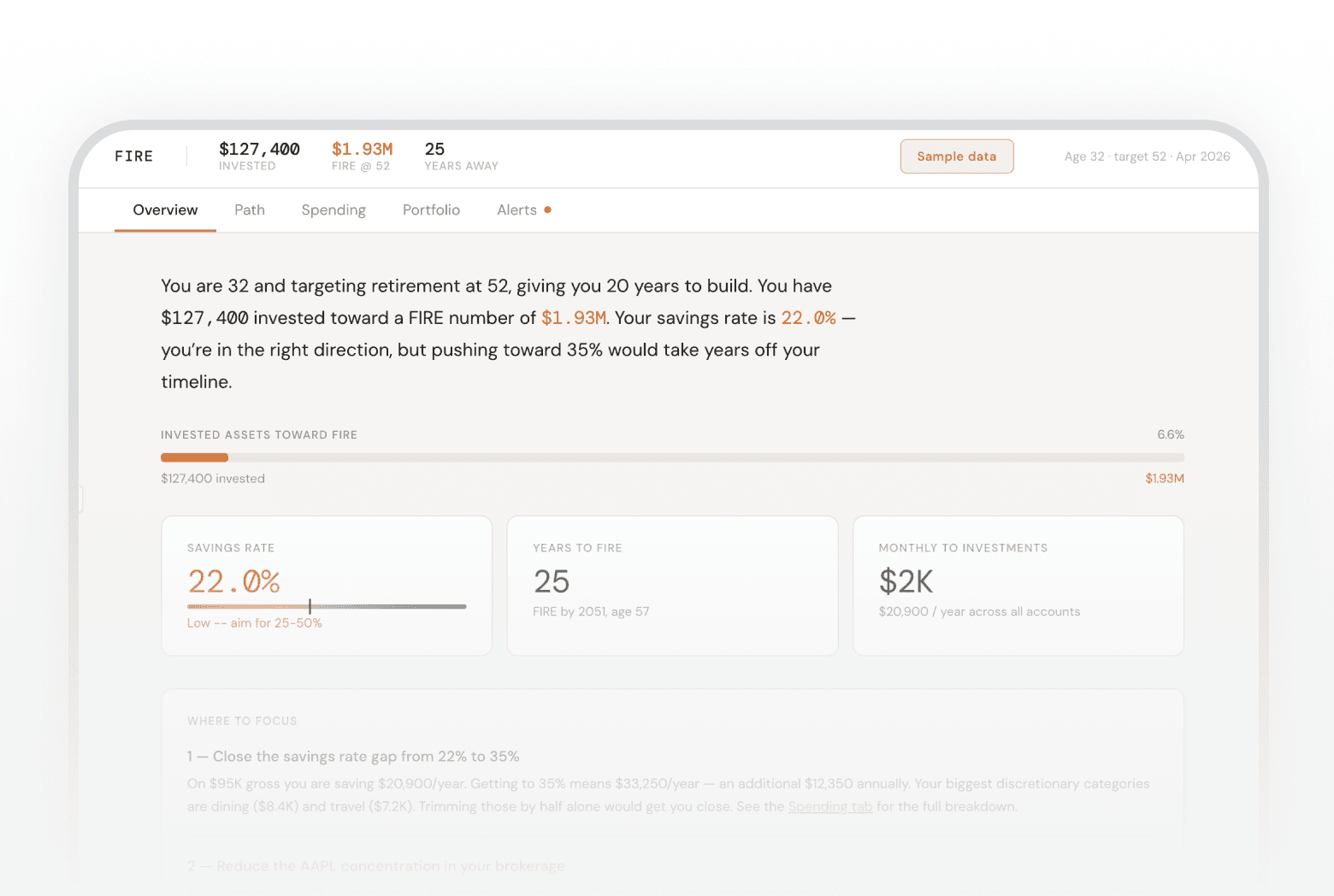
FIRE dashboard
FIRE dashboard
FIRE dashboard
An AI FIRE retirement calculator that models early retirement with your real balances
An AI FIRE retirement calculator that models early retirement with your real balances
An AI FIRE retirement calculator that models early retirement with your real balances
Connect ChatGPT to Bank of America | Truthifi
Connect ChatGPT to Bank of America | Truthifi
Connect ChatGPT to Bank of America | Truthifi
Connect ChatGPT to Capital One | Truthifi
Connect ChatGPT to Capital One | Truthifi
Connect ChatGPT to Capital One | Truthifi
Connect ChatGPT to Chase | Truthifi
Connect ChatGPT to Chase | Truthifi
Connect ChatGPT to Chase | Truthifi
Connect ChatGPT to Citibank | Truthifi
Connect ChatGPT to Citibank | Truthifi
Connect ChatGPT to Citibank | Truthifi
Connect ChatGPT to Fidelity | Truthifi
Connect ChatGPT to Fidelity | Truthifi
Connect ChatGPT to Fidelity | Truthifi
Connect ChatGPT to Merrill | Truthifi
Connect ChatGPT to Merrill | Truthifi
Connect ChatGPT to Merrill | Truthifi
Connect ChatGPT to Robinhood | Truthifi
Connect ChatGPT to Robinhood | Truthifi
Connect ChatGPT to Robinhood | Truthifi
Connect ChatGPT to Schwab | Truthifi
Connect ChatGPT to Schwab | Truthifi
Connect ChatGPT to Schwab | Truthifi
Frequently asked questions
What does MCP mean, and why does it matter for personal finance?
MCP stands for Model Context Protocol — an open standard that lets AI assistants connect to external data sources and tools in real time. For personal finance, it means your AI is no longer limited to general knowledge or information you manually copy and paste. With an MCP connection through Truthifi Connect, your AI can look up your actual account data on demand, the same way you'd look something up in a browser, and reason over it as part of any conversation.
What is the MCP server feature?
Truthifi's MCP server feature lets you connect your Truthifi financial data directly to an external AI assistant — like Claude or ChatGPT — so it can answer questions about your actual portfolio, accounts, and financial history. MCP stands for Model Context Protocol, an open standard that lets AI tools access real-time data from external sources. When you activate Truthifi's MCP server as part of your paid plan, the AI you already use gains live, read-only access to your clean, normalized Truthifi financial data.
Why would I use the MCP server instead of just using Truthifi's built-in AI agent?
They serve different preferences and workflows. Truthifi's built-in AI agent is the fastest, most integrated path — it's inside your dashboard, already connected, and ready to answer questions with no setup. The MCP server is for users who prefer a specific external AI — Claude, ChatGPT, or another tool — and want to run their Truthifi data through that AI's interface, conversation style, or custom prompting capabilities. Both use the same underlying Truthifi data. The MCP option is just for people who want to bring their own AI to the table.
Is the MCP server a separate product I have to pay for separately?
No. MCP server access is included in all Truthifi's membership tiers — it's a feature of the platform, not a separate subscription. If you want MCP access without the full Truthifi monitoring platform, that option exists through Truthifi Connect (truthifi-connect.ai), which is the standalone MCP-only product. But if you're already on a paid Truthifi plan, MCP server access is part of what you're getting.
Does my AI need to be set up in a specific way to use the Truthifi MCP server?
Your AI assistant needs to support the Model Context Protocol to use Truthifi's MCP server. Claude (via Claude.ai or the Claude desktop app) and ChatGPT with MCP support are the most common options. Setup involves adding the Truthifi MCP server URL to your AI's MCP configuration — typically a one-time step that takes a few minutes. Truthifi provides setup documentation in the platform once the feature is enabled on your plan.
How is Truthifi Connect different from the Truthifi platform?
The Truthifi platform includes its own built-in AI agent — you interact with it inside the Truthifi dashboard. Truthifi Connect is for users who prefer their own AI. It's a standalone MCP server that feeds your Truthifi-normalized financial data directly into Claude, ChatGPT, or whatever AI you choose — no Truthifi interface required. Same data quality, your AI, your workflow.
Does the MCP server give my AI permission to take actions in my accounts?
Truthifi's MCP server is strictly read-only. Your AI can retrieve and reason about your financial data, but it cannot move money, place trades, execute transactions, or modify your accounts in any way. The MCP connection is an information channel, not an action channel.
What specific data problems does Truthifi fix before passing data to my AI?
Truthifi resolves five systematic data problems that would otherwise silently degrade your AI's answers: Security identification — resolves the full security universe, including CITs, private securities, municipal bonds, options, and futures that aggregators typically misclassify or ignore. Transaction semantics — corrects miscoded transaction types at the source, so every downstream calculation — performance, fees, taxes, risk — is built from accurate inputs rather than inherited errors. Stale snapshots — reconstructs your full financial history from the earliest available transaction, not just from account creation. Your AI gets years of clean context from day one. Broken histories — rebuilds performance and transaction records when brokerage connections drop, keeping your timeline intact regardless of sync interruptions. Missing signals — structures data to surface findings across hundreds of signal types that would remain buried in unprocessed raw data.
Frequently asked questions
What does MCP mean, and why does it matter for personal finance?
MCP stands for Model Context Protocol — an open standard that lets AI assistants connect to external data sources and tools in real time. For personal finance, it means your AI is no longer limited to general knowledge or information you manually copy and paste. With an MCP connection through Truthifi Connect, your AI can look up your actual account data on demand, the same way you'd look something up in a browser, and reason over it as part of any conversation.
What is the MCP server feature?
Truthifi's MCP server feature lets you connect your Truthifi financial data directly to an external AI assistant — like Claude or ChatGPT — so it can answer questions about your actual portfolio, accounts, and financial history. MCP stands for Model Context Protocol, an open standard that lets AI tools access real-time data from external sources. When you activate Truthifi's MCP server as part of your paid plan, the AI you already use gains live, read-only access to your clean, normalized Truthifi financial data.
Why would I use the MCP server instead of just using Truthifi's built-in AI agent?
They serve different preferences and workflows. Truthifi's built-in AI agent is the fastest, most integrated path — it's inside your dashboard, already connected, and ready to answer questions with no setup. The MCP server is for users who prefer a specific external AI — Claude, ChatGPT, or another tool — and want to run their Truthifi data through that AI's interface, conversation style, or custom prompting capabilities. Both use the same underlying Truthifi data. The MCP option is just for people who want to bring their own AI to the table.
Is the MCP server a separate product I have to pay for separately?
No. MCP server access is included in all Truthifi's membership tiers — it's a feature of the platform, not a separate subscription. If you want MCP access without the full Truthifi monitoring platform, that option exists through Truthifi Connect (truthifi-connect.ai), which is the standalone MCP-only product. But if you're already on a paid Truthifi plan, MCP server access is part of what you're getting.
Does my AI need to be set up in a specific way to use the Truthifi MCP server?
Your AI assistant needs to support the Model Context Protocol to use Truthifi's MCP server. Claude (via Claude.ai or the Claude desktop app) and ChatGPT with MCP support are the most common options. Setup involves adding the Truthifi MCP server URL to your AI's MCP configuration — typically a one-time step that takes a few minutes. Truthifi provides setup documentation in the platform once the feature is enabled on your plan.
How is Truthifi Connect different from the Truthifi platform?
The Truthifi platform includes its own built-in AI agent — you interact with it inside the Truthifi dashboard. Truthifi Connect is for users who prefer their own AI. It's a standalone MCP server that feeds your Truthifi-normalized financial data directly into Claude, ChatGPT, or whatever AI you choose — no Truthifi interface required. Same data quality, your AI, your workflow.
Does the MCP server give my AI permission to take actions in my accounts?
Truthifi's MCP server is strictly read-only. Your AI can retrieve and reason about your financial data, but it cannot move money, place trades, execute transactions, or modify your accounts in any way. The MCP connection is an information channel, not an action channel.
What specific data problems does Truthifi fix before passing data to my AI?
Truthifi resolves five systematic data problems that would otherwise silently degrade your AI's answers: Security identification — resolves the full security universe, including CITs, private securities, municipal bonds, options, and futures that aggregators typically misclassify or ignore. Transaction semantics — corrects miscoded transaction types at the source, so every downstream calculation — performance, fees, taxes, risk — is built from accurate inputs rather than inherited errors. Stale snapshots — reconstructs your full financial history from the earliest available transaction, not just from account creation. Your AI gets years of clean context from day one. Broken histories — rebuilds performance and transaction records when brokerage connections drop, keeping your timeline intact regardless of sync interruptions. Missing signals — structures data to surface findings across hundreds of signal types that would remain buried in unprocessed raw data.
Frequently asked questions
What does MCP mean, and why does it matter for personal finance?
MCP stands for Model Context Protocol — an open standard that lets AI assistants connect to external data sources and tools in real time. For personal finance, it means your AI is no longer limited to general knowledge or information you manually copy and paste. With an MCP connection through Truthifi Connect, your AI can look up your actual account data on demand, the same way you'd look something up in a browser, and reason over it as part of any conversation.
What is the MCP server feature?
Truthifi's MCP server feature lets you connect your Truthifi financial data directly to an external AI assistant — like Claude or ChatGPT — so it can answer questions about your actual portfolio, accounts, and financial history. MCP stands for Model Context Protocol, an open standard that lets AI tools access real-time data from external sources. When you activate Truthifi's MCP server as part of your paid plan, the AI you already use gains live, read-only access to your clean, normalized Truthifi financial data.
Why would I use the MCP server instead of just using Truthifi's built-in AI agent?
They serve different preferences and workflows. Truthifi's built-in AI agent is the fastest, most integrated path — it's inside your dashboard, already connected, and ready to answer questions with no setup. The MCP server is for users who prefer a specific external AI — Claude, ChatGPT, or another tool — and want to run their Truthifi data through that AI's interface, conversation style, or custom prompting capabilities. Both use the same underlying Truthifi data. The MCP option is just for people who want to bring their own AI to the table.
Is the MCP server a separate product I have to pay for separately?
No. MCP server access is included in all Truthifi's membership tiers — it's a feature of the platform, not a separate subscription. If you want MCP access without the full Truthifi monitoring platform, that option exists through Truthifi Connect (truthifi-connect.ai), which is the standalone MCP-only product. But if you're already on a paid Truthifi plan, MCP server access is part of what you're getting.
Does my AI need to be set up in a specific way to use the Truthifi MCP server?
Your AI assistant needs to support the Model Context Protocol to use Truthifi's MCP server. Claude (via Claude.ai or the Claude desktop app) and ChatGPT with MCP support are the most common options. Setup involves adding the Truthifi MCP server URL to your AI's MCP configuration — typically a one-time step that takes a few minutes. Truthifi provides setup documentation in the platform once the feature is enabled on your plan.
How is Truthifi Connect different from the Truthifi platform?
The Truthifi platform includes its own built-in AI agent — you interact with it inside the Truthifi dashboard. Truthifi Connect is for users who prefer their own AI. It's a standalone MCP server that feeds your Truthifi-normalized financial data directly into Claude, ChatGPT, or whatever AI you choose — no Truthifi interface required. Same data quality, your AI, your workflow.
Does the MCP server give my AI permission to take actions in my accounts?
Truthifi's MCP server is strictly read-only. Your AI can retrieve and reason about your financial data, but it cannot move money, place trades, execute transactions, or modify your accounts in any way. The MCP connection is an information channel, not an action channel.
What specific data problems does Truthifi fix before passing data to my AI?
Truthifi resolves five systematic data problems that would otherwise silently degrade your AI's answers: Security identification — resolves the full security universe, including CITs, private securities, municipal bonds, options, and futures that aggregators typically misclassify or ignore. Transaction semantics — corrects miscoded transaction types at the source, so every downstream calculation — performance, fees, taxes, risk — is built from accurate inputs rather than inherited errors. Stale snapshots — reconstructs your full financial history from the earliest available transaction, not just from account creation. Your AI gets years of clean context from day one. Broken histories — rebuilds performance and transaction records when brokerage connections drop, keeping your timeline intact regardless of sync interruptions. Missing signals — structures data to surface findings across hundreds of signal types that would remain buried in unprocessed raw data.
Stop living in spreadsheets.
$4,000,000,000+
Monitored
18,000+
Providers covered
Bank-grade
Security
features
Company
Legal
Stop living in spreadsheets.
$4,000,000,000+
Monitored
18,000+
Providers covered
Bank-grade
Security
features
Company
Legal
Stop living in spreadsheets.
$4,000,000,000+
Monitored
18,000+
Providers covered
Bank-grade
Security
features
Company
Legal