Connect Claude to Schwab, Fidelity & Vanguard — No coding required
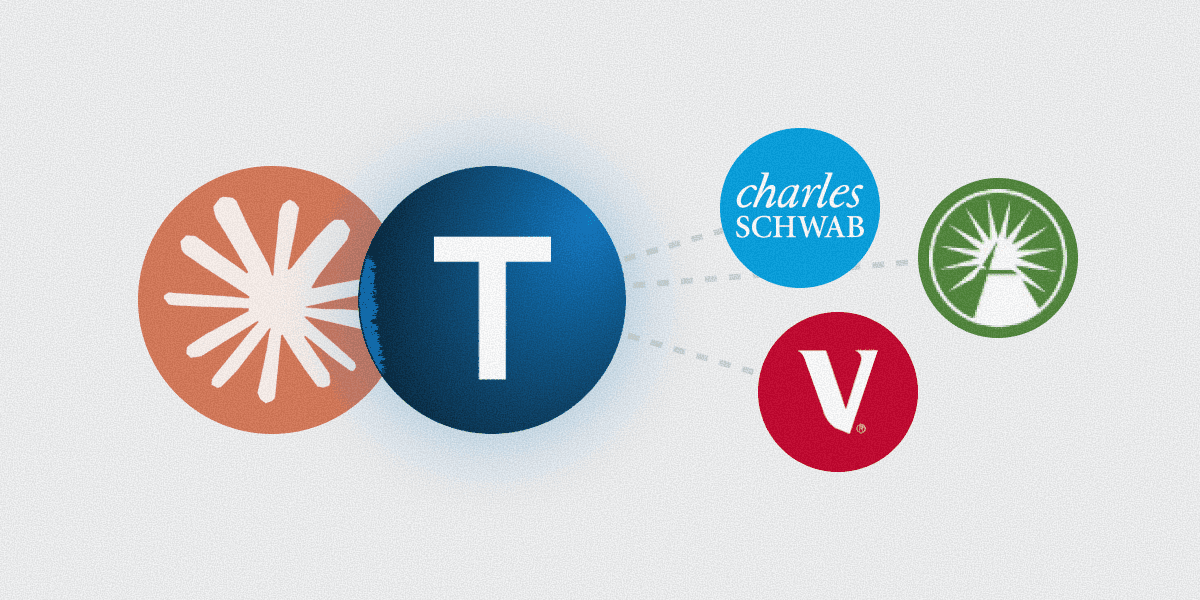

Connect Claude to Schwab, Fidelity & Vanguard — No coding required
Connect Claude to Schwab, Fidelity & Vanguard — No coding required
In this article
Most articles say Claude can’t access your real portfolio. That changed in 2025. Here’s the five-minute setup.
There’s a version of personal finance where you open Claude — the same Claude you already use for writing, research, and thinking — and ask it about your actual Fidelity 401k, your Vanguard IRA, and your Schwab brokerage account simultaneously. No exports. No copy-paste. No stale month-end statement standing in for today’s holdings. That version exists now — and it requires a paid Claude plan (Pro or Max) plus a Truthifi account. The only thing standing between your AI and your real financial picture is a trust layer. Truthifi is that layer.
Here’s how it works, and how to set it up in five minutes.
Claude added MCP Connectors in 2025, and Truthifi built one specifically for retail investors. If you’re already using Claude for other tasks, Truthifi lets you add your real portfolio to those same conversations: live balances, holdings, expense ratios, and allocation across Fidelity, Vanguard, Schwab, and most major brokerages. No new app to learn.
Most ways to give an AI access to your financial data involve trade-offs: screen scraping requires sharing your login credentials with a third party, DIY MCP servers require developer setup, and pasting CSV exports hands raw account data directly to the AI. You may have also read concerns about AI accessing your finances. Those concerns are legitimate, and Truthifi’s architecture is built to address them directly.
The connection uses OAuth (the same secure authorization standard used when you sign in with Google or Apple), so your brokerage password never passes through Truthifi or Claude. Every data request is logged, and access is read-only at the protocol level, not just in the terms of service.
Is it safe to connect Claude to your bank or brokerage?
Yes — structurally, not just by policy. The connection uses OAuth, so your brokerage login credentials never pass through Truthifi or Claude. Truthifi holds a read-only token scoped at the protocol level. Claude cannot move money, place trades, or change account settings under any circumstance.
All data is encrypted in transit and at rest with AES-256, every access request is logged, and you can revoke the connection at any time from your Truthifi account or directly from your brokerage’s authorized apps page. Full details in the FAQ below.
Once that’s settled, the setup takes about five minutes.
What you need
An account with Truthifi:
Truthifi Connect is the best way to get started with MCP for free (25 calls/month, up to 5 providers). When you’re ready to expand your financial intelligence, you can upgrade to the Pro tier for just $5.99/month (or $59.99/year) and link up to 8 providers. See What Is Truthifi Connect? for more details.
For the full Truthifi monitoring experience plus MCP access, a paid Truthifi account is required—either the Monitoring plan ($8.99/month or $79.99/year) or Monitoring Plus+ ($29.99/month or $299.99/year). A free trial is available at truthifi.com/pricing.
*Pricing and usage limits as of April 24, 2026
A paid individual subscription to Claude (Pro or Max). If you’re working in a team or enterprise account, your admin may need to adjust settings on your behalf before you can access our MCP.
Your brokerage accounts linked inside Truthifi - do this first at app.truthifi.com.
No coding required - the entire setup is done through browser settings and OAuth screens.
Why Truthifi — not just any aggregator
You could connect Claude to your brokerage data other ways: a developer-built MCP server, a CSV export, manual copy-paste. None of them give you what Truthifi gives you. And none of them address the foundational problem: your AI can only reason as well as the data it’s given. Raw, stale, or incomplete inputs produce raw, stale, or incomplete answers — which is exactly the wrong baseline for decisions about your financial life.
Security. Connections run through Plaid, Yodlee, and By All Accounts — the same institutional-grade data providers used by banks and financial apps. All data is encrypted in transit and at rest with AES-256, the same standard used by major financial institutions. Truthifi never sees or stores your login credentials. Read-only is enforced at the protocol level, which means Claude cannot move money, place trades, or change account settings regardless of what it is asked to do. That constraint lives in the connection architecture, not the terms of service.
Privacy. Truthifi does not sell your data, does not earn commissions, and has no financial products to push. You choose which accounts Claude can see at the individual account level, not all-or-nothing.
Control. You decide what Claude can see and for how long — at the individual account level, not all-or-nothing. Permissions are scoped: you choose which institutions, which accounts, and which AI tools have access. Revoking works at two levels: remove the Truthifi connector from Claude entirely, or log into Truthifi and disconnect individual institutions while leaving others active. Either way, revoking Claude access does not touch your other Truthifi connections, and no contact with Truthifi is required.
Audit trail. Every MCP data request is logged: what was accessed, when, and by which tool, including the Claude session that accessed it. No other consumer-facing MCP connector for retail brokerage accounts provides this.
Data quality. Truthifi rebuilds your historical data on connection, fills gaps, and corrects errors most aggregators miss. Claude reasons over verified, normalized data across your accounts, not raw feeds with missing cost basis or mismatched tickers. This matters more than it sounds: the same portfolio analyzed from a raw feed vs. a normalized one can produce meaningfully different allocation percentages, particularly across multiple accounts.
For a deeper look at what Claude can do with this live data, see AI Portfolio Analysis: Expense Ratios, Asset Allocation & Retirement Readiness.
The five-step setup is below. It takes about as long as making a cup of coffee.
Setup: five steps
Step 1 - Open Integrations in Claude
Go to claude.ai → Customize → Connectors. This is where your connectors are managed. You’ll add Truthifi here.
Alternatively, mid-conversation: click "+" → Connectors → Add or manage connectors (where you can add Truthifi if not yet connected). Note: "Connectors" and "Integrations" refer to the same feature; the label may vary by version.
Step 2 - Add Truthifi
Find Truthifi in the connectors directory and click Connect. If it’s not listed:
Click Add custom connector
Enter Name:
Truthifiand URL:https://api.truthifi.com/mcpClick Add
Step 3 - Authorize your accounts
Sign in to your paid Truthifi account (Monitoring or Monitoring Plus+), select which accounts to share, confirm read-only scope, and click Authorize.
Step 4 - Enable the Truthifi integration
In any new chat: click "+" → Integrations (may appear as Connectors on older versions) → toggle Truthifi on. This only needs to be done once — the toggle persists across conversations. If you ever lose connection, simply toggle it off and back on to reconnect.
Step 5 - Verify
Send: "What is my current asset allocation across all my connected accounts?"
If Claude responds with your actual holdings, you’re live.
Supported brokerages
Fidelity, Vanguard, Charles Schwab (including former TD Ameritrade accounts), most major banks, and many 401k providers. Truthifi supports over 18,000 institutions — sign up for free to confirm yours is covered.
How Truthifi’s MCP Connection Works
The connection between Claude and your Schwab, Fidelity, or Vanguard account runs through Truthifi’s MCP server — a technical term worth understanding, because it explains why this is safe.
MCP stands for Model Context Protocol, an open standard developed by Anthropic (the company that makes Claude) in 2024. It creates a standardized, secure channel between AI assistants and external data sources. Think of it as a controlled pipe: Claude can read data through it, but cannot write to, move, or trade anything in your accounts.
Here is what actually happens when you connect:
You authorize Truthifi through OAuth — the same standard used when you "Sign in with Google." Your Schwab, Fidelity, or Vanguard login credentials never pass through Truthifi or Claude.
Truthifi holds a read-only token, scoped at the protocol level. The token cannot initiate transactions.
Truthifi decodes and normalizes your brokerage data — translating raw feed data into clean, verified holdings, balances, and cost basis that Claude can reason from.
Claude receives your financial data through the MCP channel and answers your questions. Nothing is stored between sessions.
The technical difference between Truthifi and the developer-built Schwab MCP servers on GitHub: those require a Schwab developer account, a Cloudflare Workers paid plan, Node.js, and manual OAuth configuration. Truthifi’s connector activates through Claude.ai’s native interface in under two minutes, with no command line and no API keys.
Truthifi vs. DIY Schwab MCP servers: Which is right for you?
Truthifi | GitHub MCP Repos (sudowealth, jkoelker) | |
|---|---|---|
Setup time | ~2 minutes | Several hours |
Requires coding | No | Yes (Node.js / Python) |
Requires Schwab developer account | No | Yes |
Requires Cloudflare Workers (~$5/mo) | No | Yes |
Works on Claude paid plans | Yes | Yes |
Covers Fidelity & Vanguard too | Yes — 18,000+ institutions | Schwab only |
Read-only (cannot trade) | Yes | Configurable — trading tools available |
Who it’s for | Investors who want portfolio analysis without a developer background | Developers who want full API access and self-hosted infrastructure |
The GitHub repos are well-built projects for technically confident users who want full control, including optional trading capabilities. Truthifi is built for investors who want the analysis without the infrastructure. Both connect Claude to Schwab data. The difference is what you have to set up to get there.
Example questions
Once connected, Claude can analyze your investments directly: asset allocation, expense ratios, retirement readiness, rebalancing gaps, and more. Because Truthifi normalizes and verifies your data before it reaches Claude, the answers are grounded in accurate holdings and real cost basis, not raw, unprocessed brokerage feeds. The questions below apply at any life stage — from building your first portfolio to managing withdrawals in retirement.
"What is my total equity/bond/cash split across all accounts?"
"Which of my funds have the highest expense ratios?"
"How much am I paying in fund fees annually?"
"Am I on track to retire at 65 based on my current balances?"
"My target is 80/20 stocks to bonds — where am I off-target today?"
"Which holding is the biggest drag on returns?"
For a full breakdown of what Claude can do with live portfolio data, including expense ratio analysis and retirement readiness, see the AI Portfolio Analysis guide. Both Claude and ChatGPT require paid plans to use the Truthifi MCP connector.
What Claude cannot do
Cannot move money · Cannot execute trades · Cannot change account settings · Does not store credentials · Does not retain data between conversations
"Claude for personal finance is an analysis tool, not a trading platform. It reads, reasons, and explains — it does not act on your accounts."
Truthifi MCP vs. every other option
Paste statement | Generic aggregator | Truthifi MCP | |
|---|---|---|---|
Data freshness | Stale | Live | Live |
Security | Statement text in chat | Varies | Bank-grade, read-only API |
Privacy control | None | All-or-nothing | Per-account |
Audit log | None | None | Full — every request logged |
Data quality | Raw, unverified | Raw feed | Cleaned, normalized, gaps filled |
Effort | Download, paste, every session | Varies | Toggle on, ask |
For the first time, the AI you already use can see your actual portfolio — not a spreadsheet you made from last month’s statement.
Where this is heading: AI agents and your finances
What you’re setting up today is a live connection between your portfolio and a reasoning engine. You ask, Claude answers, using your real holdings. That’s already more powerful than anything a retail investor had access to two years ago.
The direction from here is even more interesting.
The coming generation of agentic AI — models that act on your behalf, not just respond to you — will be able to monitor your portfolio continuously, surface meaningful changes proactively, and flag when something needs your attention before you think to ask.
Expense ratio creeping up on a fund you haven’t looked at in a year. Allocation drifting past your stated target after a strong equity run. Contribution pace suggesting a retirement date later than you planned. These are things an AI agent, watching your live data, can catch in real time.
That future is being built on the same infrastructure you’re connecting right now. The MCP standard, the OAuth authorization, the normalized data feed — that’s the foundation. Claude and Truthifi are already on it. You’re not just getting a smarter conversation about your finances. You’re joining the system early — one that runs in the background, keeps your data fresh automatically, and holds your permissions exactly as you set them without any ongoing effort.
Everything starts with the connection you just made.
Know more. Share less. Sleep well.
How to disconnect
Customize → Connectors → Truthifi → three-dot menu → Remove. To fully revoke, log in to your Truthifi account and disconnect each institution individually.
Most articles say Claude can’t access your real portfolio. That changed in 2025. Here’s the five-minute setup.
There’s a version of personal finance where you open Claude — the same Claude you already use for writing, research, and thinking — and ask it about your actual Fidelity 401k, your Vanguard IRA, and your Schwab brokerage account simultaneously. No exports. No copy-paste. No stale month-end statement standing in for today’s holdings. That version exists now — and it requires a paid Claude plan (Pro or Max) plus a Truthifi account. The only thing standing between your AI and your real financial picture is a trust layer. Truthifi is that layer.
Here’s how it works, and how to set it up in five minutes.
Claude added MCP Connectors in 2025, and Truthifi built one specifically for retail investors. If you’re already using Claude for other tasks, Truthifi lets you add your real portfolio to those same conversations: live balances, holdings, expense ratios, and allocation across Fidelity, Vanguard, Schwab, and most major brokerages. No new app to learn.
Most ways to give an AI access to your financial data involve trade-offs: screen scraping requires sharing your login credentials with a third party, DIY MCP servers require developer setup, and pasting CSV exports hands raw account data directly to the AI. You may have also read concerns about AI accessing your finances. Those concerns are legitimate, and Truthifi’s architecture is built to address them directly.
The connection uses OAuth (the same secure authorization standard used when you sign in with Google or Apple), so your brokerage password never passes through Truthifi or Claude. Every data request is logged, and access is read-only at the protocol level, not just in the terms of service.
Is it safe to connect Claude to your bank or brokerage?
Yes — structurally, not just by policy. The connection uses OAuth, so your brokerage login credentials never pass through Truthifi or Claude. Truthifi holds a read-only token scoped at the protocol level. Claude cannot move money, place trades, or change account settings under any circumstance.
All data is encrypted in transit and at rest with AES-256, every access request is logged, and you can revoke the connection at any time from your Truthifi account or directly from your brokerage’s authorized apps page. Full details in the FAQ below.
Once that’s settled, the setup takes about five minutes.
What you need
An account with Truthifi:
Truthifi Connect is the best way to get started with MCP for free (25 calls/month, up to 5 providers). When you’re ready to expand your financial intelligence, you can upgrade to the Pro tier for just $5.99/month (or $59.99/year) and link up to 8 providers. See What Is Truthifi Connect? for more details.
For the full Truthifi monitoring experience plus MCP access, a paid Truthifi account is required—either the Monitoring plan ($8.99/month or $79.99/year) or Monitoring Plus+ ($29.99/month or $299.99/year). A free trial is available at truthifi.com/pricing.
*Pricing and usage limits as of April 24, 2026
A paid individual subscription to Claude (Pro or Max). If you’re working in a team or enterprise account, your admin may need to adjust settings on your behalf before you can access our MCP.
Your brokerage accounts linked inside Truthifi - do this first at app.truthifi.com.
No coding required - the entire setup is done through browser settings and OAuth screens.
Why Truthifi — not just any aggregator
You could connect Claude to your brokerage data other ways: a developer-built MCP server, a CSV export, manual copy-paste. None of them give you what Truthifi gives you. And none of them address the foundational problem: your AI can only reason as well as the data it’s given. Raw, stale, or incomplete inputs produce raw, stale, or incomplete answers — which is exactly the wrong baseline for decisions about your financial life.
Security. Connections run through Plaid, Yodlee, and By All Accounts — the same institutional-grade data providers used by banks and financial apps. All data is encrypted in transit and at rest with AES-256, the same standard used by major financial institutions. Truthifi never sees or stores your login credentials. Read-only is enforced at the protocol level, which means Claude cannot move money, place trades, or change account settings regardless of what it is asked to do. That constraint lives in the connection architecture, not the terms of service.
Privacy. Truthifi does not sell your data, does not earn commissions, and has no financial products to push. You choose which accounts Claude can see at the individual account level, not all-or-nothing.
Control. You decide what Claude can see and for how long — at the individual account level, not all-or-nothing. Permissions are scoped: you choose which institutions, which accounts, and which AI tools have access. Revoking works at two levels: remove the Truthifi connector from Claude entirely, or log into Truthifi and disconnect individual institutions while leaving others active. Either way, revoking Claude access does not touch your other Truthifi connections, and no contact with Truthifi is required.
Audit trail. Every MCP data request is logged: what was accessed, when, and by which tool, including the Claude session that accessed it. No other consumer-facing MCP connector for retail brokerage accounts provides this.
Data quality. Truthifi rebuilds your historical data on connection, fills gaps, and corrects errors most aggregators miss. Claude reasons over verified, normalized data across your accounts, not raw feeds with missing cost basis or mismatched tickers. This matters more than it sounds: the same portfolio analyzed from a raw feed vs. a normalized one can produce meaningfully different allocation percentages, particularly across multiple accounts.
For a deeper look at what Claude can do with this live data, see AI Portfolio Analysis: Expense Ratios, Asset Allocation & Retirement Readiness.
The five-step setup is below. It takes about as long as making a cup of coffee.
Setup: five steps
Step 1 - Open Integrations in Claude
Go to claude.ai → Customize → Connectors. This is where your connectors are managed. You’ll add Truthifi here.
Alternatively, mid-conversation: click "+" → Connectors → Add or manage connectors (where you can add Truthifi if not yet connected). Note: "Connectors" and "Integrations" refer to the same feature; the label may vary by version.
Step 2 - Add Truthifi
Find Truthifi in the connectors directory and click Connect. If it’s not listed:
Click Add custom connector
Enter Name:
Truthifiand URL:https://api.truthifi.com/mcpClick Add
Step 3 - Authorize your accounts
Sign in to your paid Truthifi account (Monitoring or Monitoring Plus+), select which accounts to share, confirm read-only scope, and click Authorize.
Step 4 - Enable the Truthifi integration
In any new chat: click "+" → Integrations (may appear as Connectors on older versions) → toggle Truthifi on. This only needs to be done once — the toggle persists across conversations. If you ever lose connection, simply toggle it off and back on to reconnect.
Step 5 - Verify
Send: "What is my current asset allocation across all my connected accounts?"
If Claude responds with your actual holdings, you’re live.
Supported brokerages
Fidelity, Vanguard, Charles Schwab (including former TD Ameritrade accounts), most major banks, and many 401k providers. Truthifi supports over 18,000 institutions — sign up for free to confirm yours is covered.
How Truthifi’s MCP Connection Works
The connection between Claude and your Schwab, Fidelity, or Vanguard account runs through Truthifi’s MCP server — a technical term worth understanding, because it explains why this is safe.
MCP stands for Model Context Protocol, an open standard developed by Anthropic (the company that makes Claude) in 2024. It creates a standardized, secure channel between AI assistants and external data sources. Think of it as a controlled pipe: Claude can read data through it, but cannot write to, move, or trade anything in your accounts.
Here is what actually happens when you connect:
You authorize Truthifi through OAuth — the same standard used when you "Sign in with Google." Your Schwab, Fidelity, or Vanguard login credentials never pass through Truthifi or Claude.
Truthifi holds a read-only token, scoped at the protocol level. The token cannot initiate transactions.
Truthifi decodes and normalizes your brokerage data — translating raw feed data into clean, verified holdings, balances, and cost basis that Claude can reason from.
Claude receives your financial data through the MCP channel and answers your questions. Nothing is stored between sessions.
The technical difference between Truthifi and the developer-built Schwab MCP servers on GitHub: those require a Schwab developer account, a Cloudflare Workers paid plan, Node.js, and manual OAuth configuration. Truthifi’s connector activates through Claude.ai’s native interface in under two minutes, with no command line and no API keys.
Truthifi vs. DIY Schwab MCP servers: Which is right for you?
Truthifi | GitHub MCP Repos (sudowealth, jkoelker) | |
|---|---|---|
Setup time | ~2 minutes | Several hours |
Requires coding | No | Yes (Node.js / Python) |
Requires Schwab developer account | No | Yes |
Requires Cloudflare Workers (~$5/mo) | No | Yes |
Works on Claude paid plans | Yes | Yes |
Covers Fidelity & Vanguard too | Yes — 18,000+ institutions | Schwab only |
Read-only (cannot trade) | Yes | Configurable — trading tools available |
Who it’s for | Investors who want portfolio analysis without a developer background | Developers who want full API access and self-hosted infrastructure |
The GitHub repos are well-built projects for technically confident users who want full control, including optional trading capabilities. Truthifi is built for investors who want the analysis without the infrastructure. Both connect Claude to Schwab data. The difference is what you have to set up to get there.
Example questions
Once connected, Claude can analyze your investments directly: asset allocation, expense ratios, retirement readiness, rebalancing gaps, and more. Because Truthifi normalizes and verifies your data before it reaches Claude, the answers are grounded in accurate holdings and real cost basis, not raw, unprocessed brokerage feeds. The questions below apply at any life stage — from building your first portfolio to managing withdrawals in retirement.
"What is my total equity/bond/cash split across all accounts?"
"Which of my funds have the highest expense ratios?"
"How much am I paying in fund fees annually?"
"Am I on track to retire at 65 based on my current balances?"
"My target is 80/20 stocks to bonds — where am I off-target today?"
"Which holding is the biggest drag on returns?"
For a full breakdown of what Claude can do with live portfolio data, including expense ratio analysis and retirement readiness, see the AI Portfolio Analysis guide. Both Claude and ChatGPT require paid plans to use the Truthifi MCP connector.
What Claude cannot do
Cannot move money · Cannot execute trades · Cannot change account settings · Does not store credentials · Does not retain data between conversations
"Claude for personal finance is an analysis tool, not a trading platform. It reads, reasons, and explains — it does not act on your accounts."
Truthifi MCP vs. every other option
Paste statement | Generic aggregator | Truthifi MCP | |
|---|---|---|---|
Data freshness | Stale | Live | Live |
Security | Statement text in chat | Varies | Bank-grade, read-only API |
Privacy control | None | All-or-nothing | Per-account |
Audit log | None | None | Full — every request logged |
Data quality | Raw, unverified | Raw feed | Cleaned, normalized, gaps filled |
Effort | Download, paste, every session | Varies | Toggle on, ask |
For the first time, the AI you already use can see your actual portfolio — not a spreadsheet you made from last month’s statement.
Where this is heading: AI agents and your finances
What you’re setting up today is a live connection between your portfolio and a reasoning engine. You ask, Claude answers, using your real holdings. That’s already more powerful than anything a retail investor had access to two years ago.
The direction from here is even more interesting.
The coming generation of agentic AI — models that act on your behalf, not just respond to you — will be able to monitor your portfolio continuously, surface meaningful changes proactively, and flag when something needs your attention before you think to ask.
Expense ratio creeping up on a fund you haven’t looked at in a year. Allocation drifting past your stated target after a strong equity run. Contribution pace suggesting a retirement date later than you planned. These are things an AI agent, watching your live data, can catch in real time.
That future is being built on the same infrastructure you’re connecting right now. The MCP standard, the OAuth authorization, the normalized data feed — that’s the foundation. Claude and Truthifi are already on it. You’re not just getting a smarter conversation about your finances. You’re joining the system early — one that runs in the background, keeps your data fresh automatically, and holds your permissions exactly as you set them without any ongoing effort.
Everything starts with the connection you just made.
Know more. Share less. Sleep well.
How to disconnect
Customize → Connectors → Truthifi → three-dot menu → Remove. To fully revoke, log in to your Truthifi account and disconnect each institution individually.
Frequently asked questions
Can I use Claude as an AI financial advisor for my real accounts? Claude is not a licensed financial advisor, but as an AI tool for portfolio analysis it’s one of the most capable options available. Using it with Truthifi requires a paid Claude plan (Pro or Max) and a paid Truthifi account. Both ChatGPT and Claude require paid plans to use custom MCP connectors.
How do I connect Claude to Fidelity, Vanguard, or Schwab? To connect Claude to Fidelity, connect Claude to Vanguard, or connect Claude to Schwab, add Truthifi as a connector in Claude’s Customize → Connectors using the URL https://api.truthifi.com/mcp, sign in through Truthifi’s OAuth screen, select which accounts to share, and toggle the connector on at the start of each new conversation. The full five-step walkthrough is in the setup section above. No coding required.
Can Claude analyze my investments and give me a real picture of my portfolio? Yes. When connected via Truthifi, Claude can analyze investments across all your linked accounts: expense ratios, asset allocation across your Fidelity 401k, Vanguard IRA, and Schwab brokerage, retirement planning against your actual balances and savings rate, and expense ratio comparisons across every fund you hold. Answers are grounded in your verified, normalized live data — not generic benchmarks.
What does Claude financial analysis require? Connecting Claude to your live portfolio via Truthifi requires a paid Claude plan (Pro or Max) and Truthifi Connect (free tier for 25 calls/month, up to 5 providers and a Pro tier $5.99/month for 75 calls/month and up to 8 providers). See What Is Truthifi Connect?
What Claude personal finance questions can I ask once connected? With your brokerage linked, you can ask Claude brokerage account questions across all your institutions simultaneously: "What is my total equity/bond/cash split?", "Which of my funds has the highest expense ratio?", "How much am I paying in fund fees annually?", "Am I on track to retire at 65?", "Where has my allocation drifted from my 80/20 target?" The questions work at any life stage and across any combination of connected accounts. MCP financial accounts no coding means the entire connection is set up through browser settings — no developer skills required.
Is Claude safe to connect to my brokerage accounts? Yes — the safety is structural. Your login credentials never leave your brokerage. Truthifi connects via OAuth through institutional-grade data providers (Plaid, Yodlee, By All Accounts), encrypts all data with AES-256, enforces read-only access at the protocol level, and logs every request. Claude cannot move money, place trades, or change account settings. You can revoke access at any time from your Truthifi account or directly from your brokerage’s authorized apps page.
Does this work with Vanguard and Schwab — including old TD Ameritrade accounts? Yes. Both are supported via the same OAuth-based five-step setup, including accounts migrated from TD Ameritrade. Truthifi supports over 18,000 institutions — sign up free to confirm yours is covered.
Do I need a paid Claude plan? Yes. A paid individual Claude subscription (Pro or Max) is required.
Does Claude store my financial data between conversations? No. Session data only, per Anthropic’s privacy policy. Every conversation starts fresh from Truthifi’s live data. Nothing persists in Claude between sessions — your financial data is never stored in the AI between chats.
What if Plaid or Yodlee has a connection issue? Occasionally, institutional data providers experience refresh delays or temporary outages. If Claude returns incomplete or stale data, check your connection status inside your Truthifi account and re-authorize if needed. Truthifi’s support team is reachable at truthifi.com.
My brokerage isn’t supported. What can I do? Truthifi supports over 18,000 institutions — sign up free to confirm yours is covered. If it isn’t, you can link accounts manually inside Truthifi, giving Claude access to whatever data Truthifi can display.
Is Claude AI good for financial advice — and how does it compare to ChatGPT? Yes — when connected to your live portfolio data via Truthifi, Claude AI financial advice is grounded in your actual holdings rather than generic training data. Both Claude and ChatGPT are excellent for portfolio analysis tasks, and both connect through the same Truthifi MCP connector. Both require paid plans to use MCP connectors.
How to use Claude for personal finance with your real brokerage data Without a live connection, Claude AI for personal finance defaults to generic guidance based on training data — useful, but not specific to you. With Truthifi connected, the same questions become specific: your allocation, your expense ratios, your retirement trajectory. Best Claude prompts for personal finance once connected include: "What is my total equity/bond/cash split?", "Which of my funds has the highest expense ratio?", and "Am I on track to retire at 65 based on my current savings rate?"
Is Claude AI safe to use for financial information? Yes — Claude never receives your brokerage login credentials. Truthifi connects via OAuth, and Claude receives only the verified, normalized account data that Truthifi delivers through the MCP connection.
What is agentic AI for financial planning — and is Claude ready for it? An autonomous system that monitors conditions and surfaces insights proactively — not just answering questions on demand. Agentic AI for financial planning is the direction Claude and Truthifi are heading: an AI agent to monitor portfolios continuously, flagging allocation drift or expense ratio changes before you think to ask. The connection you set up now is the foundation for that future.
About the author: Mike Young is Head of Product at Truthifi, where he leads the platform’s financial intelligence and monitoring tools. Before Truthifi, Mike built digital investment products and experiences at Merrill Lynch, TIAA, JP Morgan, and Vanguard over more than a decade, working alongside advisors and their clients across wealth management, retirement, and institutional platforms. He writes about the structures that shape financial advice — and how investors can understand them clearly.
Reviewed by Scott Blandford, Founder & CEO of Truthifi. Scott has 25+ years in financial services across Fidelity Investments, Merrill Lynch, Bank of America, and TIAA.
Is it safe to connect Claude to my brokerage account?
Yes - structurally, not just by policy. Claude never receives your brokerage login credentials. The connection uses OAuth, the same authorization standard used when you sign in with Google or Apple. Truthifi holds a read-only token and enforces read-only access at the protocol level, meaning Claude cannot move money, place trades, or change account settings. All data is encrypted in transit and at rest with AES-256, and every access request is logged in a full audit trail.
Do I need a paid Claude plan to connect to Fidelity, Vanguard, or Schwab?
No. Any Claude plan works, including the free tier. The paid requirement is on the Truthifi side only - a Monitoring plan ($79.99/year as of March 2026) is required for MCP access. This makes Claude a more accessible option than ChatGPT for this use case, since ChatGPT requires a Pro subscription ($20/month) to use custom MCP connectors.
How do I connect Claude to my Fidelity, Vanguard, or Schwab account?
The setup takes about five minutes and requires no coding. You need any Claude account and a paid Truthifi account (Monitoring plan, $79.99/year as of March 2026). In Claude, go to Customize, then Connectors, and add Truthifi using the custom connector URL https://api.truthifi.com/mcp. Sign in to Truthifi's OAuth screen, select which accounts to share, and authorize. In each new chat, enable Truthifi via the Integrations toggle. The connection must be re-enabled each conversation by design - no data persists between sessions.
Can Claude access my Fidelity, Vanguard, or Schwab account?
Yes. Claude can access Fidelity, Vanguard, and Charles Schwab accounts - including accounts migrated from TD Ameritrade - through Truthifi's MCP connector. Truthifi supports over 18,000 financial institutions including most major banks and many 401k providers. The connection is read-only: Claude can analyze your holdings but cannot move money or place trades.
What is Truthifi and why is it needed to connect Claude to my brokerage?
Truthifi is an independent financial data platform that connects to your brokerage accounts using institutional-grade providers (Plaid, Yodlee, By All Accounts) and serves verified, read-only data to AI tools via MCP (Model Context Protocol). Claude cannot connect directly to Fidelity, Vanguard, or Schwab - Truthifi acts as the secure bridge, normalizing and verifying your data before it reaches Claude. A paid Truthifi plan is required for MCP access; a free 30-day trial is available at truthifi.com/pricing.
What can Claude do with my portfolio once connected to my brokerage?
Once connected, Claude can analyze your actual holdings and answer questions grounded in your real account data - not general estimates. You can ask about your total asset allocation across all accounts, which funds have the highest expense ratios, how much you're paying in annual fund fees, whether you're on track to retire at a target age, and where your portfolio has drifted from your target allocation. Because Truthifi normalizes and verifies your data before delivery, the answers reflect your actual holdings and real cost basis.
Can Claude move money or place trades on my accounts?
No. The connection is strictly read-only, enforced at the protocol level - not just in the terms of service. Claude cannot move money, place trades, change account settings, or store your login credentials. Truthifi holds a read-only OAuth token that physically cannot authorize transactions. Claude is an analysis tool: it reads, reasons, and explains, but does not act on your accounts.
Does Claude store my financial data after a session ends?
No. The connection is per-session by design. Each conversation starts fresh from Truthifi's live data, and no account data persists in Claude between sessions. Session data is subject to Anthropic's standard usage policy at anthropic.com/legal/privacy. Revoking the Truthifi connector stops future data access but does not delete prior session data from Anthropic's systems.
Can Claude access my 401k?
Many 401k providers support OAuth-based data sharing, which means Claude can access 401k data through Truthifi's MCP connector for those providers. Truthifi supports over 18,000 institutions. Whether your specific 401k plan provider is supported depends on the plan administrator. You can sign up for a free Truthifi account to confirm coverage before committing to a paid plan.
Why does the Truthifi connection need to be re-enabled each Claude conversation?
This is a deliberate design decision by Anthropic, not a limitation of Truthifi. Claude's MCP connectors are per-session: no data from prior sessions is retained, and each conversation starts fresh. You must toggle Truthifi on at the start of any new chat where you want access to your portfolio data. This approach maximizes privacy - your financial data is never stored in the AI between conversations.
Related connect guides
Connect your AI to your real accounts and run an independent check using Truthifi.
Browse the full hub: Claude Connect Guides — connect your AI to all your accounts
Available for ChatGPT · Claude · Perplexity · Grok · OpenClaw.
Frequently asked questions
Can I use Claude as an AI financial advisor for my real accounts? Claude is not a licensed financial advisor, but as an AI tool for portfolio analysis it’s one of the most capable options available. Using it with Truthifi requires a paid Claude plan (Pro or Max) and a paid Truthifi account. Both ChatGPT and Claude require paid plans to use custom MCP connectors.
How do I connect Claude to Fidelity, Vanguard, or Schwab? To connect Claude to Fidelity, connect Claude to Vanguard, or connect Claude to Schwab, add Truthifi as a connector in Claude’s Customize → Connectors using the URL https://api.truthifi.com/mcp, sign in through Truthifi’s OAuth screen, select which accounts to share, and toggle the connector on at the start of each new conversation. The full five-step walkthrough is in the setup section above. No coding required.
Can Claude analyze my investments and give me a real picture of my portfolio? Yes. When connected via Truthifi, Claude can analyze investments across all your linked accounts: expense ratios, asset allocation across your Fidelity 401k, Vanguard IRA, and Schwab brokerage, retirement planning against your actual balances and savings rate, and expense ratio comparisons across every fund you hold. Answers are grounded in your verified, normalized live data — not generic benchmarks.
What does Claude financial analysis require? Connecting Claude to your live portfolio via Truthifi requires a paid Claude plan (Pro or Max) and Truthifi Connect (free tier for 25 calls/month, up to 5 providers and a Pro tier $5.99/month for 75 calls/month and up to 8 providers). See What Is Truthifi Connect?
What Claude personal finance questions can I ask once connected? With your brokerage linked, you can ask Claude brokerage account questions across all your institutions simultaneously: "What is my total equity/bond/cash split?", "Which of my funds has the highest expense ratio?", "How much am I paying in fund fees annually?", "Am I on track to retire at 65?", "Where has my allocation drifted from my 80/20 target?" The questions work at any life stage and across any combination of connected accounts. MCP financial accounts no coding means the entire connection is set up through browser settings — no developer skills required.
Is Claude safe to connect to my brokerage accounts? Yes — the safety is structural. Your login credentials never leave your brokerage. Truthifi connects via OAuth through institutional-grade data providers (Plaid, Yodlee, By All Accounts), encrypts all data with AES-256, enforces read-only access at the protocol level, and logs every request. Claude cannot move money, place trades, or change account settings. You can revoke access at any time from your Truthifi account or directly from your brokerage’s authorized apps page.
Does this work with Vanguard and Schwab — including old TD Ameritrade accounts? Yes. Both are supported via the same OAuth-based five-step setup, including accounts migrated from TD Ameritrade. Truthifi supports over 18,000 institutions — sign up free to confirm yours is covered.
Do I need a paid Claude plan? Yes. A paid individual Claude subscription (Pro or Max) is required.
Does Claude store my financial data between conversations? No. Session data only, per Anthropic’s privacy policy. Every conversation starts fresh from Truthifi’s live data. Nothing persists in Claude between sessions — your financial data is never stored in the AI between chats.
What if Plaid or Yodlee has a connection issue? Occasionally, institutional data providers experience refresh delays or temporary outages. If Claude returns incomplete or stale data, check your connection status inside your Truthifi account and re-authorize if needed. Truthifi’s support team is reachable at truthifi.com.
My brokerage isn’t supported. What can I do? Truthifi supports over 18,000 institutions — sign up free to confirm yours is covered. If it isn’t, you can link accounts manually inside Truthifi, giving Claude access to whatever data Truthifi can display.
Is Claude AI good for financial advice — and how does it compare to ChatGPT? Yes — when connected to your live portfolio data via Truthifi, Claude AI financial advice is grounded in your actual holdings rather than generic training data. Both Claude and ChatGPT are excellent for portfolio analysis tasks, and both connect through the same Truthifi MCP connector. Both require paid plans to use MCP connectors.
How to use Claude for personal finance with your real brokerage data Without a live connection, Claude AI for personal finance defaults to generic guidance based on training data — useful, but not specific to you. With Truthifi connected, the same questions become specific: your allocation, your expense ratios, your retirement trajectory. Best Claude prompts for personal finance once connected include: "What is my total equity/bond/cash split?", "Which of my funds has the highest expense ratio?", and "Am I on track to retire at 65 based on my current savings rate?"
Is Claude AI safe to use for financial information? Yes — Claude never receives your brokerage login credentials. Truthifi connects via OAuth, and Claude receives only the verified, normalized account data that Truthifi delivers through the MCP connection.
What is agentic AI for financial planning — and is Claude ready for it? An autonomous system that monitors conditions and surfaces insights proactively — not just answering questions on demand. Agentic AI for financial planning is the direction Claude and Truthifi are heading: an AI agent to monitor portfolios continuously, flagging allocation drift or expense ratio changes before you think to ask. The connection you set up now is the foundation for that future.
About the author: Mike Young is Head of Product at Truthifi, where he leads the platform’s financial intelligence and monitoring tools. Before Truthifi, Mike built digital investment products and experiences at Merrill Lynch, TIAA, JP Morgan, and Vanguard over more than a decade, working alongside advisors and their clients across wealth management, retirement, and institutional platforms. He writes about the structures that shape financial advice — and how investors can understand them clearly.
Reviewed by Scott Blandford, Founder & CEO of Truthifi. Scott has 25+ years in financial services across Fidelity Investments, Merrill Lynch, Bank of America, and TIAA.
Is it safe to connect Claude to my brokerage account?
Yes - structurally, not just by policy. Claude never receives your brokerage login credentials. The connection uses OAuth, the same authorization standard used when you sign in with Google or Apple. Truthifi holds a read-only token and enforces read-only access at the protocol level, meaning Claude cannot move money, place trades, or change account settings. All data is encrypted in transit and at rest with AES-256, and every access request is logged in a full audit trail.
Do I need a paid Claude plan to connect to Fidelity, Vanguard, or Schwab?
No. Any Claude plan works, including the free tier. The paid requirement is on the Truthifi side only - a Monitoring plan ($79.99/year as of March 2026) is required for MCP access. This makes Claude a more accessible option than ChatGPT for this use case, since ChatGPT requires a Pro subscription ($20/month) to use custom MCP connectors.
How do I connect Claude to my Fidelity, Vanguard, or Schwab account?
The setup takes about five minutes and requires no coding. You need any Claude account and a paid Truthifi account (Monitoring plan, $79.99/year as of March 2026). In Claude, go to Customize, then Connectors, and add Truthifi using the custom connector URL https://api.truthifi.com/mcp. Sign in to Truthifi's OAuth screen, select which accounts to share, and authorize. In each new chat, enable Truthifi via the Integrations toggle. The connection must be re-enabled each conversation by design - no data persists between sessions.
Can Claude access my Fidelity, Vanguard, or Schwab account?
Yes. Claude can access Fidelity, Vanguard, and Charles Schwab accounts - including accounts migrated from TD Ameritrade - through Truthifi's MCP connector. Truthifi supports over 18,000 financial institutions including most major banks and many 401k providers. The connection is read-only: Claude can analyze your holdings but cannot move money or place trades.
What is Truthifi and why is it needed to connect Claude to my brokerage?
Truthifi is an independent financial data platform that connects to your brokerage accounts using institutional-grade providers (Plaid, Yodlee, By All Accounts) and serves verified, read-only data to AI tools via MCP (Model Context Protocol). Claude cannot connect directly to Fidelity, Vanguard, or Schwab - Truthifi acts as the secure bridge, normalizing and verifying your data before it reaches Claude. A paid Truthifi plan is required for MCP access; a free 30-day trial is available at truthifi.com/pricing.
What can Claude do with my portfolio once connected to my brokerage?
Once connected, Claude can analyze your actual holdings and answer questions grounded in your real account data - not general estimates. You can ask about your total asset allocation across all accounts, which funds have the highest expense ratios, how much you're paying in annual fund fees, whether you're on track to retire at a target age, and where your portfolio has drifted from your target allocation. Because Truthifi normalizes and verifies your data before delivery, the answers reflect your actual holdings and real cost basis.
Can Claude move money or place trades on my accounts?
No. The connection is strictly read-only, enforced at the protocol level - not just in the terms of service. Claude cannot move money, place trades, change account settings, or store your login credentials. Truthifi holds a read-only OAuth token that physically cannot authorize transactions. Claude is an analysis tool: it reads, reasons, and explains, but does not act on your accounts.
Does Claude store my financial data after a session ends?
No. The connection is per-session by design. Each conversation starts fresh from Truthifi's live data, and no account data persists in Claude between sessions. Session data is subject to Anthropic's standard usage policy at anthropic.com/legal/privacy. Revoking the Truthifi connector stops future data access but does not delete prior session data from Anthropic's systems.
Can Claude access my 401k?
Many 401k providers support OAuth-based data sharing, which means Claude can access 401k data through Truthifi's MCP connector for those providers. Truthifi supports over 18,000 institutions. Whether your specific 401k plan provider is supported depends on the plan administrator. You can sign up for a free Truthifi account to confirm coverage before committing to a paid plan.
Why does the Truthifi connection need to be re-enabled each Claude conversation?
This is a deliberate design decision by Anthropic, not a limitation of Truthifi. Claude's MCP connectors are per-session: no data from prior sessions is retained, and each conversation starts fresh. You must toggle Truthifi on at the start of any new chat where you want access to your portfolio data. This approach maximizes privacy - your financial data is never stored in the AI between conversations.
Related connect guides
Connect your AI to your real accounts and run an independent check using Truthifi.
Browse the full hub: Claude Connect Guides — connect your AI to all your accounts
Available for ChatGPT · Claude · Perplexity · Grok · OpenClaw.
Disclaimer: This article is for educational purposes only and does not constitute financial, tax, or legal advice. It should not be construed as a personalized recommendation regarding any investment, financial advisor, or financial product. All calculations use hypothetical scenarios and historical return assumptions; actual results will vary. Past performance does not guarantee future results. Consult a qualified financial professional for guidance specific to your situation. Truthifi is an investment monitoring platform — not a financial advisor, broker-dealer, or tax professional. Truthifi does not manage assets, recommend investments, sell financial products, or provide personalized financial advice. Truthifi earns no revenue from advisor referrals, product commissions, or AUM fees. Statistics and data cited reflect publicly available sources current as of the article's publication date. Sources are linked throughout.
Disclaimer: This article is for educational purposes only and does not constitute financial, tax, or legal advice. It should not be construed as a personalized recommendation regarding any investment, financial advisor, or financial product. All calculations use hypothetical scenarios and historical return assumptions; actual results will vary. Past performance does not guarantee future results. Consult a qualified financial professional for guidance specific to your situation. Truthifi is an investment monitoring platform — not a financial advisor, broker-dealer, or tax professional. Truthifi does not manage assets, recommend investments, sell financial products, or provide personalized financial advice. Truthifi earns no revenue from advisor referrals, product commissions, or AUM fees. Statistics and data cited reflect publicly available sources current as of the article's publication date. Sources are linked throughout.
Disclaimer: This article is for educational purposes only and does not constitute financial, tax, or legal advice. It should not be construed as a personalized recommendation regarding any investment, financial advisor, or financial product. All calculations use hypothetical scenarios and historical return assumptions; actual results will vary. Past performance does not guarantee future results. Consult a qualified financial professional for guidance specific to your situation. Truthifi is an investment monitoring platform — not a financial advisor, broker-dealer, or tax professional. Truthifi does not manage assets, recommend investments, sell financial products, or provide personalized financial advice. Truthifi earns no revenue from advisor referrals, product commissions, or AUM fees. Statistics and data cited reflect publicly available sources current as of the article's publication date. Sources are linked throughout.
Ready to get started?
Stop living in spreadsheets.
$4,000,000,000+
Monitored
18,000+
Providers covered
Bank-grade
Security
features
Company
Legal
Stop living in spreadsheets.
$4,000,000,000+
Monitored
18,000+
Providers covered
Bank-grade
Security
features
Company
Legal
Stop living in spreadsheets.
$4,000,000,000+
Monitored
18,000+
Providers covered
Bank-grade
Security
features
Company
Legal